

Effective management of IT assets is crucial for businesses wanting to reduce expenses, downtime, and security compliance. Keeping track of assets – hardware, software licenses, and digital resources – is a vital part of any IT operation, and businesses must be able to manage their assets in one place. That’s where Top IT Asset Management (ITAM) software comes in handy. In this blog, we take a look at some of the leading ITAM tools available in the market, highlighting their key features, pricing, and best use cases.
Whether you run a small startup business or a large enterprise, IT asset management software can streamline processes, give you visibility, and help you make smarter business decisions. We aim to give you straightforward, useful information so you can make informed, educated decisions and choose the software that best fits your team’s specific needs and budget.
What Is IT Asset Management Tools?
IT asset management tools is a tool designed to manage a business’s IT resources, from hardware and software to licenses and network devices, cloud services, and computer and laptops, in a single place. It provides a detailed description of the assets owned by the company, their location, who’s using them, their cost, and when they need maintenance, upgrading, renewing, and replacing.
This software can be used to manage assets across their entire lifecycle, all while cutting down on unnecessary expenses, improving security, preventing license issues, and making more informed technology decisions.
Types Of IT Asset Management
IT Asset Management (ITAM) is the process of tracking and managing all technology items a company uses—like computers, software, and cloud services—throughout their lifecycle. It is useful for businesses to save costs and remain compliant and resource-efficient.
IT Asset Management can be implemented in the following major categories.
- Hardware Asset Management: Keeps track of physical assets (e.g., laptops, servers, printers, network equipment, etc.). It includes details of inventory, maintenance schedules, and disposal details to help optimise usage and minimise downtime.
- Software Asset Management: Controls all software applications, licences, and updates. It provides legal compliance, prevents over-licensing, and monitors software usage to maximize the investment.
- Cloud Asset Management: Manages cloud resources like virtual servers, storage, and SaaS applications. A cloud management platform helps businesses monitor these resources, control usage and costs, and ensure cloud services align with their operational needs.
- Mobile Asset Management: Concerns employees having mobile devices such as smartphones, tablets, and mobile applications. It manages device security, application deployment and monitoring for a mobile workforce’s expenses.
- Digital Asset Management: Handles non-IT digital files such as documents, images, videos, and design assets. It coordinates, manages, and controls access to critical digital content throughout the organisation
Key Features To Look For In IT Asset Management Tools
IT Asset Management (ITAM) software is used to monitor, manage, and leverage the IT resources of a business—whether on-premises or in the cloud—from procurement to end-of-life. The right ITAM tool will result in improved cost control, compliance, and operational efficiency.
Here are following important features to consider:
- Centralized Asset Repository: All asset information, from hardware, software, and licenses to cloud resources, should be managed in one place. This helps eliminate the data silo effect, where important asset information remains separated across different systems or departments, making it harder for teams to access accurate data.
- Automated Discovery and Tracking.: The software should automatically discover what new devices are installed on the network, monitor changes, and update inventory in real time. This prevents manual work and ensures an up-to-date asset list.
- Lifecycle Management: Monitor assets from procurement to disposal – purchase dates, warranty periods, maintenance records, and asset retirement dates. This aids in planning upgrades and in preventing any unforeseen expenses.
- Software Development Strategy and Governance: Keep track of software licenses, usage, and renewals to avoid over-licensing (wasted money) or under-licensing (legal issues). Alerts about upcoming renewals ensure you are compliant and cost-efficient.
- Integration with ITSM and Other Tools: The ideal ITAM solution integrates with existing IT service management (ITSM), helpdesk, accounting applications, and project management software to connect asset data with workflows, tasks, and financial tracking.
- Reporting and Analytics: Create reports about asset utilization, cost, compliance, and lifecycle trends. Integrating ITAM with a quality management system software can also help organizations maintain consistent processes, improve operational visibility, and support compliance initiatives.
- They also provide alerts and workflow automation features: Configure automatic alerts for warranty expiration, license renewal, low stock, etc., or for security concerns. Save time and avoid mistakes by automating repetitive processes, such as new asset onboarding or maintenance scheduling.
Comparison Table For IT Asset Tracking Software
| Tool Name | Best For | Key Feature | Pricing | ITSM Integration |
| ServiceNow ITAM | Large enterprises | Lifecycle automation, CMDB | Custom pricing | Native ITSM, CMDB |
| Freshservice | SMB IT teams | Helpdesk + asset tracking | ₹1,399–₹7,299/agent/mo | Built-in ITSM suite |
| ManageEngine AssetExplorer | Mid-sized IT depts | License compliance, CMDB | From $595/25 assets | ServiceDesk Plus integration |
| Lansweeper | Mid-large IT teams | Agentless discovery | Free; from ~$199/mo | ServiceNow, Jira, APIs |
| InvGate Asset Mgmt | Mid-large enterprises | Easy ITAM + ITSM adoption | From $1,499/year | InvGate Service Desk |
| NinjaOne ITAM | MSPs, mid-large IT | Endpoint + asset mgmt | Custom quote | API-based ITSM links |
| Device42 | Hybrid/data-center teams | Agentless discovery, CMDB | Custom quote | ITSM, automation tools |
| Snipe-IT | SMBs, budget teams | Free, open-source tracker | Free; hosted from $40/mo | REST API integrations |
| Asset Panda | Mobile-first businesses | Custom workflows, offline | Custom quote | Zendesk, Okta, Jamf |
| SolarWinds Service Desk | ITIL-focused help desks | AI ticketing + asset mgmt | From $39/tech/mo | Native ITSM platform |
List Of Top 10 IT Asset Management Software
1. ServiceNow IT Asset Management

- Website: https://www.servicenow.com/products/it-asset-management.html
- Best for: Enterprises with more than 1,000 IT assets and robust governance and integration with eITSM.
ServiceNow IT Asset Management (ITAM) is a cloud platform that helps big organizations track and control all their IT assets—hardware, software, and cloud services—from purchase to retirement.
It streamlines workflows, maps assets to IT service management (ITSM), and provides real-time visibility to save money, prevent compliance pitfalls, and maximize purchases and renewals. This tool is potent but requires enterprise commitment to data quality, investment in setup, governance, and maintenance.
Key Features
- End-to-end lifecycle automation
- Real-time asset visibility
- Software license compliance
- Both hardware and cloud tracking are used.
- Combines and amalgamates ITSM and CMDB.
- Advanced analytics and reporting
Pros
- Strong enterprise governance
- The integration of the ITSM ecosystem.
- Robust workflow automation
- Extensive third-party integrations
Cons
- The total cost of the program is very high.
- Long implementation timelines
- Requires specialized administrators
- Rewritten to ensure meaning for small groups:
Pricing
- Custom pricing
2. Freshservice
- Website:https://www.freshservice.com
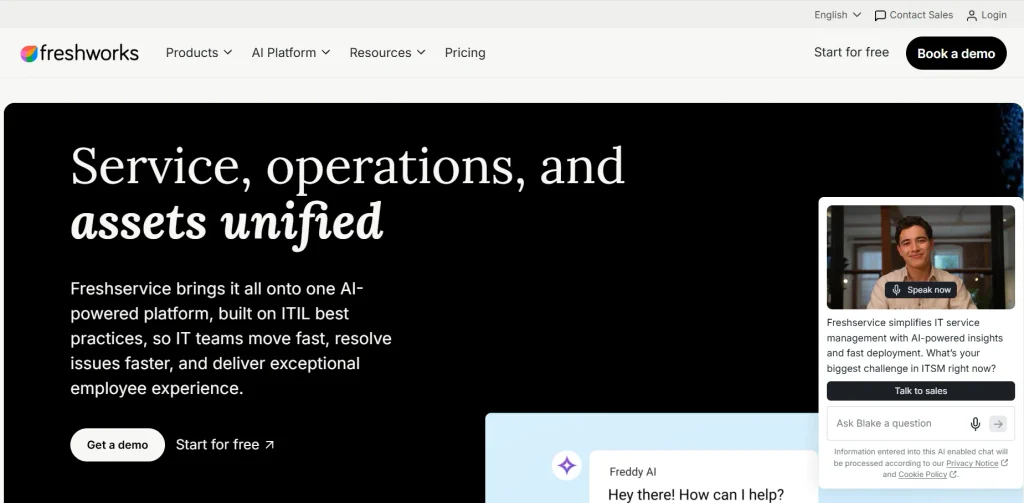
- Best for: IT teams looking for a single cloud-based platform to have helpdesk plus asset tracking.
Freshservice is an IT service management (ITSM) solution in the cloud with built-in IT asset management (ITAM). It enables IT teams to monitor hardware and software inventory, manage tickets, and automate workflows on a single dashboard. As IT asset management software, it also supports asset discovery, asset lifecycle management, and a configuration management database (CMDB), making it ideal for small to mid-sized businesses seeking a user-friendly, single solution for IT operations that needs little configuration.
Key Features
- Identify assets and automatically track them.
- Lifecycle management from procurement.
- CMDB with dependency mapping
- Service catalog and request workflows
- SLA management & reporting
- Cloud and identity integrations.
Pros
- Simple setup and user-friendly user interface.
- The all-in-one ITSM & ITAM platform.
- Effective automation and workflow tools
- Excellent customer service and training.
Cons
- You can spend a lot of money on asset units.
- The advanced features require higher plans.
- The interface may lead new users astray
- There are no customizations available on lower tiers.
Pricing
- Starter: ₹1,399/agent/month, billed annually
- Growth: ₹3,599/agent/month, billed annually
- Pro: ₹7,299/agent/month, billed annually
- Enterprise: Custom pricing
3. ManageEngine AssetExplorer

- Website: https://www.manageengine.com/products/asset-explorer/
- Best for: Mid-size IT departments with a need for affordable & comprehensive hardware and software asset management; robust license compliance.
ManageEngine AssetExplorer is an IT asset management (ITAM) platform that enables IT managers to have an instant overview of the hardware and software assets across multiple sites.
It provides automatic discovery, inventory, vendor management tools, custom workflows for asset life cycles, purchase and vendor management, and a built-in CMDB to visualize digital infrastructure. It’s flexible and supports deployment in the cloud or within the on-premises environment.
Key Features
- Agent-based discovery vs. agentless discovery
- Software license compliance tracking systems.
- Visual asset lifecycle workflows.
- Built-in CMDB and dashboards.
- Purchase and contract management.
- Support for Barcode, QR, and RFID.
Pros
- It’s available on the free edition for a low price.
- Quick installation and deployment.
- Excellent License compliance reporting
- Cloud or on-prem with flexibility
Cons
- The learning curve of new users.
- The free version has node limits
- The advanced features are additional and available at extra costs
- Scripting is required for custom integrations.
Pricing
- Starts at $595 for 25 assets
4. Lansweeper
- Website: https://www.lansweeper.com
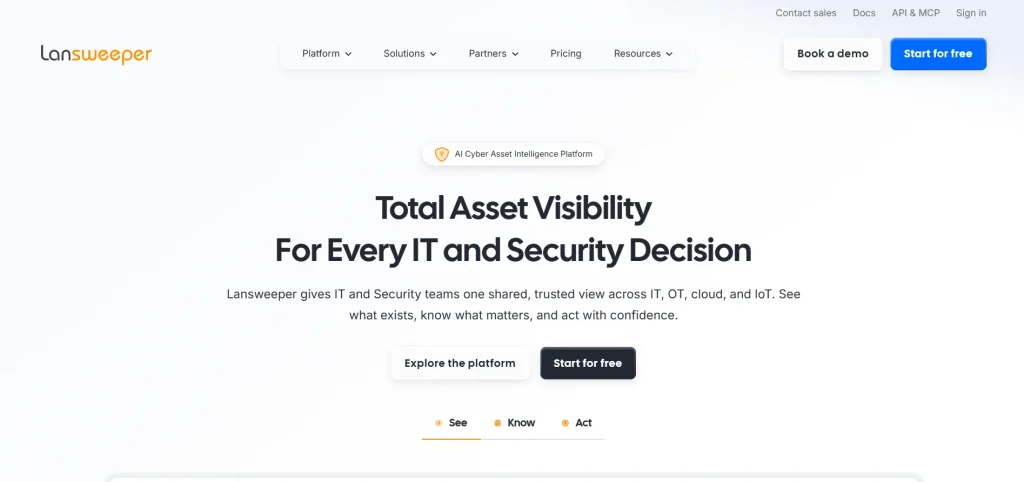
- Best for: Mid-size to large IT teams needing complete, agentless discovery and a single source of truth for all IT, OT, IoT, and cloud assets.
Discover all operational technology, devices, computers, servers, printers, cloud resources, and other assets on your network—even those without agents—with Lansweeper’s automatic discovery feature. It provides a single, correct inventory that is always up-to-date and reliable for use by the IT, security and finance teams.
Lansweeper’s built-in vulnerabilities, lifecycle tracking, and integrations with other tools such as ServiceNow and Jira aid in reducing risk, eliminating wasted spend, and automating mundane tasks. A free plan covers up to 100 assets; paid plans start around $199/month for 2,000 assets.
Key Features
- It is an agentless network device discovery!
- Cloud, OT, and IoT asset scanning
- Centralized, always-accurate inventory
- The insights of vulnerability and lifecycle.
- Integrations with ITSM/CMDB, APIs.
- Automated workflows and ticket enrichment.
Pros
- Comprehensive agentless discovery
- One unique set of data throughout environments
- Vuln/ Life cycle reporting is strong.
- Highly flexible solutions and integrations, and automation.
Cons
- High teacher preparation needs for new users
- Interface may appear complicated or confusing
- The larger the scan size, the lower the performance.
- For small orgs, licensing minimums may restrict.
Pricing
- Free: $0
- Starter: From € 219Per month, billed annually
- Pro: From € 399 per month, billed annually
- Enterprise: Custom quote
5. InvGate Asset Management
- Website: invgate.com
- Best for: Mid-sized to large enterprises that need to have an ITAM + ITSM solution that’s simple to adopt and doesn’t require a complicated setup.
InvGate Asset Management is a full-featured IT asset management software solution designed to manage hardware, software, and cloud assets from one centralized location. It provides real-time inventory management, while an inventory management system helps maintain accurate asset records, track availability, and support efficient lifecycle management from procurement through disposal.
With both agent-based and agentless discovery, it keeps asset data up to date. Its seamless integration with InvGate’s ITSM platform provides additional context within tickets. It’s suitable for organizations that want strong asset visibility and reporting without a lengthy implementation process or steep learning curve.
Key features
- A single repository of hardware and software inventory
- Automated compliance and license alerts
- Usage analytics, reporting dashboards
- Associating ticket status to identify links with IT and Service requests.
- Agent and agentless discovery
- Lifecyle tracking, procurement to retirement.
Pros:
- Generally easy to use
- We have reliable and responsive customer support.
- Excellent inventory discovery capabilities
- Integrated ITAM and ITSM
Con
- The reports are not customisable to the full extent.
- There are no native remote deployments.
- UI can feel dense
- You require administrative effort to set up workflows.
Pricing
- Starter: $1,499 /year fixed price
- Pro: $500/agent/year, starts at $2,500/year
- Enterprise: Custom pricing, starts at $12,000/year
6. NinjaOne
- Website: https://www.ninjaone.com/it-asset-management/
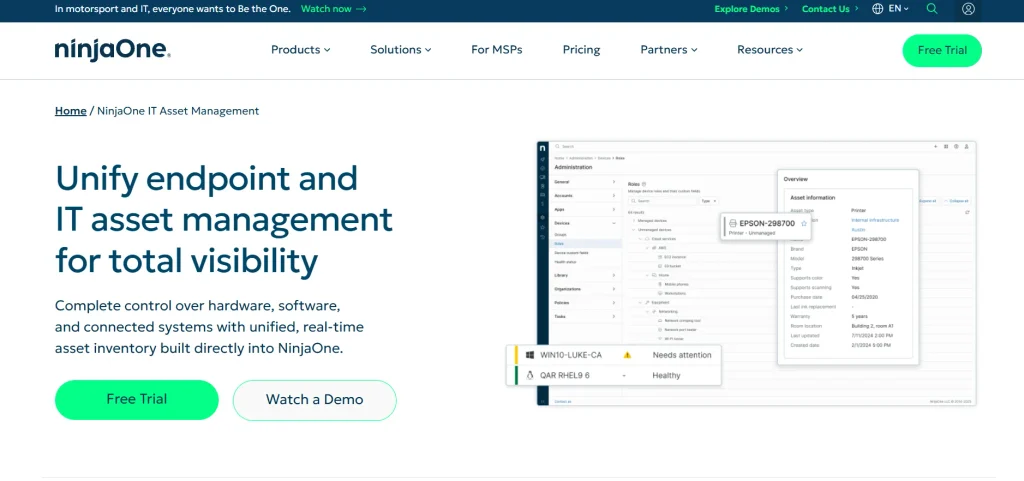
- Best for: Mid-to-large IT organisations or MSPs that require a single solution for endpoint management and native IT asset tracking.
NinjaOne IT Asset Management (ITAM) is a built-in application within NinjaOne’s comprehensive IT operations platform. It provides end-to-end visibility of all your hardware, software, and subscriptions, managed via an agent, discovered on the network or offline.
It allows you to monitor warranties, license usage, device lifecycles, and reduce waste, ensure compliance, and plan replacements more wisely. Unlike separate ITAM tools, it’s integrated into the same console that is used for patching, remote access, and monitoring, allowing you to take action based on the asset data.
Key features:
- Real-time hardware and software inventory.
- Detecting unmanaged devices and Shadow IT.
- Track and verify software licenses
- Tracking hardware life cycles and warranties.
- Dependency Mapping and Dependency Relationships visualization.
- API integration with ITSM platforms.
Pros:
- Single platform for RMM and patching.
- User-friendly online interface that is quick and easy to use.
- Excellent customer support and onboarding process
- Scalability for 100,000+ endpoints, hassle-free.
Cons:
- Not transparent pricing; need to request a quote;
- Expensive for a few small endpoints
- The built-in ticketing is missing of advanced features for ITSM.
- The depth of reporting is shallow compared to specialists
Pricing:
- Custom pricing
7. Device42
- Website: https://www.device42.com
- Best for: Hybrid IT and data-center teams with agentless discovery, dependency mapping, and an integral CMDB.
Discover your entire hybrid infrastructure—discover physical servers, virtual machines, cloud workloads, network gear, and applications—without relying on agents—with Device42. It creates a live inventory, connects systems, and populates a pre-populated CMDB, IPAM, and reporting dashboard.
This provides IT teams with a single source of truth for assets and dependencies, which allows them to reduce dependence on manual spreadsheets, plan migrations, manage licenses, and resolve incidents more quickly.
Key features
- Assistive infrastructure discovery/analysis (without agents).
- Visualizing and mapping applications against their dependencies
- In-built CMDB with audit history.
- The module that manages IP addresses
- Data center infrastructure management (DCIM)
- Integrations with ITSM and automation products.
Pros
- Agentless, deep coverage of auto-discovery.
- Clear dependency maps of migrations.
- A single point of management for CMDB, IPAM, DCIM & ITAM.
- Predictable, capacity-based pricing model
Cons
- Public pricing – opaque; quote-based pricing.
- The navigation and user experience may be complicated
- Very large scans cause performance to drop off.
- There is no external database support option.
Pricing
- Custom pricing
8. Snipe-IT

- Website: https://snipeitapp.com
- Best for: Small to medium IT teams looking for a free software asset tracker that can be installed on their own servers.
Snipe-IT is a free, open-source IT asset management software solution designed to manage hardware, software licenses, accessories, and consumables from a single location. It provides a secure, web-based dashboard that replaces error-prone spreadsheets with check-in/check-out workflows, barcode and QR support, and email alerts.
Teams can self-host Snipe-IT or choose managed cloud hosting plans with automated updates and support, making it a flexible option for organizations with different IT asset management needs.
Key features
- Mobile-friendly web interface
- Bar code/QR code scanning is supported.
- Alerts for upcoming license expiration date.
- REST API for integration.
- Role-based access controls
- CSV import and export
Pros
- Free self-hosted option
- No limits on users and assets.
- Good audit and history logging practices
- Active community and integrations
Cons
- You won’t find any automatic network discovery features.
- Hand set-up and maintenance.
- Basic reporting and analytics
- To some users, the UI seems to be outdated.
Pricing
- Self-Hosted: Free
- Basic Hosting: $39.99/month or $399.99/year
- Small Business Hosting: $99.99/month or $999.99/year
- Dedicated Hosting: $249.99/month or $2,499.99/year (higher tiers custom)
9. Asset Panda
- Website:https://www.assetpanda.com
- Best for: businesses that require a mobile-first, easy-to-use asset tracking solution without coding and with unlimited users.
Manage IT assets and record their full lifecycle in a single place with Asset Panda, a cloud-based IT asset management solution. It is web and mobile (iOS/Android), barcode and QR scanning support, and has offline mode for use in the field.
Customizable fields, workflows, and reports; adjusts to your processes without developers. Data is synchronized using integrations with products such as Zendesk, Okta, Jamf, and Microsoft Entra ID. In addition to automation for inspections, audits, and compliance alerts, Ursa AI is highly intuitive.
Key features:
- Unlimited users included
- An offline mobile app for your phone.
- Custom fields and workflows are built.
- Barcode and QR scanning
- Full lifecycle history
- AI-driven inspections and alerts.
Pros:
- No Coding – fully customizable
- Most plans offer unlimited users.
- Good mobile and offline service.
- Wide integration ecosystem
Cons:
- Prices are not easily visible to the public
- Be expensive when used on a large scale.
- No GPS geo-tracking!
- The learning curve for advanced customizations.
Pricing:
- Custom pricing
10. SolarWinds Service Desk

- Website: https://www.solarwinds.com/service-desk
- Best for: IT businesses with medium to large-sized help desks that prefer an integrated solution that supports ITIL practices and includes asset management and AI-powered workflows.
SolarWinds Service Desk is an IT service management (ITSM) solution in the cloud that integrates a self-service portal, ticketing, a knowledge base, and integrated IT asset management (ITAM). It will auto-categorize, suggest resolutions, and connect incidents with impacted assets using the visual CMDB powered by AI.
It’s for IT and enterprise service teams and integrates with ITIL best practices for incident, problem, and change management, all while keeping hardware, software, contracts, and licenses all in one dashboard.
Key features
- Unified ticketing and asset management plan
- AI-powered ticket classification and routing.
- Content Management and Dependency Mapper (Visual CMDB)
- User-friendly self-service portal and knowledge base.
- Drag-and-drop workflow automation
- SLA tracking with escalation rules
Pros
- Easy-to-use, modern interface
- Good ITIL process coverage
- Advanced asset discovery and tracking capabilities built-in.
- A reasonable price for the intermediate IT team.
Cons
- Limited third-party integrations
- Whilst advanced customization can be limiting:
- Some flexibility of reporting is available, though this is limited
- The remote-support module that is native to this platform was not found.
Pricing
- Monitoring & Observability: Starts at:$8 Per node/month
- Database: Starts at: $142 per database/month
- IT Service Management: Starts at:$ 39 Per technician/month
- Incident Response: Starts at $ 15 per user/month
Common Mistakes When Implementing ITAM Software
The reason IT Asset Management (ITAM) software is not implemented is not always because it’s a bad software, it is usually a result of incorrect processes or planning. Here are common pitfalls to avoid when you’re rolling out.
These are the following most frequent mistakes in implementing ITAM:
- For a long time, ITAM has been regarded as merely an IT project: ITAM has an impact on finance, procurement, security, and operations. When IT is the sole owner, budgets, policies, and compliance requirements suffer, and ROI suffers.
- Failing to have a plan and goals: Without clear goals, scope, and success criteria, things can go overboard and become “activity without outcomes.” Having a plan that is implemented in phases and has measurable goals helps to keep it focused.
- Transferring unclean and incomplete information: The migration of legacy, inconsistent, or duplicate records to the new system generates “ghost” and “zombie” assets, incorrect license counts, and lack of trust in reports. Data is cleansed and normalized before moving.
- Using spreadsheets or isolated tools: Manual sheets and isolated systems result in errors, duplication of work, and obsolete records. A centralized ITAM platform, automation, and integrations improve accuracy & scale.
- Skipping Software, Cloud, Remote Assets: If a business only considers laptops/servers and not SaaS, cloud services or remote/mobile devices, they risk shadow IT, compliance issues, and uncontrolled spend. Track all kinds of assets.
- No life cycle/disposal planning: Only monitoring purchase and assignment, without monitoring maintenance, upgrades, retirement, and safe disposal, increases security risk and costs. Build end‑to‑end lifecycle steps into workflows.
- Inadequate training, policies, and buy-in from stakeholders: If policies, training, and cross-department involvement are not in place, users work around the system and/or input data incorrectly. Communicate policies, develop teams, and establish accountability.
Conclusion
Properly selecting IT asset management software can enable businesses to manage all of their technology, including devices, software, licenses, cloud services, and more. Companies of varying sizes may choose from a variety of tools that have varying features, pricing, and deployment options, like ServiceNow, Freshservice, ManageEngine AssetExplorer, Lansweeper, and Snipe-IT.
You need to take into account budget, assets, automation requirements, integration, and technical skills before deciding. By implementing an ITAM solution strategically, you can save money, enhance security, streamline compliance, and make more effective business decisions. Careful analysis of these factors can help companies choose software that optimizes efficiency and promotes sustainable growth.
FAQs
Q.1 What Is IT Asset Management Tools?
It enables enterprises to monitor, manage, and optimize IT assets, including hardware, software, licenses and others, across their lifecycle.
Q.2 What Is The Reason Behind The Need For Businesses For IT Asset Tracking Software?
It enhances asset visibility, reduces unnecessary costs, eases audits, and facilitates software licensing compliance.
Q.3 What Features Should IT Asset Tracking System Include?
Check for automated discovery, inventory, lifecycle, license management, reporting, and integrations.
Q.4 What’s The Top IT Asset Management Tools?
The answer will depend on the size of your company, the types of assets you are managing, your budget, integrations, and the requirements for ITSM and compliance features.
Q.5 How Much Does IT Asset Management Tools Cost?
Each provider will have different pricing structures and, typically based on the number of users, devices, assets, and features that you need.