

The management of money is daunting. Piles of bills are accumulating, costs are increasing, and it becomes a nightmare trying to keep track of them. This is where management tools come to the rescue for you. These computer assistants simplify, hasten, and lessen the tension when it comes to money. Financial management applications are your money-saving, smarter assistant. They assist you in monitoring expenditures, saving finances, budgeting, and making sound financial choices. No matter whether you operate your small business or are managing your personal finances, these tools can transform your life in a total way.
This guide will discuss the top 10 financial management tools that can revolutionize your way of dealing with money. We will cover it all (deeply simple budget trackers to potent business solutions) so that you can make the right choice and select the right tool you need.
What Are Financial Management Tools?
Financial management tools are computer applications or online systems that can assist you in being more organized and in control of your money. They can be considered as your personal finance coach, accountant, and planner in a convenient package. These applications will be able to follow your revenues and expenses. They relate to your bank accounts and credit cards to demonstrate the precise way that your money is spent. A lot of tools in financial management also assist you in making budgets, saving towards goals, and even investing your money in their wisdom.
A few of them are oriented towards personal use, whereas the others are oriented toward business. Simple money tasks are accomplished using the best financial management tools. They make enigmatic spreadsheets easy to understand, and colorful charts that are easy to understand at first sight.
Why Look for Financial Management Tools?
- Save time on money tasks: These tools are automated to take care of mundane duties such as tracking expenses and bill payment reminders, thus allowing you to have additional time on activities that add pleasure to your life.
- Smart money decisions: Financial management tools indicate the trends and expenditure patterns, which would enable you to identify problems and opportunities that would not have been realized otherwise.
- Reduce financial stress: Once everything is in place and is seen, then you are not so worried about money since you are aware of where you are in a financial position.
- Avoid costly mistakes: Electronic notifications and reminders can avoid overdraft charges, late payments, and other costly financial mistakes.
- Realize financial objectives more quickly: These tools help you to set achievable goals, monitor progress, and save for vacations, houses, or even retirement.
Top 10 Financial Management Tools
1. Mint

Mint stands as one of the most popular money management software in the world. It is a free tool that links to your bank accounts, credit cards, and investment accounts to provide you with a full picture of your finances. Mint then automatically classifies your transactions, and also intelligently builds budgets out of your spending habits. The platform notifies you at times when you spend too much or when bills become due. Mint, boasting more than 20 million followers, has proved to be a dependable option when it comes to the management of personal finances.
The tool provides credit score management and will give you personalized advice to make your financial status better. The simplicity of the Mint interface enables it to be an ideal product for the beginner who needs to start managing money in a better fashion without any complex features.
Key Features:
- Automatic expense tracking
- Free credit monitoring
- Bill payment reminders
Pros:
- Completely free service
- Easy setup process
- Comprehensive financial
Cons:
- Small investment characteristics.
- Occasional sync issues
- High level of advertisement.
Best For: Beginners
Pricing: Free
Website: https://mint.com
2. YNAB (You Need A Budget)

YNAB has its own approach to budgeting philosophy in which each dollar has a job to do before it is spent. It is an accounting software that you are taught to live on the money that you earned last month, as opposed to the money that you wish to earn. YNAB makes you be conscious of what you spend by categorizing funds into particular categories before spending. The tool has great educational materials, such as workshops, tutorials, and customer support, to make the users successful.
Young MBA 2020 users, on average, save 600 dollars within two months and 6000 dollars within the first year. The program is very useful to individuals who have difficulties overspending or living on the expense of paycheck. The practice used by YNAB is more demanding than other applications, yet the outcomes are self-explanatory.
Key Features:
- Zero-based budgeting system
- Goal tracking features
- Included in educational workshops were.
Pros:
- Proven budgeting method
- Excellent customer support
- Strong user community
Cons:
- Monthly subscription fee
- Steeper learning curve
- Lack of sufficient monitoring of investment.
Best For: Budgeters
Pricing: $14.99/month
Website: https://youneedabudget.com
3. Quicken
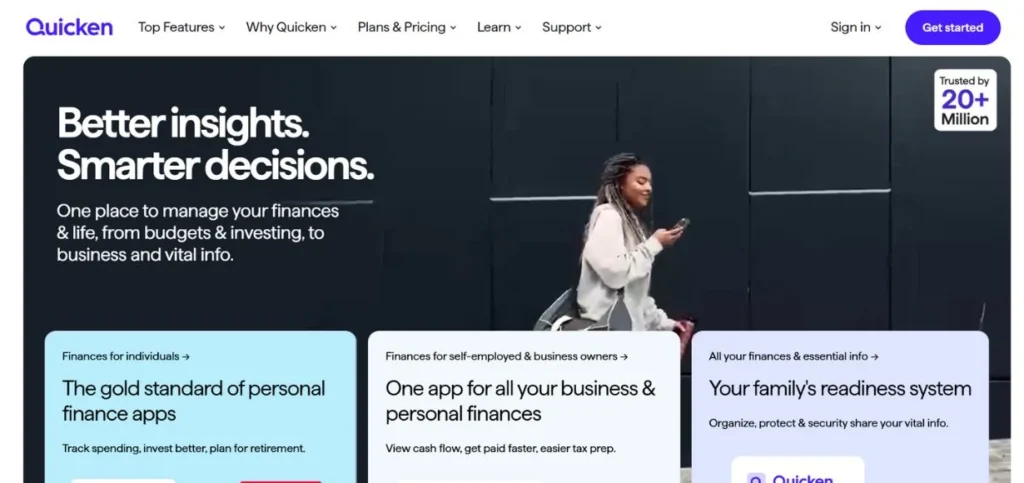
Quicken has also assisted people in managing money for more than 35 years, and hence it is one of the most reliable financial tools for small businesses. This all-purpose software is capable of taking care of simple budgeting to more elaborate investment recording and tax filings. Quicken provides a range of products for an array of requirements, beginning with basic personal finance and advanced business accounting.
The tool has the capability of tracking rental properties, administering loans, and creating comprehensive reports during tax time. The investment capabilities offered by Quicken are similar to those of serious investment platforms, and it is ideal for serious investors. The software keeps the information locally on your computer, and you have total control of your financial information. Quicken has a history of use, and its reliability is keeping millions of customers loyal, even in the modern world of cloud-based solutions.
Key Features:
- Detailed investment monitoring.
- Local data storage
- Tax report generation
Pros:
- Decades of reliability
- Complex reporting functionality.
- Strong investment tools
Cons:
- Higher cost options
- Desktop software is needed.
- Complex for beginners
Best For: Investors
Pricing: $35.99-$103.99/year
Website: https://quicken.com
4. Personal Capital

Personal Capital is a better investment management tool for individuals who have lots of assets to manage. This is a free tool that gives much emphasis on investment analysis and retirement planning, but also offers simple budgeting options. The dashboard on the Personal Capitals investment displays the allocation of assets, performance, and analysis of fees on all your accounts. The tool also has a retirement planner, which will assist you in finding out whether you are saving enough to retire in your golden years.
Personal Capital also provides users with free financial consultations with advisors when they have large assets. The investment checkup option in the platform detects any hidden charges costing you thousands in the long run. Although the budgeting functions are simpler compared to the specialized applications, the investment analysis is one of the best to be used free of charge.
Key Features:
- Investment fee analysis
- Retirement planning tools
- Free advisor consultations
Pros:
- Free comprehensive service
- Superior investment monitoring.
- Access to a professional advisor.
Cons:
- Basic budgeting features
- Focuses on wealthier users
- Heavy advisory sales
Best For: Wealth
Pricing: Free
Website: https://personalcapital.com
5. PocketGuard

PocketGuard is easy to use because it displays the exact amount of money that you can spend after bills, goals, and necessities. This financial management application will help you avoid spending a lot of money because it will calculate your In My Pocket amount in real time. PocketGuard automatically classifies transactions and suggests recurring subscriptions that may be canceled. The simplicity of the tool makes it ideal for those individuals who consider other financial management tools too complex or daunting.
The PocketGuard bill negotiation service has the ability to save your monthly bills automatically. The application is also based on spending management, not special functions, which suits impulse buyers well. The clean interface of PocketGuard and its simple format make it easy for users to manage and create better habits of spending within a short time.
Key Features:
- Computations of spending limits.
- Tracking service of subscriptions.
- Negotiation support in bill processing.
Pros:
- Simple interface design
- Efficiently prevents excessive spending.
- Affordable premium version
Cons:
- Poor customization capabilities.
- Basic reporting features
- No investment tracking
Best For: Simplicity
Pricing: Free, Premium $12.99/month
Website: https://pocketguard.com
6. Tiller
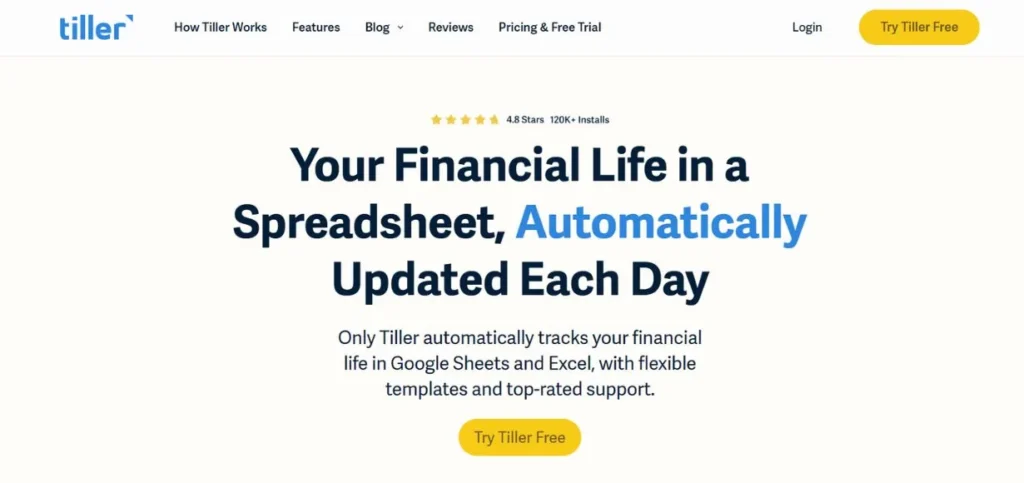
Tiller is the spreadsheet game for the new financial management because it will automatically import your transaction information into Google Sheets or Excel. This unique automated accounting software appeals to people who love spreadsheets but hate manual data entry. Tiller has budgeting, debt tracking, and financial reporting templates, but allows you to make everything just like you need it. The tool fills your spreadsheets with transactions every single day, so you do not have to work on them manually.
Tiller is flexible, so you can make any report or analysis you can conceive with the help of the familiar spreadsheet functions. The platform is excellent with families and small businesses, as well as any individual who would prefer to have full control of his or her financial information. The method proposed by Tiller only takes the knowledge of spreadsheets and provides an unlimited customization option.
Key Features:
- Spreadsheet updating is automated.
- Total freedom of customization.
- Template library included
Pros:
- Absolute flexibility provided.
- Recognizable spreadsheet user interface.
- Works with existing sheets
Cons:
- Pre-requires spreadsheet skills.
- No mobile app
- Subscription must be paid monthly.
Best For: Customization
Pricing: $79/year
Website: https://tillerhq.com
7. CountAbout
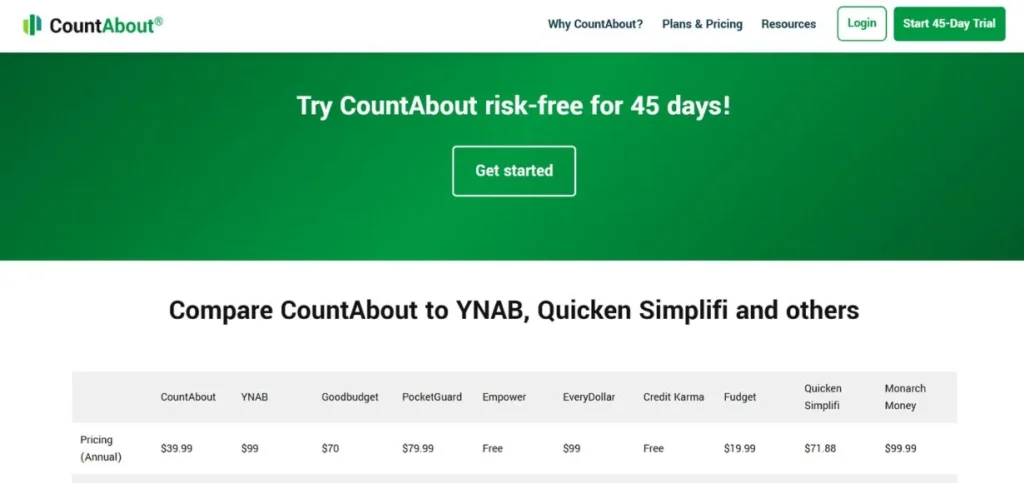
CountAbout is the spiritual successor of Microsoft Money, a web-based replacement of the abandoned desktop financial software. It is a platform that will emphasize transaction tracking and reporting in a detailed manner without the complexity of business-oriented tools. CountAbout is capable of importing Quicken and Microsoft Money data, and therefore, users can easily migrate out of the abandoned software. The tool offers good categorization and custom reporting opportunities that assist you in examining patterns of spending.
The interface of CountAbout reminds users of traditional desktop financial software but offers the convenience of modern web-based software. The site is effective for individuals interested in detailed tracking without incurring the high costs of features that are not business-friendly. The simplicity of CountAbout allows it to be an ideal tool for users who are used to more financial management tools of the past.
Key Features:
- Import from legacy software
- Categorization of transactions.
- Custom report generation
Pros:
- Software compatibility of legacy software.
- Close tracking facilities.
- Low-cost pricing system.
Cons:
- Dated interface design
- Limited mobile features
- Smaller user community
Best For: Transitions
Pricing: $39.95/year
Website: https://countabout.com
8. Goodbudget

Goodbudget introduces the envelope budgeting technique to the digital era and introduces the time-tested approach to budgeting to modern money management applications. Goodbudget develops its own virtual envelope rather than having real envelopes with money in them. The technique makes you spend money deliberately and avoid unnecessary spending in any category. Goodbudget is ideal in cases where couples have to share information on budgets and also make it easier to manage the expenditures.
The simplicity of the tool is ideal as it is simple enough to be understood by persons who are overwhelmed by other financial management tools as being too complicated and too loaded with features. Goodbudget is a simple budgeting and expense tracking tool with no investment capabilities or difficult reporting. Millions of people have managed to take control of their money through the envelope approach, and Goodbudget is the simplest way to do so.
Key Features:
- Envelope budgeting method
- Sharing the capabilities of couples.
- Simple expense tracking
Pros:
- Proven budgeting method
- Great for couples
- Free version available
Cons:
- No bank connectivity
- Manual transaction entry
- Limited reporting options
Best For: Couples
Pricing: Free, Plus $60/year
Website: https://goodbudget.com
9. Honeydue
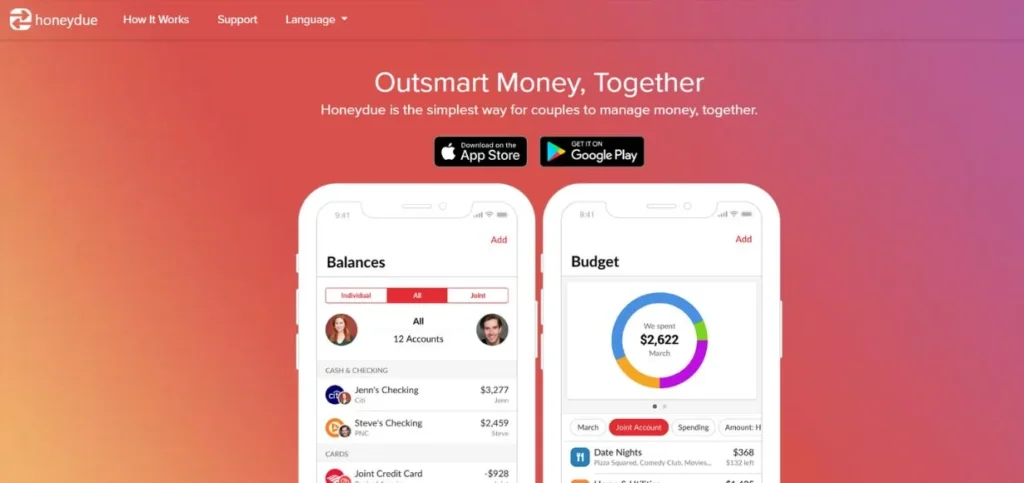
Honeydue focuses on couples organizing their finances jointly with the help of joint budgets, tracking their expenses, and financial communication applications. This money management app is a unique one, which allows partners to view each other’s spending without their account privacy being revealed. Honeydue will notify you when your partner spends a lot of money, and couples can stay updated about their joint financial status. The app has chat options to communicate on expenditures and budgetary decisions without exiting the application, and the Honeydue bill-tracking system keeps the couple informed about the payments and dates to pay.
The relationship-based nature of the app will make financial discussions less stressful and easier to have conversations with couples. Honeydue understands that when financial objectives and liabilities are shared between two individuals, money management will have a different appearance.
Key Features:
- Couple expense sharing
- In-app chat functionality
- Bill reminder system
Pros:
- Designed for couples
- Free to use
- Great communication characteristics.
Cons:
- Single-user features are not many.
- No investment tracking
- Rudimentary reporting features.
Best For: Couples
Pricing: Free
Website: https://honeydue.com
10. FreshBooks
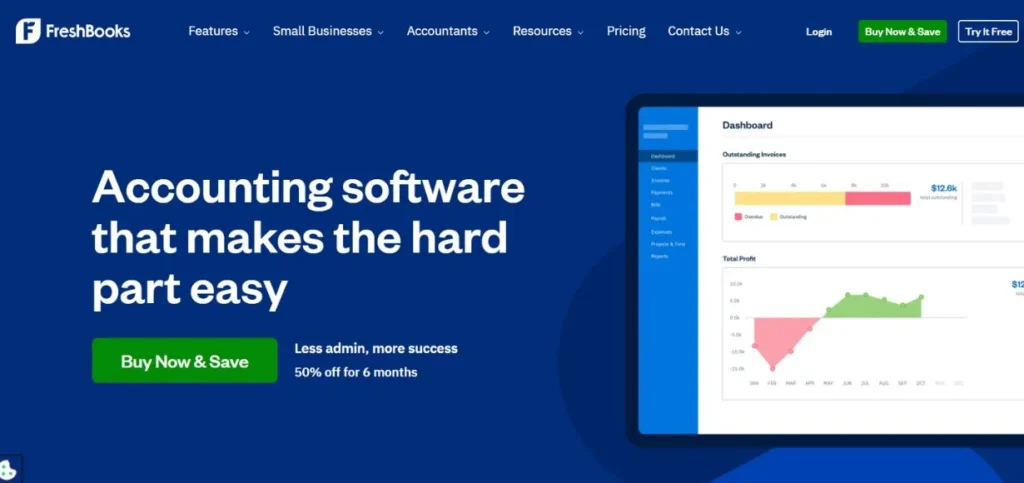
FreshBooks is an all-purpose small business financial management application, which processes invoices, expense monitoring, time, and simple accounting requirements. It is an automated accounting software that is easy to use and helps freelancers and small business owners to keep their finances professional due to its use of a cloud platform. FreshBooks is an invoice generator, payment tracking, and client relationship management platform. The functions of the tool in tracking expenses can be very useful for the business owner who requires separating the business and personal finances.
FreshBooks is also connected to major payment processors to ensure quicker payment. The reporting capabilities are offered on the platform and give reports about the business performance and profitability. The simple interface of FreshBooks enables individuals with no accounting experience to use it to do professional accounting. The size of the tool goes smoothly between individual entrepreneurs and small groups.
Key Features:
- Preparation of professional invoices.
- Time tracking integration
- Customer relationship management.
Pros:
- Extensive business characteristics.
- Easy invoicing system
- Excellent customer support
Cons:
- Business focus only
- Monthly subscription cost
- Limited personal features
Best For: Business
Pricing: $17-$55/month
Website: https://freshbooks.com
How to Choose the Right Financial Management Tools
- Determine your individual needs: Compare options by first determining what you require in the form of personal budgeting, business accounting, tracking investments, or a combination of both.
- How well do you feel with technology: Select the tools that fit your level of technological ability – easy-to-use applications for a novice, or more complicated applications with powerful controls.
- Assess security and privacy policy: Bank-level encryption of any financial management tools you use is good, and you must make sure the tools have good privacy policies that ensure that your sensitive data is not compromised.
- Test versions or trials. The first: The majority of quality tools have a free or trial version, and this allows testing different tools before investing in the paid subscriptions.
- Checking into the accounts with your banks: Make sure that your selected tools are compatible with your particular banks and financial institutions in order to auto-import transactions.
Conclusion
Financial management tools have turned the process of managing money into a simple task that can be easily understood by anyone and is not complex. Whether you are an inexperienced person who wants to trace simple costs or a businessperson who requires complete accounting services, there is a perfect tool that will be available to you. The success of financial management tools has to do with the ability to select one that will suit your needs and level of technical comfort, as well as your financial objectives. Free versions will help you to test the functionality, and then pay for a subscription when your needs become more complex.
Bear in mind that the tools of financial management that you are going to use regularly are the best. An ordinary tool that is used regularly beats a sophisticated tool that is lying idle. You should take the time to determine various options, user reviews, and more, as well as taking into consideration your long-term financial goals. The first step towards achieving a healthy financial life is making that step. Select one of these tested financial management solutions and start a new life with money. The hours spent on the training will have a long-term payoff in terms of improved financial choices and less stress on the money.
FAQs
Are there any financial management tools that are safe to use with my bank accounts?
Bank-level encryption and read-only access to your accounts are used in most reputable financial management tools, which makes those very safe. Search features of 256-bit encryption of the SSL protocols, two-factor authentication, and good privacy policies. Do not use your real banking passwords – trusted services can be served via secure connections via the official APIs of your bank.
Do I have to pay money for financial management tools to achieve good results?
There are numerous good financial handling tools that have free versions that are of great value to simple money handling requirements. Most tasks in personal finance can be done using free programs such as Mint and Personal Capital. Nevertheless, paid tools are usually more advanced, have more reliable customer services, and are more customizable, which can be justified by serious users.
Do the small business financial tools manage both individual and business finances?
Some of the tools may monitor several types of accounts, but it is usually wiser to maintain personal and business finances totally separate in terms of taxation and legal considerations. Business expenditures: Business-specific financial tools such as FreshBooks or QuickBooks should be used, whereas personal money management applications are to be used to keep personal expenses separate.
What is the time of the establishment and learning of financial management tools?
The majority of the contemporary financial management systems are easily installed within 15-30 minutes, linking your accounts and enabling the importation of the first transactions. It normally takes 1-2 weeks of constant use to learn how to use them effectively. The long-term investment that is made in terms of time is relatively small in respect to the long-term payoff that is made in financial organization and decision-making processes.
What is to be done if the financial management tool chosen fails or goes down?
Always export financial information regularly and maintain an archive of significant entries and categories. The majority of financial management tools enable exporting data in a standardized format, such as CSV or PDF. A tool should also be capable of exporting its data, and it should be a stable tool with a few years in the market before deciding to use it to lessen the chance of abrupt closure.