
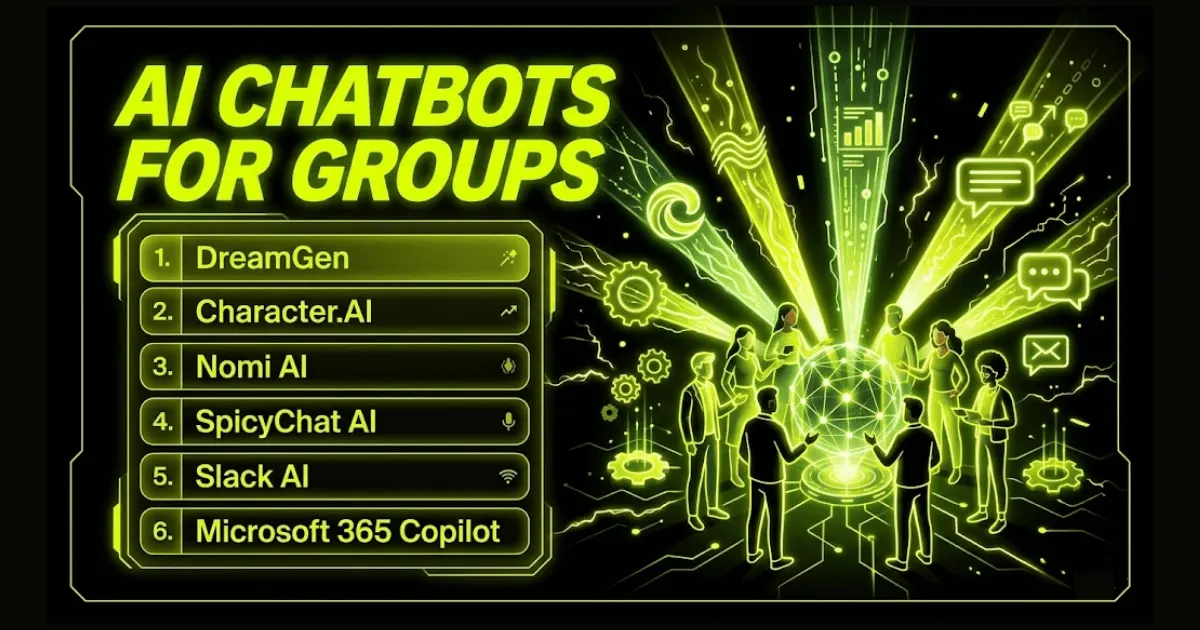
Group chat with AI used to feel like passing secret notes—one bot, one person. Today bots pull up a chair in every shared channel, from a five-player D&D quest to a 30-person design sprint. The tipping point came in October 2023 when Character.AI opened 20-participant rooms, proving humans and multiple AIs could riff without melting down. That breakthrough raised the bar for context-switching, memory, and disciplined turn-taking, and we’ve just stress-tested the top platforms on those points—so in the next few scrolls you’ll know exactly which AI teammate to invite.
How we tested and scored
We put each chatbot through three live scenarios: a five-player D&D quest, a 50-message Slack channel in full swing, and a three-AI gossip circle. At every turn we logged accuracy, turn-taking, and memory retention.
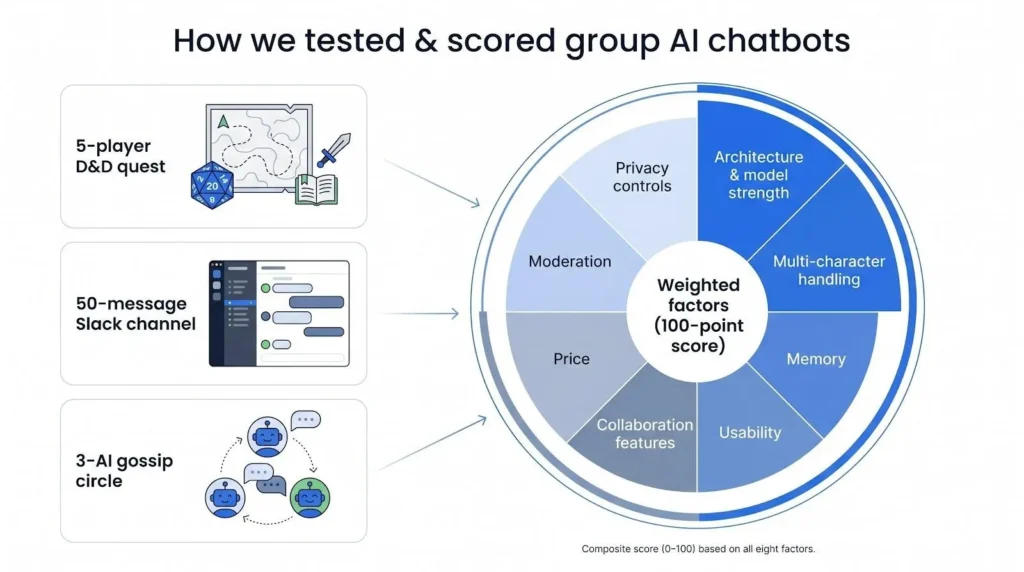
Performance breaks into eight weighted factors. Architecture and model strength count most because they keep dialogue coherent when many voices speak. Multi-character handling follows; a service that keeps ten personas distinct ranks higher than one that supports a single assistant.
Memory is critical. DreamGen’s paid tier stores up to 30,000 tokens, enough to track a 100-page novella from start to finish. Shorter-memory tools dropped early details after a few spirited exchanges and landed lower on the chart.
Usability came next. If you could start a room in under five minutes and the layout made sense to a first-time teammate, the product earned setup points.
Collaboration features also moved the dial. Slack AI can summarize a long thread and surface action items for everyone in the channel, no copy-paste required, so functions like that gained extra weight.
Finally we factored in price, moderation, and privacy controls, then converted every score to a 100-point scale. That composite drives the ranking that follows.
List of 6 Best AI Chatbots for Groups
1. DreamGen – best for multi-character roleplay
DreamGen turns every group chat into collaborative theatre. Recent compilations of the top ai roleplay chatbots for immersive role-play highlight DreamGen’s signature Scenario Codex, where you add a narrator and invite as many NPCs as the story needs. Its fiction-tuned models keep each voice distinct, so the barbarian never slips into the bard’s flowery prose.
Memory makes that possible. DreamGen’s paid tier holds up to 30 000 tokens, roughly a short novella, so long campaigns stay coherent without losing yesterday’s cliff-hanger.
Control stays with you. Edit or undo any line the AI writes, steer the narrative, or pause a side character. Filters seldom interfere, allowing adult or dark-fantasy themes without awkward refusals.
The main gaps are a missing mobile app and an SFW-only public library (mature scenarios must stay private). If you run tabletop quests, fan-fic events, or any story that needs several AI performers, DreamGen is the first tool to try.
Suggested Blog: No-Code AI Chatbot Builders
2. Character.AI – best free mass-market choice
Character.AI feels like a bustling comic con that fits in your pocket. With one tap you can pull Iron Man, Sherlock, and a friend into the same chat and watch the banter unfold. The feature landed in 2023 and still tops out at a generous twenty participants, humans and AIs combined, making it the largest free sandbox in this roundup.
Its catalog is the real draw. Millions of user-made characters mean you seldom start from scratch. Want a mythology study group? Drop Zeus into the room and let him argue with Athena while you take notes. The dialog-tuned model keeps each persona on brand, and an auto-silence rule stops the AI chorus from drowning you out unless you tag them.
There is a catch. Character.AI enforces strict PG-13 filters, so edgy topics hit a wall. Long sessions can fray memory; after a few thousand tokens Loki may forget past mischief. Still, for zero dollars you get a polished web and mobile experience, swift onboarding, and a playful lab for group creativity. If fun outweighs fringe content for you, start here and invite the whole crew within minutes.
3. Nomi AI – best for hands-off multi-AI conversations
Picture a private lounge where ten AI personalities gossip, debate, and scheme while you sip coffee and watch. That is Nomi AI. The platform lets you create a cast of Nomis, each with its own backstory and long-term memory, then drop them into a shared chat that runs itself. Turn on “auto group mode” and the bots decide who speaks next, generating unscripted dialogue in real time (the room pauses if you go AFK).
Memory depth is Nomi’s secret weapon. Test sessions that ran for thousands of lines still resurfaced day-one callbacks, proving the extended context window works as advertised. That continuity makes characters feel persistent rather than forgetful.
Freedom is another draw. Content filters are minimal, so romance, horror, or mature themes flow without interruption. Voice notes and image replies add multimedia variety, although replies can slow during peak hours.
There are limitations. Group chat sits behind a paywall; the free tier imposes strict caps. You also cannot invite another human into the room, and no redo button exists if a Nomi veers off script. If you crave a spectator-style AI drama and are willing to pay for it, Nomi AI offers an experience few rivals match.
4. SpicyChat AI – best for unfiltered NSFW role-play
If Character.AI is a family-friendly theme park, SpicyChat is the after-hours club around the corner. The moment you open a group room, you can seat up to ten carefully crafted bots, hand them a risqué scenario, and watch the sparks fly. Little policing happens in the background, so mature or explicit content continues without awkward warnings.
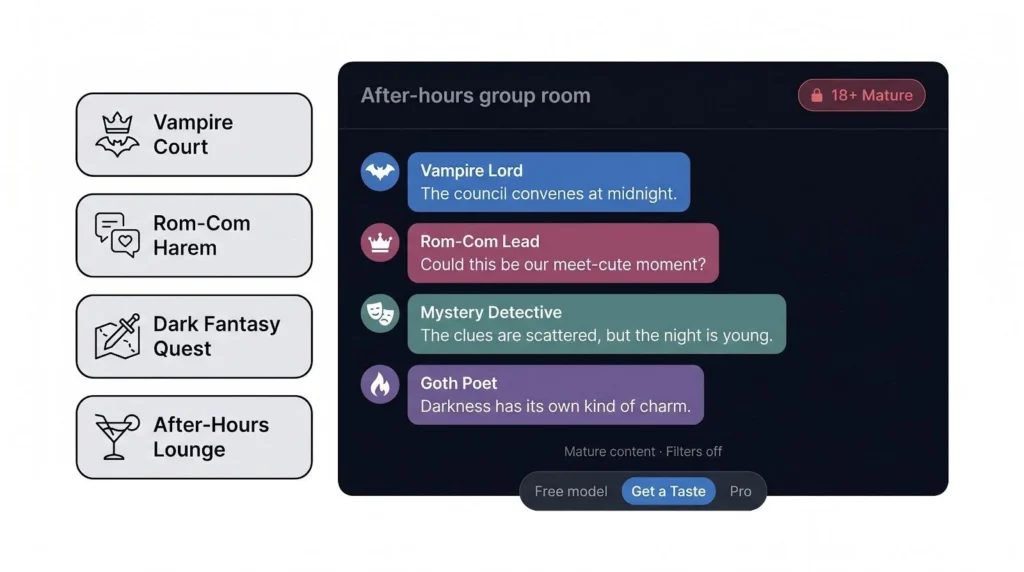
Community energy drives the platform. Thousands of user-published group setups, from vampire courts to rom-com harems, sit one click away. Drop in, tweak a character or two, and you are live within seconds.
Quality follows your budget. Free users run on a lightweight eight-billion-parameter model that struggles during fast, eight-person scenes. Step up to the five-dollar “Get a Taste” tier to skip the queue and gain auto-response, so you are not stuck cueing each speaker. Higher tiers add larger models and a broader context window, which lifts conversation coherence.
Drawbacks are clear. Interface polish trails bigger rivals, mobile apps hide behind the paywall, and corporate or academic use is out of the question. Yet for adults who crave multi-character stories without filter friction, SpicyChat offers the most direct path to unrestrained group role-play.
5. Slack AI – best for team collaboration
Slack AI feels less like a chatbot and more like a tireless teammate. Activate it in any channel and it will recap a 200-message backlog or draft a reply so you can hit send and move on. Because it lives inside the workspace you already use eight hours a day, context flows in both directions, so you avoid tab juggling and copy-paste gymnastics.
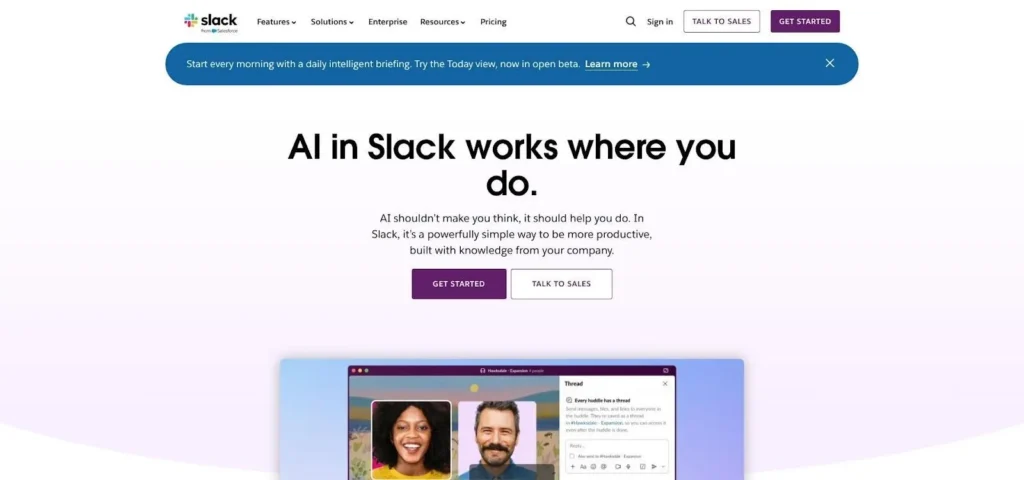
Reach into your data stack and Slack AI shows its strength. Connect an internal wiki, Drive folders, or ticketing tools and the assistant answers questions with company facts instead of generic web trivia. Your onboarding channel can ask, “Where is the new expense policy?” and get the exact doc link in seconds. Teams drowning in chatter finally see the signal.
Setup is quick: install the official app or turn on Salesforce’s built-in AI features, then choose which channels the assistant can read. Everyone in that room gains equal access, preventing the “only-Linda-has-the-chatbot” bottleneck seen with standalone tools.
Limitations exist. Slack AI excels at summaries and Q&A, but it refuses role-play requests and blocks NSFW content by default. Heavy API use can also push you toward Business Plus or Enterprise plans. Still, if your team already lives in Slack, this is the fastest path to group productivity gains.
6. Microsoft 365 Copilot – best for enterprise productivity
Copilot joins Microsoft Teams like an extra project manager who never forgets a detail. During a live meeting it transcribes, tags decisions, and drafts the follow-up email before you even press “Leave.” In text chats it pulls numbers from Excel or past messages, then turns that data into a ready-to-share chart, so you stay in flow.
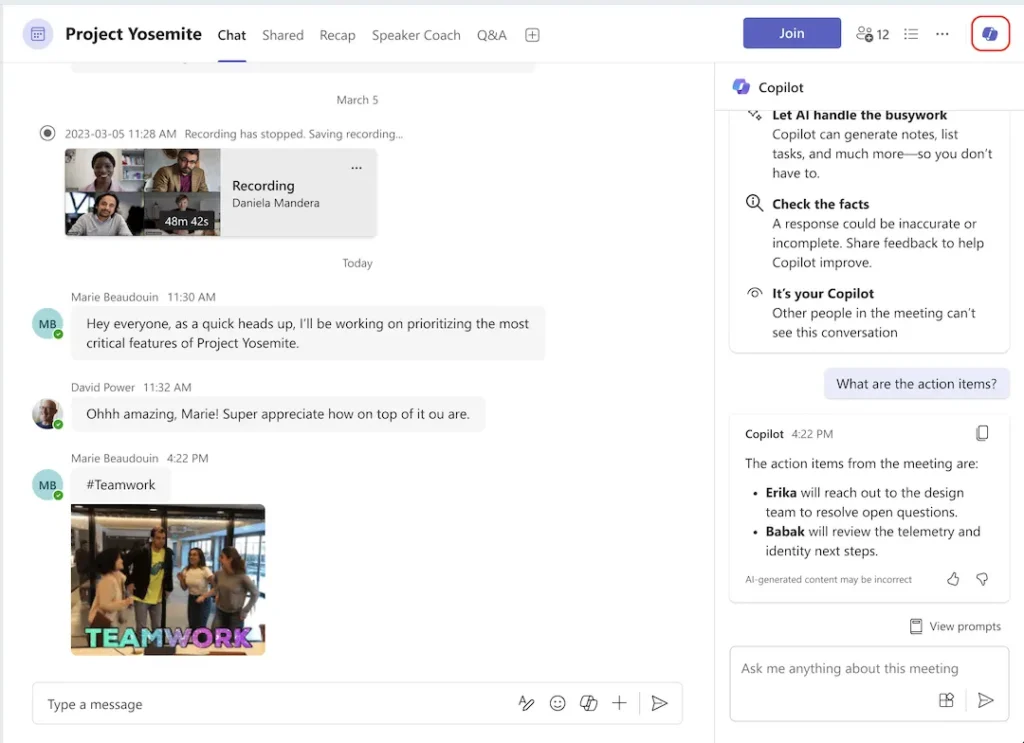
Deep Office integration sets it apart. Because Copilot can look into SharePoint, Outlook, and your calendar, it speaks the same language as your documents and deadlines. Ask “What slid past last quarter’s ship date?” and it surfaces the exact slide and owner in seconds, keeping the group aligned.
Privacy controls meet enterprise standards. Data stays inside your tenant, and admins decide where the AI may listen, which reassures legal and security teams wary of consumer bots.
Access comes at a price. Most firms get Copilot only by moving to Microsoft 365 Premium or higher, adding about 30 dollars per seat each month. Creative play is also off limits; the assistant stays focused on business tasks.
If your company already lives in Outlook, Word, and Teams, Copilot offers the smoothest path to AI-assisted collaboration. For shops on a different stack, the cost and vendor lock-in may outweigh the appeal.
Quick-glance comparison table
| Platform | Multi-user? | Multi-AI characters? | Context window | Notable strength | Biggest trade-off |
|---|---|---|---|---|---|
| DreamGen | 1 human + many AIs | Yes | Up to 30 000 tokens | Rich role-play controls | Web only, public library SFW only |
| Character.AI | Up to 20 humans | Yes | Few thousand tokens | Huge free catalog | Strict PG-13 filter |
| Nomi AI | Solo user | Yes (10) | Very large, persistent | Hands-off auto chat | Premium only, no redo |
| SpicyChat AI | 1 human | Yes (10) | 2–4 K free → higher paid | NSFW freedom | Rough interface, pay for quality |
| Slack AI | Channel members | No | Workspace-wide context | Instant workplace summaries | Needs Slack, limited creativity |
| MS Copilot | Teams members | No | 16–32 K tokens | Deep Office integration | High per-seat cost |
Choosing the right group chatbot
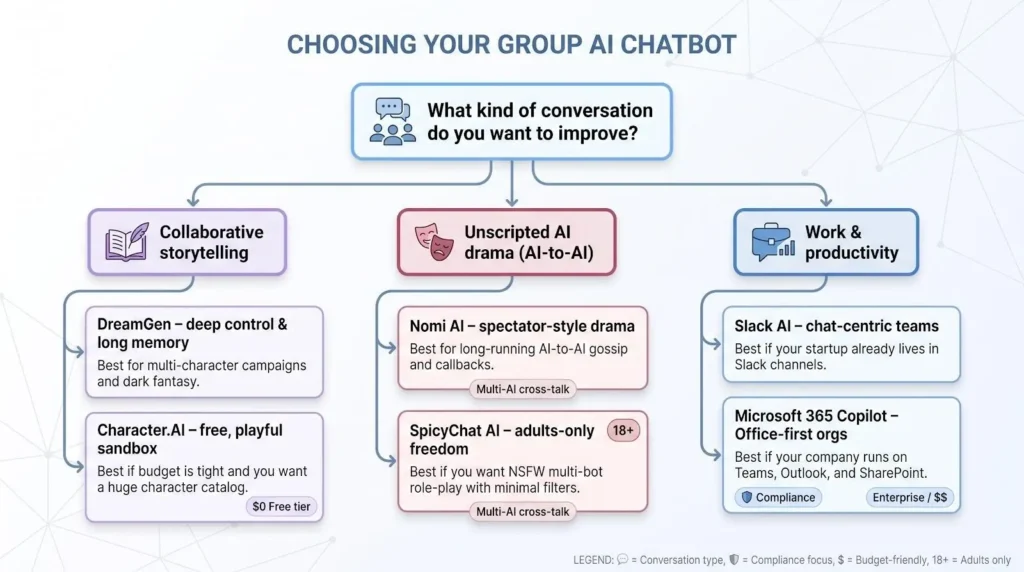
Picking a winner starts with one honest question: what kind of conversation do you want to improve?
If your aim is collaborative storytelling, pick DreamGen for broad creative control or Character.AI if you need a free playground. Craving unscripted drama among AI characters? Nomi AI offers the deepest memory, while SpicyChat allows adult themes without restraint. For pure productivity, the best choice sits inside the workspace you already use: Slack AI for chat-centric startups and Microsoft Copilot for Office-first companies.
Match those needs to your constraints. Running on a tight budget? Character.AI’s free tier supports up to twenty participants. Facing compliance or data residency rules? Copilot’s tenant-locked policies prevail. Need multi-AI cross-talk without humans? Only Nomi or SpicyChat fit.
Pick a candidate, start a trial, and drop one real project or one wild story into the room. Within an hour you will know if the fit is right.
What’s next for group chatbots
Group chat AI is accelerating, yet two pressure points still need real fixes: memory span and open ecosystems.
Memory comes first. Token windows keep expanding. DreamGen’s 30 000-token limit looked impressive in 2025; labs now preview 100 000-plus contexts. Longer windows cut the “Sorry, I forgot” moments when five voices overlap. Expect most platforms in this roundup to double or triple short-term memory within the next year, bringing true campaign-length continuity within reach.
Openness follows. Today’s tools remain walled gardens; you cannot invite Claude into a Character.AI room or ask Slack AI to riff with a DreamGen NPC. Open-source hubs such as SillyTavern hint at a future where you connect multiple APIs to one shared interface and choose which agent speaks next. Once that matures, we may see mixed-model panels where GPT-4 proposes an idea that Claude then critiques, all inside the same chat.
Keep an eye on these fronts. They will decide whether group AI stays a novelty or becomes standard collaboration tech.