
Marketing projects often involve multiple tasks, team members, deadlines, content, approvals, and client requirements. Without the right system, it becomes easy to lose track of tasks, miss deadlines, or spend too much time following up with the team. Important updates can get buried in emails and chats, while managers may struggle to see the actual progress of each campaign.
This is where marketing project management tools can make a real difference. They bring tasks, deadlines, communication, files, and project updates into one place, making it easier for teams to stay organized and work together. The right tool can also reduce repetitive follow-ups and give managers a clearer view of ongoing marketing work.
In this blog, we’ll explore the best marketing project management tools, their key features, benefits, and how they can help marketing teams manage projects more efficiently.
Why Marketing Teams Need Dedicated Project Management Tools
Marketing teams rarely work on just one task at a time. Campaign planning, content creation, design, approvals, social media, and reporting often move simultaneously, making it easy for important details to get buried across emails, chat messages, and spreadsheets. The dedicated marketing project management tools bring these activities into a shared workspace where teams can assign tasks, set deadlines, track progress, and keep project files together.
Better collaboration also matters because marketing work usually involves several people and departments. Asana’s 2024 State of Marketing Collaboration research, based on 830 marketing professionals, found that 73% said their teams are considered strategic partners to other functions. A centralized system can make these cross-team workflows easier to coordinate, reduce unnecessary back-and-forth, and give managers better visibility into ongoing campaigns.
Key Features to Look for in Marketing PM Tools
It’s essential to make sure that you invest in a software tool that is capable of meeting the specific requirements of a marketing department before purchasing it. There are lots of elements to a marketing campaign, varying from copywriting to graphic design to the final approvals and publishing. The right marketing project management tools should be able to handle these different stages without making the workflow unnecessarily complicated. Here are the best attributes to look for:
- Advanced Task Tracking & Management: More than just a list of tasks, you should be able to view tasks from start to finish. Seek software that enables you to split up big campaigns into smaller sub-jobs, delegate particular team members to each section, and prioritize jobs. Custom Statuses should be tracked as to the status of a piece of optimised content at any one time, e.g., “Drafting,” “In Review,” “Approved,” “Published.
- In-Context Collaboration (Team Chat): Workers must be able to discuss and exchange thoughts with ease and, most of all, the discussion should be in relation to the work itself. Team members should be able to tag one another directly within a single conversation/topic, rather than having to follow endless threads of email to find each other. This way, feedback, questions, and brainstorming occur where the work is being carried out.
- Calendar and Timeline Views: A calendar view helps you to plan launch dates to perfection. But marketing teams tend to run several campaigns simultaneously. You should search for tools that will give you a timeline or Gantt chart view. These enable you to view overlapping projects, plan long-term content strategies, and establish “dependencies” (such as the copywriter not being able to begin until the graphic designer has finished).
- File Sharing and Version Control: There is a need for a secure drop-off for images and text files. Marketing requires a lot of assets, such as logos, videos, ad copy, and more, so your PM tool should have plenty of storage or be easily connected to cloud-based drives like Google Drive or Dropbox. Also search for “version control. Marketers are aware of the process of numerous revisions to their assets (V1, V2, Final, Final_Updated); a good tool will keep the various versions of an asset together and prevent anyone from publishing an old draft.
- Proofing and Approval Workflows: This will come in handy for marketing. The top marketing PM tools feature native proofing, as opposed to sending PDFs back and forth through email. This way, the manager or client can click directly on an image or document, add a comment directly to the specific design element, and finally approve or request changes.
- Customizable Templates: Marketing teams have a lot of repetitive tasks to complete, whether it’s publishing a blog post once a week, sending out a newsletter once a month, or hosting a standard social media contest. You can create and save project templates with the appropriate tool. The next time you send out a newsletter, simply click your template and all of the “usual” tasks and deadlines will show automatically.
- Reports & Analytics: Should generate easy reports to monitor progress. Marketing managers should have a bigger picture view. Check for customisable dashboards that provide information about who is overworked, what tasks are overdue, and how much time was used on particular client campaigns. This information is vital when you’re communicating with stakeholders and forecasting future workloads.
- Seamless Integrations: Your PM software shouldn’t be in a bubble; it should seamlessly integrate. It must seamlessly integrate with the tools your marketing team uses on a daily basis. See if it connects with your communication apps (such as Slack or Microsoft Teams), CRM software (such as Salesforce or HubSpot), and design tools (such as Adobe Creative Cloud or Canva).
Comparison of Best Marketing Project Management Tools
| Marketing Project Management Tool | Best For | Free Plan | Starting Price |
| Monday.com | Agencies | Yes | $9 per user per month |
| Asana | Startups | Yes | $10.99 per user per month |
| Trello | Freelancers | Yes | $5 per user per month |
| ClickUp | Enterprises | Yes | $7 per user per month |
| Wrike | Big Teams | Yes | $9.80 per user per month |
| Smartsheet | Data Lovers | No | $7 per user per month |
| Notion | Content Creators | Yes | $8 per user per month |
| Airtable | Database Users | Yes | $20 per user per month |
| Basecamp | Remote Teams | No | $15 per user per month |
| Zoho Projects | Budget Teams | Yes | $5 per user per month |
List of Best Marketing Project Management Tools
1. Monday.com

- Website: http://monday.com
- Best for: Agencies
Monday.com is a very colorful and simple tool for marketing teams. It helps you manage your work with visual boards that look great and feel easy to use. You can track social media plans, content schedules, and team tasks in one single place, making marketing project management tools feel more visual and easier to manage.
The system allows you to build custom workflows for any project type. It keeps everyone aligned and makes dull tasks feel more fun. Your entire marketing department will enjoy logging in every single day to work.
Key features:
- Custom visual boards with bright colors.
- Time tracking for all your workers.
- Automated rules for simple daily tasks.
- Many chart views to see your progress.
Pros:
- Very easy to learn and use.
- Looks great and keeps teams happy.
- Mobile app works very well.
Cons:
- Cost can add up for large teams.
- Advanced tools take time to learn.
- The basic plan lacks deep reports.
Pricing:
| Plan Name | Monthly Price |
| Free | $0 |
| Basic | $9 per seat/month |
| Standard | $12 per seat / month |
| Pro | $19 per seat / month |
| Enterprise | Custom price |
2. Asana

- Website: http://asana.com
- Best for: Startups
Asana is one of the most famous tools for marketing work today. It breaks down huge marketing campaigns into small, easy steps. You can view your work as a list, a board, or a calendar. You can assign due dates, write clear rules, and attach files to every step, giving marketing project management tools a more organized approach to handling complex campaigns.
It is a powerful choice that keeps your entire content process smooth, organized, and running right on time. Teams can easily see exactly who is working on what daily task.
Key features:
- Multiple ways to view your daily tasks.
- Task links that show what comes first.
- Custom fields for special marketing data.
- Milestone tracking for major goals.
Pros:
- Design is very clean and simple.
- The free plan is strong for small groups.
- Great at tracking daily jobs.
Cons:
- Can feel confusing on the first day.
- Best features require a paid upgrade.
- Custom options are small in the free plan.
Pricing:
| Plan Name | Monthly Price |
| Personal | US$0 (Free forever) |
| Starter | US$10.99 per user, per month billed annually |
| Advanced | US$24.99 per user, per month billed annually |
| Enterprise | Contact sales for pricing |
3. Trello

- Website: http://trello.com
- Best for: Freelancers
Trello is a visual board tool that works just like sticky notes on a wall. It uses cards and columns to help you sort your work. You can move a task card from a starting column to a finished column in one quick motion.
Marketing teams love Trello because it is very simple to map out articles, emails, or posts. It is flexible and takes no time to understand, which makes marketing project management tools easier to adopt for everyday campaign planning. You can easily add all your coworkers to help your workflow.
Key features:
- Simple board and card system.
- Extra tools you can add called Power-Ups.
- Easy drag and drop action.
- Quick labels for different task types.
Pros:
- Almost zero learning time needed.
- The free version gives you a lot.
- Very visual for creative teams.
Cons:
- Not great for very huge projects.
- No built-in time tracker.
- Gets messy if you have too many cards.
Pricing:
| Plan Name | Monthly Price |
| FREE | $0 USD (Free for up to 10 collaborators per Workspace) |
| STANDARD | $5 USD per user/month if billed annually ($6 billed monthly) |
| PREMIUM | $10 USD per user/month if billed annually ($12.50 billed monthly) |
| ENTERPRISE | $17.50 USD per user/month – billed annually ($210.00 annual price per user) |
4. ClickUp
- Website: http://clickup.com
- Best for: Enterprises
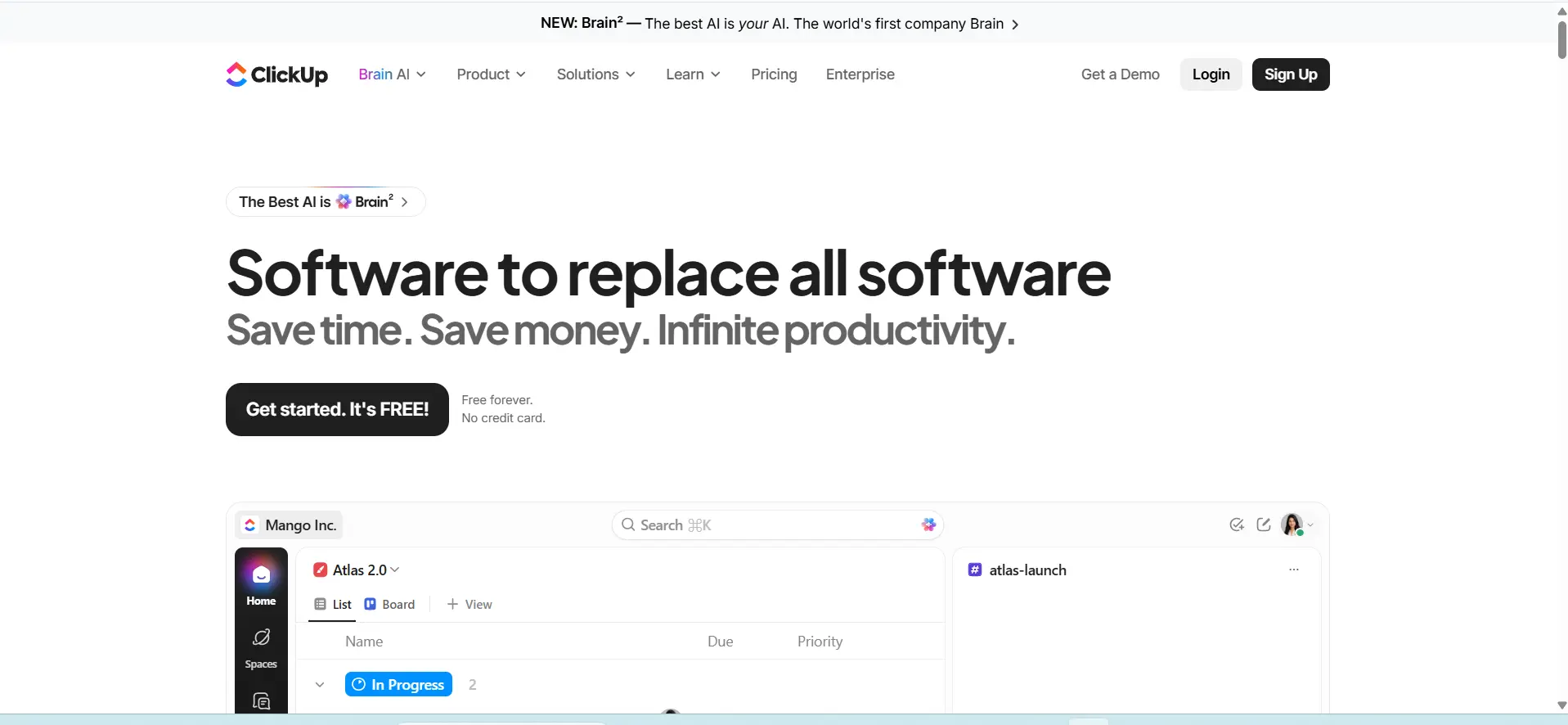
ClickUp is one all-in-one marketing project management tools that wants to replace all your other work apps. It gives you documents, goals, chats, and task boards in a single window. Marketing teams can shape the tool to fit exactly how they want to work.
You get over fifteen ways to look at your projects. This tool is perfect for big teams that want every single piece of their work connected perfectly. It ensures your marketing campaigns will never miss a final deadline again.
Key features:
- Over fifteen different ways to see work.
- Built-in documents and whiteboards.
- Native time tracking and goal setting.
- Huge amount of automated actions.
Pros:
- Packed with many helpful features.
- The free plan has a lot of value.
- Can fit any team size or work style.
Cons:
- Can be too much for brand new users.
- Takes a long time to set up perfectly.
- The screen can look a bit crowded.
Pricing:
| Plan Name | Monthly Price |
| Free Forever | $0 |
| Unlimited | $7 per user/month, billed yearly |
| Business | $12 per user/month, billed yearly |
| Enterprise | Custom demo / Contact sales |
5. Wrike

- Website: http://wrike.com
- Best for: Big Teams
Wrike is one of the strong marketing project management tools built for marketing groups that deal with complex data. It handles detailed projects and big campaigns with ease. You can create custom request forms so other teams can ask for marketing help easily.
It also has a special tool to review and approve images and documents. This makes Wrike a fantastic choice for agencies and huge teams that need strict rules and order. Managers love the clear control they get over daily worker tasks.
Key features:
- Custom request forms for incoming work.
- Built-in proofing for art and text.
- Detailed reports for team performance.
- Gantt charts to map out timelines.
Pros:
- Very powerful for huge companies.
- Great tools for giving feedback on files.
- High level of security and safety.
Cons:
- Not the best choice for total beginners.
- Higher cost than some other tools.
- The design is a bit plain and boring.
Pricing:
| Plan Name | Monthly Price |
| Free | $0 user/month |
| Team | $10 user/month |
| Business | $25 user/month |
| Pinnacle | Contact us |
| Apex | Contact us |
6. Smartsheet

- Website: http://smartsheet.com
- Best for: Data Lovers
Smartsheet looks and acts like a highly advanced spreadsheet. If your marketing team loves working in rows and columns, this tool will feel like home. It takes a normal spreadsheet and adds powerful project tracking tools to it.
You can automate alerts, share forms, and view progress on a dashboard. It is best for teams that want to manage budgets, events, and lots of numbers in one safe place. It keeps all of your marketing data perfectly aligned.
Key features:
- Familiar spreadsheet layout.
- Automated alerts for due dates.
- Custom web forms to collect data.
- Live dashboards to track numbers.
Pros:
- Perfect for people who love numbers.
- Handles giant amounts of data easily.
- Very secure for business use.
Cons:
- Lacks a visual board focus.
- No free plan is offered right now.
- Can feel too robotic for artists.
Pricing:
| Plan Name | Monthly Price |
| Pro | $9 per Member/month (billed yearly) |
| Business | $19 per Member/month (billed yearly) |
| Enterprise | Custom pricing |
| Advanced Work Management | Custom pricing |
7. Notion
- Website: http://notion.so
- Best for: Content Creators
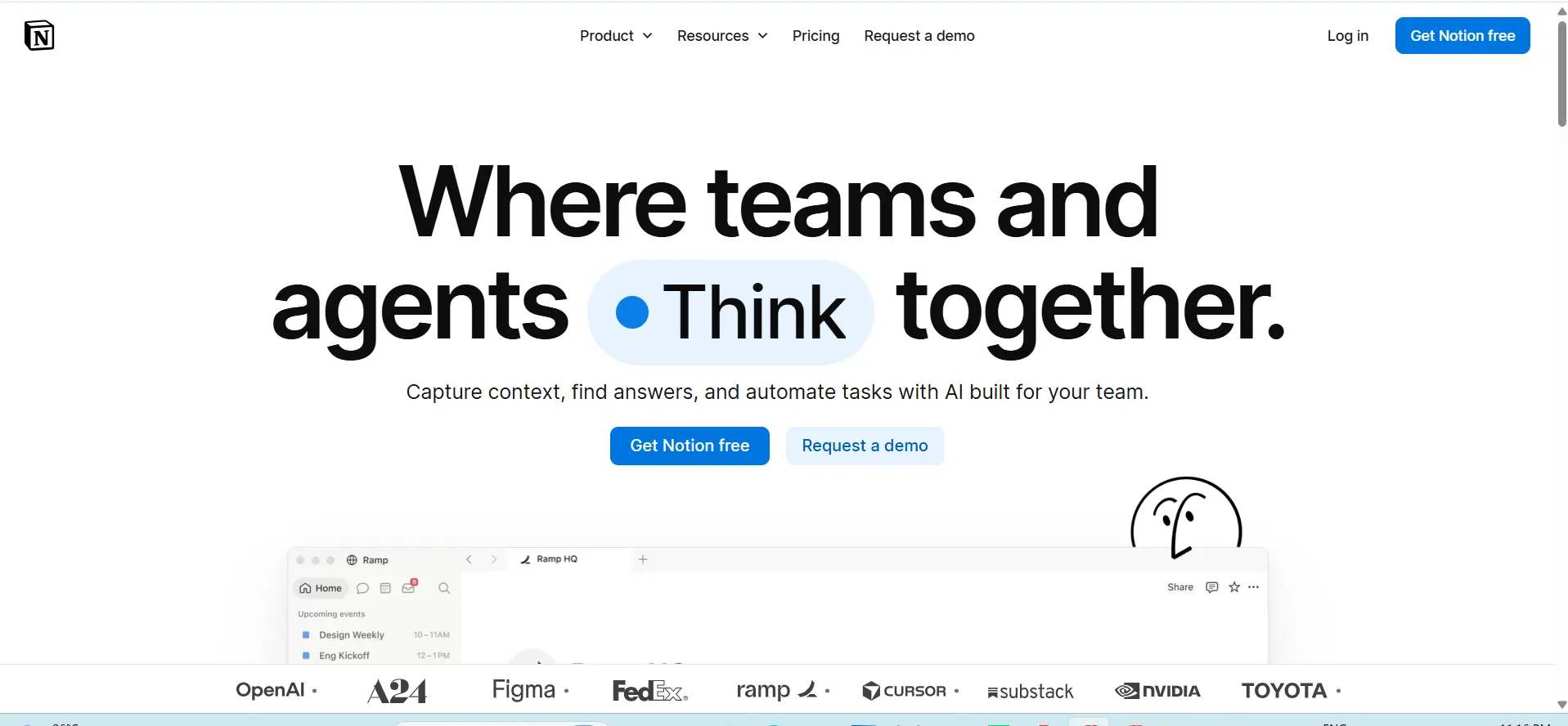
Notion is a flexible workspace that acts like a blank piece of paper. You can build wikis, write blogs, and manage tasks all at the same time. Marketing teams use Notion to store brand rules, plan text content, and organize their daily tasks, bringing the flexibility expected from marketing project management tools into one workspace.
You can snap blocks of text and boards together like building toys. It is amazing for teams that value writing and knowledge sharing above all else. Your creative team will love building pages totally from scratch.
Key features:
- Flexible text and page builder.
- Custom databases for any topic.
- Team wikis for company rules.
- Kanban boards to track progress.
Pros:
- Extremely clean and simple look.
- The best tool for taking notes.
- Highly customizable for your needs.
Cons:
- Takes time to build your perfect setup.
- Not a traditional task manager.
- Offline mode is not very strong.
Pricing:
| Plan Name | Monthly Price |
| Free | $0 per member/month |
| Plus* | $10 per member/month |
| Business | $20 per member/month |
| Enterprise* | Custom pricing |
8. Airtable

- Website: http://airtable.com
- Best for: Database Users
Airtable combines the ease of a spreadsheet with the power of a deep database. You can link different tables together to organize your marketing work. Teams use Airtable to plan social media schedules, track video production, and manage guest writers, showing how marketing project management tools can bring different types of campaign data together.
It gives you the power to see your data as a grid, a calendar, or a gallery. It is a fantastic choice for those who want total control over data. You can connect everything in a very smart way.
Key features:
- Powerful database linking system.
- Grid, calendar, and gallery views.
- Custom apps to extend your work.
- Easy sharing options for clients.
Pros:
- Very colorful and nice to look at.
- Handles complex data linking well.
- Great templates are ready to use.
Cons:
- Pricing can jump very high.
- Requires some technical thinking.
- Not focused purely on simple tasks.
Pricing:
| Plan Name | Monthly Price |
| Free | Free |
| Team | $20 USD per seat/month billed annually ($24 billed monthly) |
| Business | $45 USD per seat/month billed annually ($54 billed monthly) |
| Enterprise Scale | Custom pricing |
9. Basecamp
- Website: http://basecamp.com
- Best for: Remote Teams
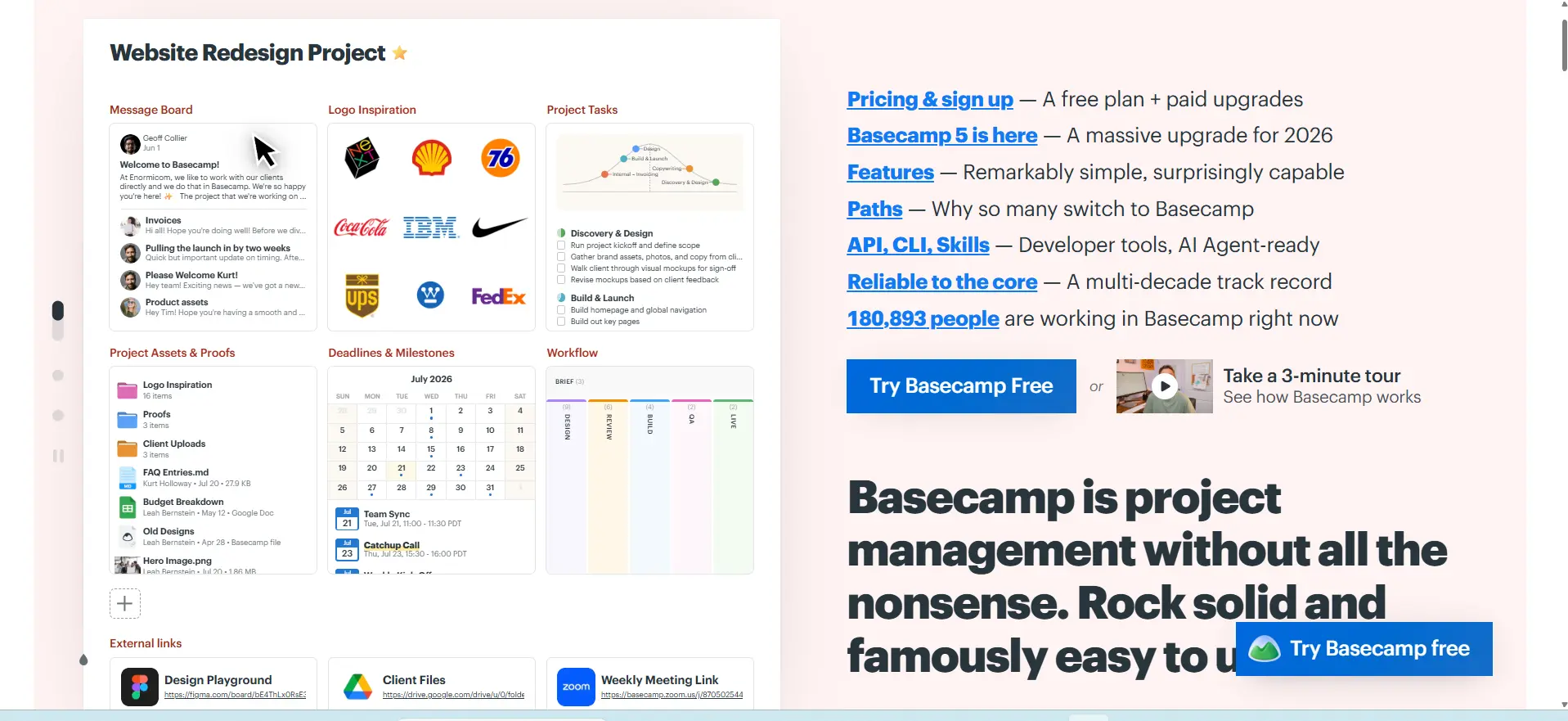
Basecamp is a classic tool that focuses on simple communication. It replaces chat apps and task boards with one unified space. You get message boards, group chats, to-do lists, and a schedule all on one single screen.
Marketing teams that work from home love Basecamp because it keeps all conversations in the right place. It avoids the heavy features of other tools and focuses strictly on keeping everyone talking. Your remote staff will never feel lost or deeply confused.
Key features:
- Message boards for long discussions.
- Campfire chat for quick team talk.
- Automatic check-in questions for staff.
- Simple to-do lists with due dates.
Pros:
- Very simple flat pricing model.
- Excellent for team talking.
- No complicated features to learn.
Cons:
- Does not have advanced charts.
- Cannot link tasks to each other.
- No free plan available.
Pricing:
| Plan Name | Monthly Price |
| Free | $0 / mo |
| Freelancer | $25 / mo |
| Studio | $59 / mo |
| Pro | $99 / mo |
| Unlimited | $299 / mo (billed annually) |
10. Zoho Projects

- Website: http://zoho.com/projects
- Best for: Budget Teams
Zoho Projects is one of the solid and budget-friendly marketing project management tools for marketing teams. It offers task tracking, time logging, and issue sorting without a high price tag. It works perfectly if you already use other Zoho apps.
You can plan your marketing steps, chat in forums, and see charts of your progress. It is a great starting point for small businesses that want real power but have a small budget to spend. The value you get is truly amazing.
Key features:
- Deep integration with Zoho apps.
- Time tracking and billing tools.
- Task dependency mapping.
- Discussion forums for team chats.
Pros:
- Very affordable pricing structure.
- Strong set of core features.
- Good mobile app access.
Cons:
- The menu design is a bit old.
- Can feel slow at certain times.
- Customer support can take time.
Pricing:
| Plan Name | Monthly Price |
| FREE | $0 (Up to 5 users) |
| PREMIUM | $3 /user/month billed annually |
| ENTERPRISE | $5 /user/month billed annually |
| ULTIMATE | $10 /user/month billed annually |
| Zoho Projects Plus | Contact sales / Custom pricing |
How to Choose the Right Tool for Your Marketing Team
Choosing marketing project management tools should depend on how your marketing team actually works, not simply on how popular a platform is. The right software should solve your team’s current workflow problems while remaining easy enough for everyone to use consistently.
- Identify Your Workflow Needs: Start by finding where your team faces the most problems. Look for features that can help with missed deadlines, unclear responsibilities, scattered files, approvals, or campaign tracking.
- Set a Realistic Budget: Compare pricing based on the number of users, available features, and long-term costs. A cheaper plan may not always provide everything your team needs.
- Test Before You Commit: Use a free plan or trial whenever possible. Let the actual marketing team test the platform with a real campaign before making a final decision.
- Consider Your Team Size: A simple tool may work well for a small team, while larger teams may need advanced permissions, reporting, marketing automation, and workload management.
- Check Integrations: Make sure the tool works with the software your team already uses, such as email, communication platforms, CRM tools, cloud storage, and design tools.
Common Mistakes When Adopting a Marketing PM Tool
A new project management platform can improve a marketing team’s workflow, but only when it is introduced with a clear plan. Avoiding a few common mistakes can make adoption easier and prevent the tool from becoming another source of unnecessary work.
- Choosing Based on Popularity: A well-known tool may not match your team’s workflow. Focus on the features, usability, and integrations that your team actually needs.
- Skipping Team Training: Even a powerful platform will not deliver much value if employees do not know how to use it. Provide basic training and clear guidance before making it part of the daily workflow.
- Using Too Many Features at Once: Start with essential functions such as task management, deadlines, and collaboration. Introduce automation and advanced features gradually as the team becomes comfortable.
- Failing to Set Clear Rules: Decide how tasks should be assigned, files should be named, deadlines should be updated, and projects should move through different stages.
- Ignoring Team Feedback: Ask employees what is working and where they are struggling after the tool has been in use for some time. Their feedback can help you adjust workflows and make better use of the platform.
Conclusion
In the current times, marketing project management tools are an essential requirement for any contemporary team. They eliminate confusion, increase speed and have everyone happy. From a small startup to a large business there is one that fits you.
Consider features, compare prices and engage team in decision making. When you use the right system, your marketing campaigns will be successful and it will be absolutely stress-free.
FAQs
1. What Is A Marketing Project Management Tool?
It is a software system that helps marketing teams plan, track, and finish their daily work. It holds files, tasks, and chats in one single place.
2. Why Can We Not Just Use Email For Marketing Tasks?
Emails get lost easily. When multiple people work on a project, email causes confusion. A dedicated tool keeps everything organized and visible to everyone.
3. Are These Tools Safe For My Company Data?
Yes. Most of these tools have very strong security. They use encryption to keep your files and business plans safe from outsiders.
4. Can Small Teams Use These Tools?
Absolutely. Many of these tools have free plans made just for small teams. They help small groups stay highly organized as they grow.
5. How Much Time Does It Take To Learn These Tools?
It depends on the software. Simple tools like Trello take only a few minutes to learn. Bigger tools like Wrike might take a few weeks of practice.