
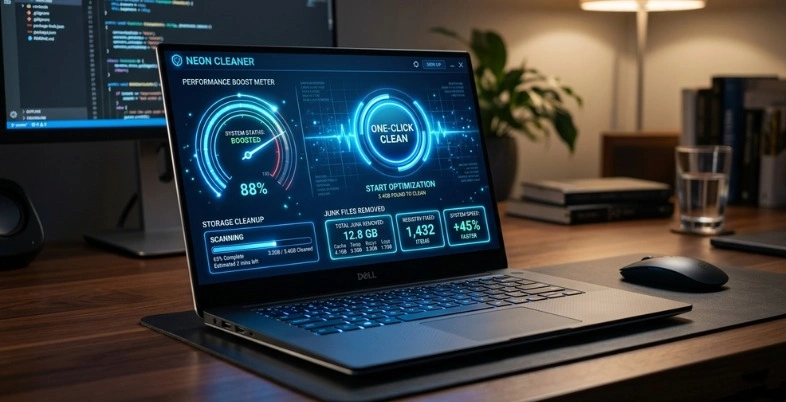
Are you experiencing slow PC speeds, so many junk files, suspicious spyware, and numerous years of digital clutter? You’re not alone, millions of people struggle with slow boot times and constant crashes on a daily basis, but the best PC cleaners are here to come to your aid like a trusty sidekick.
Whether it’s the powerhouse software that removes temporary files and optimizes your registry in just a few seconds, like CCleaner and Wise Disk Cleaner, or AI-based software tools and antivirus software that anticipate problems before they even occur, we will uncover the best PC cleaning software that will help your computer run as fast, secure, and easy to use as possible. Stay tuned while we explore the features, advantages, and limitations, and even get some real-world recommendations from users, so you can get your PC running faster without the hassle—your lightning computing journey begins here!
What Is A PC Cleaner And How Does It Work?
A PC cleaner is software designed to speed up and stabilise a computer by automatically deleting junk files, correcting system problems and optimising settings. It clears away all of the “noise” that accumulates over time (temporary files, cache, registry leftovers, and unwanted start-up programs) and makes your PC faster and more responsive with more disk space.
working procedure
Scan – The cleaner will analyse your system (hard drive, registry, memory and installed programs) for junk files, errors, duplications and slow‑startup items.
Detect – It examines the scan data and classifies it as “safe to remove” or “safe to repair” items, such as temporary files, broken shortcuts, and invalid registry entries.
Clean – These are items that the software will remove, delete or fix, including cleaning the cache, emptying the Recycle Bin, removing redundant files, fixing registry errors, etc.
Optimise – It optimises system settings, such as managing startup programmes, defragmenting storage (on HDDs) and adjusting settings to improve system performance and responsiveness.
Why You Need A PC Cleaner?
PC cleaner is a tool that helps you keep your PC fast, organised, and secure while clearing up unnecessary files, app data, and other junk files that accumulate with time. It’s particularly helpful , as Windows can perform some basic cleanup jobs, but it isn’t always able to eliminate all of the items that are slowing down and consuming storage space.
PCs Slow Down Over Time
As you use a PC, copies of temporary files, old browser caches, crash logs, software installation remnants, and files . This will decrease disk space, make search and indexing activities more intensive, and may cause Windows to become very slow when the equipment is still perfectly good. This is how a machine that was once fast can begin to boot up more slowly, apps to open more slowly and respond less smoothly.
The problem with Windows is that it is not sufficient. Windows, by themselves, are not enough. Windows has built-in cleaning utilities that typically deal with the basics and leave behind a lot of clutter. A cleaner can go deeper and remove any leftover files from uninstalled programs, as well as data in the browsers that other cleaners may not be able to reach. In reality, that equates to less clutter in the background and less work done manually.
Main Benefits
- Improved speed: Taking out the garbage and background noise makes the system feel lighter and faster.
- Free disk space: Removing temporary files and leftovers can free up disk space.
- Performance improvement: Less clutter means less index overhead and faster app and start up performance.
- Protection of privacy: Many cleaners also delete cookies, tracking files, and browser remnants that could reveal their use of a browser.
When It Matters Most
The best application for a PC cleaner is anyone who installs and uninstalls software frequently, does a lot of browsing, or collects many temporary files that are not used over time. May also be helpful on common computers where privacy removal is more important. The gap can be felt instantly for a PC that’s already tight on storage space.
Key Features To Look For In A PC Cleaner
A good PC cleaner should be simple, safe, and useful for everyday maintenance. Here’s a short and human-friendly explanation of each feature:
- Junk File Cleaner: This removes temporary files, cache, and other useless data that take up space and can slow your PC down. It helps free storage and keeps the system running more smoothly.
- Registry Cleaner: This looks for old or broken registry entries left behind by uninstalled apps or system changes. Clearing them can sometimes improve speed, but it should be used carefully because removing the wrong entry may cause problems.
- Startup Optimization: This feature lets you control which apps open when your computer starts. Turning off unnecessary startup programs can make boot time faster and help your PC feel less sluggish.
- Privacy Protection: This helps clear browsing history, cookies, and other sensitive traces from your device while working well with password managers and other privacy tools. It is useful if you want to keep your personal activity private and reduce leftover data on your PC.
- Real-Time Monitoring: This keeps checking your system in the background and alerts you when something needs attention. It helps catch issues early instead of waiting until the computer becomes slow or unstable
Quick Comparison Table of Best PC Cleaners
List Of Best 10 PC Cleaners in 2026
1. CCleaner
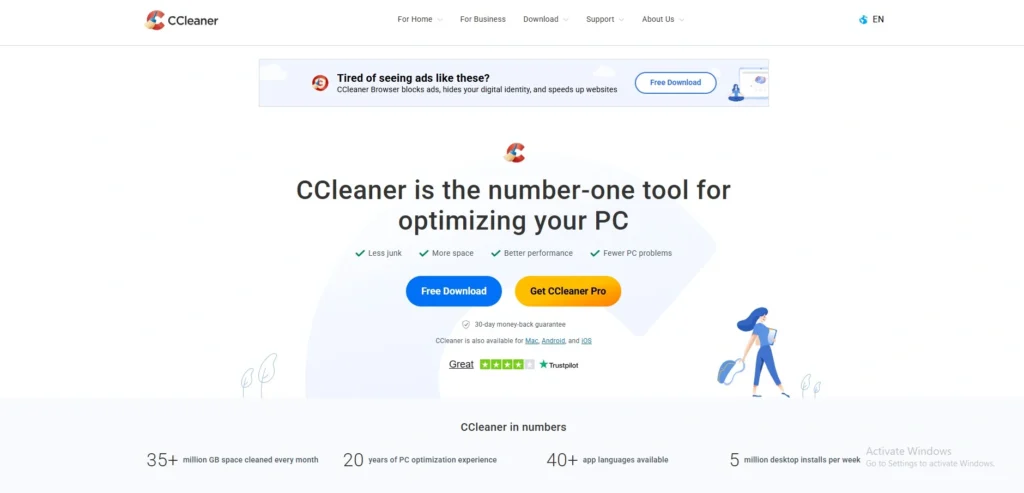
website: https://www.ccleaner.com.
CCleaner is a free system optimisation program. It cleans out unnecessary files to help fix minor problems on your computer and mobile devices. That frees up disk space and improves system performance. The program looks for things like temporary files, browser cache, cookies, system logs, and unused or invalid entries in the Windows Registry and then cleans or repairs them. This helps the operating system run more efficiently and start up faster.
You can also uninstall programs, manage startup, and, in some versions, you can automatically update installed applications and drivers. All of this can be done with a simple interface, allowing you to analyse and clean up your system with a few clicks.
Key features
- Junk file cleanup.
- Clearing web history and cache.
- Registry cleaning.
- Startup program management.
- Software and driver updating.
- Duplicate file finder.
Pros
- Easy to use.
- Free disk space.
- Improves privacy.
- Free version available.
Cons
- The free plan only provides basic features.
- There are certain advanced tools that require subscription fees.
- Cleaning the registry is not a straightforward task and can be perilous if done incorrectly.
- Multiple device packages offer higher rates.
Pricing:
- Free: $0.
- Pro: INR 1,240
- Pro Plus:INR 1,990
- Premium Bundle: INR 2,640
2. BleachBit
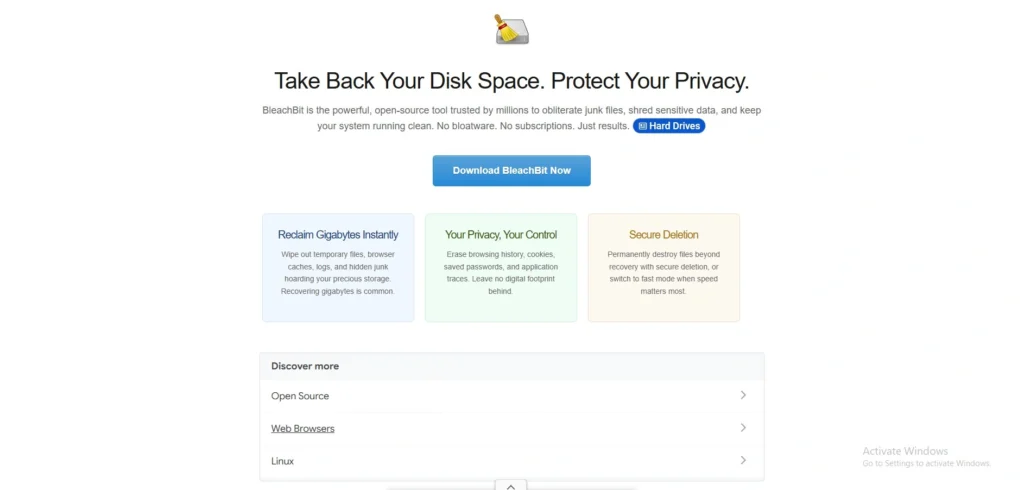
website: https://www.bleachbit.org/.
BleachBit removes disk space by removing and discarding data from apps and the system that they leave behind, including system logs, cookies, and temp files. It’s designed for people who wish to have a cleaner system and more privacy, with the ability to delete files in a secure manner and free space wiping, which makes it more difficult to recover files that have been deleted.
It’s easy to use, it’s not based on ads, it’s cross-platform, and it’s popular among Linux users and privacy-minded users. It also has the ability to include custom cleaners, allowing advanced users to expand it for specific purposes. In general, it is a basic, simple utility for cleaning, privacy protection, and basic system maintenance.
Key features:
- Junk file removal
- Browser cache and cookies cleaning
- Secure file shredding
- Free-space wiping
- Support for multiple platforms, including Windows and Linux.
- You can find custom cleaners to be used with certain applications.
Pros
- Free
- Open-source
- Lightweight
- Privacy-focused
Cons
- It is not suitable for people who are new to programming.
- Can become aggressive when misused
- Only basic system optimization (cleaning) carried out.
Pricing
- BleachBit is free and open-source.
3. IObit Advanced SystemCare

Website: Obit Advanced SystemCare
IObit Advanced SystemCare is a renowned all-in-one Windows PC optimisation and maintenance tool, created by IObit. It cleans junk files, repairs registry errors, improves startup programs, and enhances system performance, privacy, and internet speed with features like real-time protection and internet speed enhancements.
The latest editions, like Advanced SystemCare 19 PRO (2026 edition), come with AI-assisted scanning for thorough junk file removal, Turbo Boost mode to free RAM/CPU during heavy usage, and Privacy Shield against spyware and tracking. It’s suitable for users who want simple, automated maintenance to keep their systems running faster and more securely, though some reviewers suggest using it with caution to avoid over-optimisation.
Key features
- One-click PC optimization.
- Cleaning of junk files and registry.
- Initialization and optimization.
- Cleanup and anti-tracking of privacy.
- Plans with real-time protection.
- Software maintenance & updating tools.
Pros:
- Easy to use.
- Ideal for fast clean up.
- Free plan available.
- Having a lot of tools in one app.
Cons
- Paid tools are best.
- The free version has restricted usage.
- Can feel feature-heavy.
- Only the higher levels have anti-virus features.
Pricing:
- The pricing model is freemium, with a free plan and a paid plan
- For 1 PC:$16.77/year
- For 2 PCs:$18.99 /yr.
- For 3 PCs:$19.99/yr.
- For 5 PCs:$29.99/yr.
4. Fortect

Website: https://www.fortect.com
Fortect is an all-in-one Windows PC optimization and security suite to repair damage, enhance performance, and protect against threats. It carries out guided scans to find stability problems, lost files, privacy problems, malware, and junk, then provides automatic repairs that compare your system with healthy benchmarks.
The tool helps with user-friendly diagnostics: no need to pay for anything since there’s free scanning and automated fixes for a premium service. The tool is available for Mac, mobile apps, and VPN for full coverage. Securely protects against ransomware, phishing, and malicious websites; speeds up performance with junk removal and stability improvements. Ease of use and effectiveness seem to be the top strengths that users appreciate, and they have a high rating on Trustpilot.
Key Features
- Real-time malware shield
- System file repairs
- Driver updates
- Browsing protection
- Junk file cleaner
- Free diagnostic scan
Pros
- Easy to use
- Effective repairs
- Free scan/trial
- High user ratings
Cons
- Paid for fixes
- Windows-focused
- Subscription model
- Aggressive upsells
Pricing
- Essential (1 PC): $33.95
- Multi-Device (3 PCs): $41.95
- Ultimate (5 PCs): $58.95
5. AVG TuneUp

Website: https://www.avg.com/en-in/avg-pctuneup#pc
AVG TuneUp is a complete PC optimisation program from AVG Technologies, which aims at optimizing PCs and reclaiming disk space. It addresses problems such as slow startups, junk files, and resource-hogging apps via automatic maintenance and specific tools. Features include Sleep Mode (hibernates unused programs to speed up, disk, browser, and registry cleaners for fewer crashes and errors.
The program also removes bloatware, automatically updates software, and has support for Windows, Mac, and Android, making it more versatile. Users claim up to 79% quicker startups, 30% improved performance, and massive space recovery, such as 71 GB on average.
Key Features
- Automatic maintenance
- Sleep Mode hibernation
- Disk & browser cleaners
- Software uninstalled
- Program updater
- Registry cleaner
Pros
- Easy to use
- Boosts speed
- Many tools
- Handy extras
Cons
- Pricey
- Annual renewals
- Limited free version
- High full cost
Pricing
- 1 device: Rs1199
- 10 devices: Rs1699
6. Glary Utilities
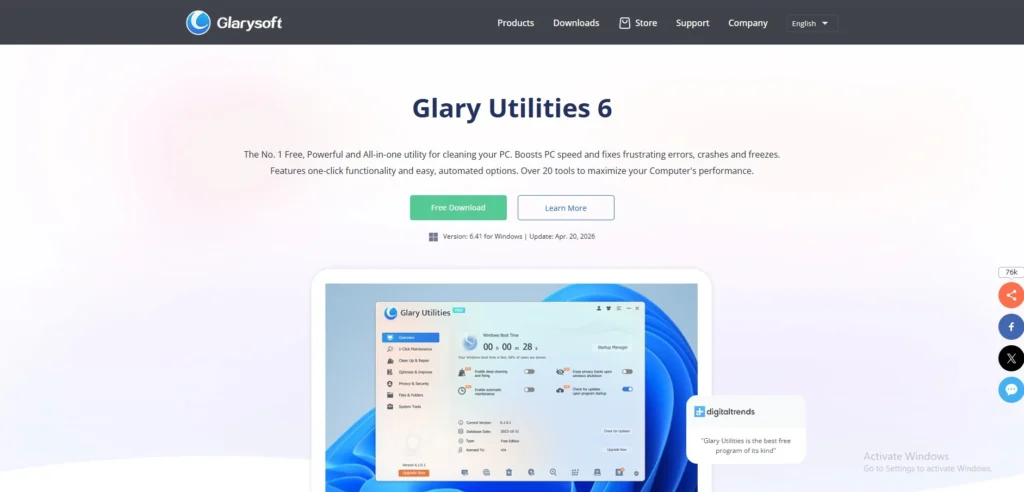
Website: https://www.glarysoft.com/
Glary Utilities is a complete set of utilities that are used to remove junk files, repair the registry, control startup programs, delete privacy files and enhance system performance. It combines many tools for maintaining programs in one interface, and allows users to perform a quick one-click repair or select individual tools to run for more advanced repair.
The software is designed for those that want to keep Windows running at its optimal speed without having to download other applications to manage each separately. It is described as a “Swiss army knife” for PC maintenance since it has all the PC cleaning, repairing, privacy, and optimization tools in a single location. It has been said to be a lightweight app and easy to download from the developer’s website.
Key features
- One-click maintenance.
- Registry cleaner.
- Startup manager.
- Privacy tracks eraser.
- Disk repair tools.
- Software update check.
Pros
- Easy to use.
- A host of tools in a single app.
- Good free version.
- Lightweight installation.
Cons
- Dated interface.
- Certain features require Pro.
- Can feel crowded.
- A deep-cleanup is restricted when using the free version.
Pricing:
- Pro:$ 39.95 (1 Year Subscription for Up to 3 PCs)
- Technician:$169/Year
7. Ashampoo WinOptimizer

Website: https://www.ashampoo.com/en-us/winoptimizer-2026
Ashampoo WinOptimizer is a full system optimisation suite that will optimise the performance, stability, and privacy of the Windows system. It addresses common problems such as Junk Files, Registry Errors, Slowdowns, etc., with simple 1-click utilities and powerful modules. The program removes temporary files, optimises startup processes, and clears browsing tracks to reclaim disk space and speed up your computer.
Specifically, users can enjoy features such as live tuning for real-time performance boosts and dedicated boosters for their games or daily use. It has a sleek user interface that works on dark and light modes, making it ideal for beginners and experts. Frequent updates provide compatibility with the most recent Windows releases, which makes the PC feel quicker and safer.
Key Features:
- One-click optimisation.
- Cleaning registry and drives.
- Privacy trace removal.
- Startup tuner.
- Live Tuner & Game Booster.
- SSD Wizard and crash analyzer.
Pros
- Easy one-click use.
- Many tools included.
- One-time purchase.
- Modern interface.
Cons
- Free version limited.
- UI is sometimes sluggish.
- Paid features essential.
- Overlaps Windows tools.
Pricing:
- Clean and accelerate Windows PCs: $ 15
8. Wise Disk Cleaner

Website: https://www.wisecleaner.com/wise-disk-cleaner.html
Wise Disk Cleaner is a free utility for Windows that can scan and clean up the disk for junk files, temporary files, and system clutter to free up disk space and improve performance. It clears browser caches, Recycle Bin items, log files, and invalid shortcuts, and provides safe deletion. An advanced cleaner for custom file types, privacy wiping of browsing history, and basic defragmentation.
Its user-friendly interface and “slim down” feature, which removes unnecessary Windows files such as old wallpapers, are popular features among users. Automated cleanup by scheduled processes maintains regular cleanups without needing human intervention. It is overall a dependable and light solution for common PC users who want additional storage and speed.
Key Features
- Junk file scanning/removal
- Browser cache cleaning
- Disk defragmentation
- Scheduled auto-cleanups
- Custom file extensions
- System slim-down mode
Pros:
- Completely free
- Fast scans
- User-friendly
- Safe deletions
Cons:
- Slow on large Driveways
- Basic optimization
- No deep integration
- The Pro version is available for an additional fee.
Pricing
- Free version available with full core features.
- Wise Care 365 bundles: start at $19.95/year per PC
9. Wise Registry Cleaner

Website: https://www.wisecleaner.com/wise-registry-cleaner.html
Wise Registry Cleaner is a Windows based program that will scan, repair, and optimise the Windows registry to enhance performance and stability of the computer. It looks for missed, redundant or obsolete registry entries that are typically left behind by software uninstallation, corrupted settings or outdated configuration, and removes or restores them safely. Additionally, the tool has a registry defragmentation feature to optimize access and improve system performance.
It can automatically back up the registry for you, so that you can resteasy on the system if you go wrong. It offers a variety of scan modes to choose from, among them fast, deep and custom-area scans, which allow you to determine how detailed the scan of the registry should be. It’s user-friendly and easy to use.
Key features
- Removes invalid and obsolete registry entries and scans them.
- perform quick, deep, and customized registry scans.
- Defragments the Windows registry
- Backs up the registry before performing the cleaning operation.
- Allows you to set up automatic registry checks.
- simple, user‑friendly interface.
Pros :
- Improves system responsiveness and stability
- Includes automatic backup, reducing the risk of damage.
- Easy to use
- It is available for free and in the Pro version
Cons
- The free version has limited features
- Some detections are non-critical and/or safe
- Cleaning is a potentially aggressive process if done without care.
- Ads for product may appear in the free version.
Pricing
- Free version available
- PRO:2,227.16 ₹
10. Razer Cortex

Website: https://www.razer.com/cortex
Razer Cortex is a utility software designed for gamers on Windows OS looking to improve their gameplay experience and reduce manual adjustments. It does this by shutting down unnecessary background applications, releasing system resources, and ensuring that your PC plays games with greater responsiveness.
The interface is kept simple and intuitive to cut down time to the optimum and get the users up and running in no time. It is compatible with various platforms, such as Steam, Origin, and Epic Games Launcher, which is handy for gamers who have various game libraries. Razer crowns Cortex as a means to enhance higher framerates, quicker load times, and maintain simplicity. The difference in performance may depend on the game and the PC.
Key features
- Game Booster.
- System cleanup.
- Star top manager.
- FPS counter.
- Game price tracking.
- Library organizer.
Pros:
- Free to use.
- Easy interface.
- Useful for background workouts or cleaning up.
- Useful extra tools.
Cons:
- Limited advanced monitoring.
- Hardware is important for Boost.
- There are tools that seem superfluous.
- There is weak support.
Pricing
- Razer Cortex is free to use
Free vs Paid PC Cleaners – Which One Should You Choose?
Free PC Cleaners: These are typically lightweight programs used to clean up junk files (temp files, cache files and logs) and, in some cases, repair a few registry entries and aspects.
Paid PC cleaners: They have additional tools such as automatic cleaning, real-time monitoring, driver updater, security related optimizations and often better customer support.
Free vs Paid PC Cleaners
Below is a simple comparison table to help you understand the main differences:
| Feature | Free PC Cleaner | Paid PC Cleaner |
| Price | Free to use, no subscription | One‑time purchase or monthly/yearly subscription |
| Core cleaning | Basic junk‑file removal, simple privacy tools | Same + deeper scans, more detailed results |
| Automation & scheduling | Usually no or very basic scheduling | Automatic cleaning, scheduled tasks, and real‑time mode |
| Extra tools | Few or none (just clean + maybe startup manager) | Driver updater, defrag, duplicates finder, booster |
| System monitoring | Rarely available | Monitors disk usage, RAM, heat, and performance in the background |
| Security/privacy extras | Limited or basic | Sometimes includes malware‑related scans or tweaks |
| Customer support | Community forums, no or minimal help | Email/phone support, better troubleshooting guides |
| Ads & bundles | Often has ads; some may bundle unwanted software | Fewer or no ads, cleaner installers |
| User‑friendliness | Simpler interface, fewer settings | More options, richer UI, but it can feel more complex |
For a normal user who simply wishes to get a little faster and a cleaner system, a good, respected free cleaner generally will suffice. For those who are heavy users of their PCs for work or gaming, having a trusted paid cleaner might be more suitable, as it means that everything is set up and forgotten about.
How to Use a PC Cleaner
PC cleaner software can help to speed up the PC by eliminating junk files and clutter from it easily. The following is a simple step-by-step:
- Install Software: Go to a trusted PC cleaner site, such as CCleaner, and install the software. Install it following the steps on the screen (typically, click “Next” and “Install” to complete the installation).
- Run Scan: Click on the “Scan” or “Analyze” button of the program. It scans your computer in no time and removes temporary files, cache, and other junk that is occupying space.
- Review Results: After the scan is completed, check the list of items scanned, such as old logs or browser history. Uncheck anything that you don’t want to keep; most of the rest can be safely deleted.
- Clean Files: To remove selected junk click Run Cleaner” or “Clean. Your PC will become faster immediately because of freeing up space.
- Schedule Auto-Clean: Look in the settings or options, locate the scheduling option, and select the frequency of scanning (such as daily, weekly, etc.). This will make your PC neat without additional work.
Are PC Cleaners Safe to Use?
Yes, PC cleaners can be safe if they are provided by a trusted software vendor, but it increases quickly when they make extreme changes and are from an unknown software vendor. Trusted notes that overcleaning can either delete essential files or files that are bundled in with the cleaning software, or even damage the Windows system, or instill files in the system using scare tactics.
Main risks
- Hard scrubbing has been known to remove files, registry entries, public components, and other things that other programs depend on, and can lead to crashes and loss of functionality.
- Boost features usually do not really kill background processes and therefore the boost in speed may be temporary and can be misleading.
- Alarming scans or pushy advertisements are a typical sign of a company that sells subscriptions in a scam fashion.
Safer approach
- Utilise well-known and trusted tools from reputable publishers and download only from official sources.
- Use any built-in Windows tools and trusted Malware Removal Tools for regular cleaning, rather than third-party optimizers.
- Make sure to have a complete backup before using any program that alters system files or the registry, particularly if it is “aggressive.”
What to avoid
- Any app that claims to do amazing speed increases, but you don’t know what they are.
- Registry cleaners sold for maintenance. Registry cleaners are offered as maintenance tools.
- Aninstrument that identifies “important issues” throughout the scan and forces you to pay.
Built-in Windows Tools vs PC Cleaner Software
Built-in Windows tools do the job for simple maintenance, 3rd party PC cleaner software typically will provide more options for cleaning, optimising and scheduling. The compromise is that Windows tools are easier and more secure, but if you carefully select third-party tools, they might be more convenient or offer more features.
Disk Cleanup vs advanced tools
Windows Disk Cleanup is used primarily to delete temporary files, cache files, old update files and other “ obvious junk” files. Easy and safe, but not too much as far as file cleaning goes.
Advanced cleaners
often include additional features such as start-up management, deletion of duplicate files, more comprehensive scanning, browser cleaner, bulk uninstaller, and automatic maintenance. This makes them more user-friendly when a user would prefer to have their central location for multiple maintenance activities.
Limits of Windows
The built-in tools just address the most common needs, which is well enough taken care of in Windows. They also lack a lot of visibility to other optimization activities such as start-up control, app removal workflows, or maintenance via a single click.
However, another drawback is that Windows isn’t optimizing software for those wishing to be guided in software cleaning and to be in control from a single point. Most users will be satisfied with the built-in features, but those who need more than disk cleaning find these tools lacking.
Why third-party tools can help
When you’re looking for convenience, the option to do more cleansing, and to gain access to more maintenance features from the same interface, then the third-party tools are the better choice. They also allow for quicker time savers for those who do not use Windows and do not want to wade through the various Windows settings.
They can be particularly helpful when they don’t just remove junk, but also manage startup programs, uninstall without hassle and identify programs that consume storage space. A good cleaner can render maintenance easier and more streamlined.
Main caution
The problem is, not all cleaners are necessary, not all cleaners will be benign, and some will even be dangerous, particularly registry cleaners and poor-quality “speed boost” tools. The quality of the vendor is very significant, as poorly designed tools can lead to instability and add unwanted software.
There’s a simple guideline to follow here: If you need to use third-party software, make sure it’s from a reputable company that has a good track record and has a feature that you can actually use.
Simple takeaway
- Perform basic maintenance using Windows tools safely.
- If you are looking for additional features and an all-in-one cleanup, use third-party tools.
- Do not use registry cleaners or “magic speed-up” programs.
Tips to Keep Your PC Fast Without Software
There are following tips to keep your PC Fast without software:
- Delete unused apps: Uninstall apps you no longer use because they take up storage space and decrease your computer’s performance. A cleaner system usually starts and runs better.
- Manage startup: You should disable all programs that launch during your computer’s startup process. This enhancement operates two functions because it improves boot speed and prevents unnecessary memory usage.
- Update system: You should maintain Windows and driver updates because these updates deliver important bug fixes and performance enhancements. A system that receives complete updates operates with better efficiency and enhanced security protection.
- Use SSD: The transition from a hard drive to an SSD will deliver major performance improvements to your Windows machine. SSDs enable faster file loading and quicker Windows startup which results in a more responsive system performance.
Final Verdict
Fortect stands out as the best overall PC cleaner in 2026 for its all-in-one optimization security features which include real-time malware protection and system repairs and user-friendly diagnostics that make it ideal for beginners who need automatic solutions. For the best free options,go with BleachBit if privacy and secure file shredding are priorities because it is open-source lightweight and ad-free while CCLeaner provides simple junk file removal and registry tools and startup management through its functional free version.
Razer Cortex serves as the best choice for gamers because it improves performance through background app termination and FPS monitoring and system cleanup, which helps achieve smoother gameplay on Steam and other platforms. Your selection should match user requirements because beginners and users who prefer automatic updates should choose Fortect’s guided scans while budget-friendly users should select BleachBit or CCleaner, and gamers should choose Razer Cortex , and advanced users should consider Glary Utilities, which provides them with complete tools.