
Think about your computer at a busy office party- things like apps and programs are knocking on the door, some welcome guests are bringing something of value, and other mischievous crashers are willing to cause havoc with a virus or identity theft. It is at this point that application whitelisting tools come into play, like the most high-profile bouncer: they put together a whitelist of only known-trusted software, and block all the rest of the software in its path.
Conflict over zero-days and rogue downloads is no longer a cause for concern; these intelligent guards ensure your online existence is safe, fast, and free of drama, whether you are a small business owner, IT professional, or simply somebody who would rather not deal with the frustration of antivirus programs.
What is Application Whitelisting?
This is a type of cybersecurity that only features the authorized applications to be executed in a system or network and blocks the rest, effectively banning any malware, ransomware, and unlicensed software. To create a dynamic whitelist, which is commonly the file attributes, e.g., digital signature, hash, path, or publisher certificates, IT administrators create a dynamic whitelist to hold trusted programs, libraries, and executables to execute.
Any program that tries to run will be compared with this list in real time and, in case it matches, will be allowed to run, whereas in the case of unknownness, it will be rejected, minimizing attack surfaces in unsafe conditions such as enterprise endpoints or controlled industries. This application whitelisting tool enforces an active allow-by-exception policy, which is less susceptible to zero-day attacks but is harder to maintain than blacklisting, because legitimate new software must be introduced regularly.
Why Is Application Whitelisting Important?
Application whitelisting is an information security methodology that allows only administrator-approved applications to run on systems, while all others are blocked by default. This proactive security approach, often discussed alongside modern application control tools, significantly reduces malware execution, including unauthorized and unlicensed software.
Key Benefits
- Malware Prevention: prevents malware (software) from running in advance, either unknown or zero-day malware, as only vetted software is processed.
- Less Attack Surface: Reduces the number of malicious files, which are displayed as legitimate applications, that counter ransomware and intrusions.
- Regulatory Compliance: In compliance with regulatory standards, including HIPAA, PCI-DSS, and GDPR, in markets including healthcare or finance.
Operational Advantages
- System Stability: The system is crash-proof (crashes that are caused by untested applications).
- Resource Efficiency: This does not permit the execution of programs that are not permitted to utilize bandwidth or CPU.
- Shadow IT Control: Blocks unapproved applications, which reduces IT sprawl.
Additional Gains
- Cost Savings: Minimizes breach-related downtime, data loss, and Support Tickets.
- Endpoint Security: Appropriate for remote working, kiosk, and key infrastructure.
List of 12 Best Application Whitelisting Tools
1. ThreatLocker
ThreatLocker application whitelisting software (since 2015, known as Allowlisting) is an endpoint security tool implementing a deny-by-default policy, which blocks all unauthorised applications, scripts, and libraries, unless explicitly allowed by the administrators.
It is superior to the traditional antivirus in that it can block not only known malware but also rogue software through a learning mode to enumerate the current applications, and then places a policy on top to enable a fine-grained control of what programs run, where, when, and by whom. The solution goes a long way in minimizing cyber threats such as ransomware and prompts user requests to approve new software.
Key Features:
- Deny-by-default policy prevents any application that is not approved from running.
- Granular policies resembling firewalls to allow, deny, or limit apps of specific levels.
- Policies that are time-based and expire automatically after some time.
- Redundant automatic updates of approved apps; the addition of new hashes is not performed manually.
- Learning Mode To enumerate all applications in place before total enforcement.
- Safe Test Environment Testing of new applications in a virtual environment.
- Integrated policy management, reporting, and quick approvals (less than 60 seconds).
Pricing:
- ThreatLocker has custom subscription pricing according to the endpoints and modules, starting at approximately $15-40 per endpoint per year of core Allowlisting (included in full platform plans)
Website:https://www.threatlocker.com/platform/allowlisting
2. Airlock Digital
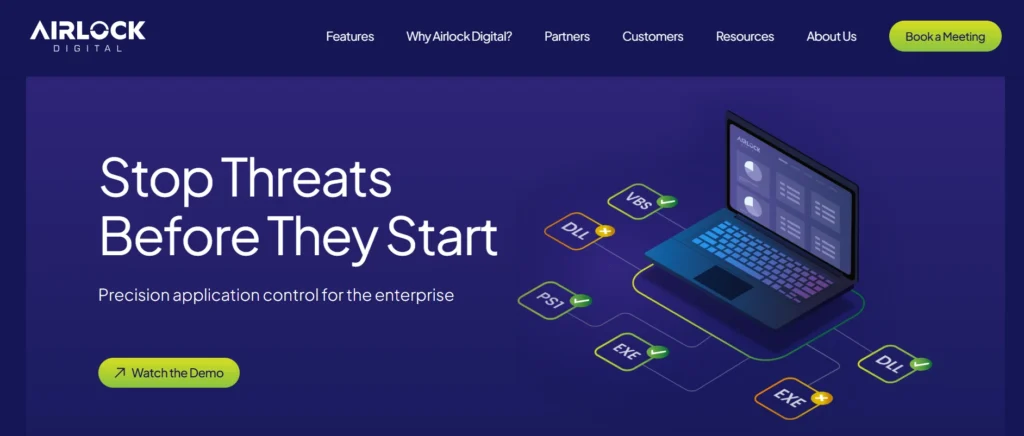
Airlock Digital is an application whitelisting tool and execution control system that is used to improve the security of an endpoint by using a deny-by-default prevention strategy to only execute pre-verified files, scripts, and executables within an enterprise environment, preventing malware, ransomware, and zero-day attacks on an endpoint.
It is in contrast to conventional antivirus blacklisting: whitelisting is employed to make scaling policies, customized to dynamic IT environments, allowing it to be deployed quickly and to comply with standards such as the Essential Eight in Australia. The tool eases management through workflow-based functions of finding, vetting, and keeping allowlists on desktops, servers, and mobile devices.
Key Features
- Allows whitelisting of binaries (executables/DLLs) and scripts such as PowerShell, VBScript, MSI, JavaScript, batch files, and HTML executables.
- The built-in file reputation service detects safe, malicious, or suspicious files by default.
- Creation of a baseline by an audit only, and then enforcement to block unapproved code.
- OTP one-time passwords (OTP) of temporary exceptions through time constraints sessions, as reviewed by the administrator.
- Policies to allow workflows with SCCM, Jamf, Intune, and SIEM system integrations.
- Index of file metadata and blocklist reviews, which are searched to maintain.
Pricing:
- The application whitelisting solution offered by Airlock Digital operates under a subscription fee pricing model, which is usually between $5 to $12.50 per endpoint, per month, with customized enterprise pricing plans for large deployments.
Website:https://www.airlockdigital.com
3. VMware Carbon Black App Control
VMware Carbon black App Control is a sophisticated application whitelisting technology that serves to increase endpoint security by permitting only authorized software to run on the systems and thereby avoiding malware, zero-day attacks, and unauthorized transformations on servers and important endpoints.
It is an application whitelisting software based on a positive security approach, with the administrator defining the rules through the help of a central console that propagates the rules to lightweight agents on the endpoints, integrating whitelisting and behavioral analysis, file integrity watch, and tamper detection in ensuring ongoing compliance with requirements such as the PCI DSS. The solution offers real-time monitoring of all operations, blocks suspicious traffic, and is connected with VMware Carbon Black Cloud to access threat intelligence and reputation scoring.
Key Features:
- The use of application whitelisting to ensure that only trusted files and processes are executed.
- To prevent unauthorized changes, file integrity checking, and control the devices.
- Forensic visibility of attack attempts through a continuous behavioral analysis.
- There are self-protective processes to avoid agent or policy tampering.
- Rules based on policies to support Windows, Mac, and Linux with global or pr-policy settings.
- Detection with cloud reputation services to do real-time threat evaluation.
Pricing:
- It has a subscription-based pricing model that is usually charged on a per-endpoint basis every year and is commonly included in enterprise versions of VMware Carbon Black Clouds; certain costs differ based on scale (e.g., basic plans start around $10-$20/endpoint/year, advanced features cost more), and custom quotes are required.
Website:https://www.broadcom.com/products/carbon-black/threat-prevention/app-control
4. ManageEngine Application Control Plus
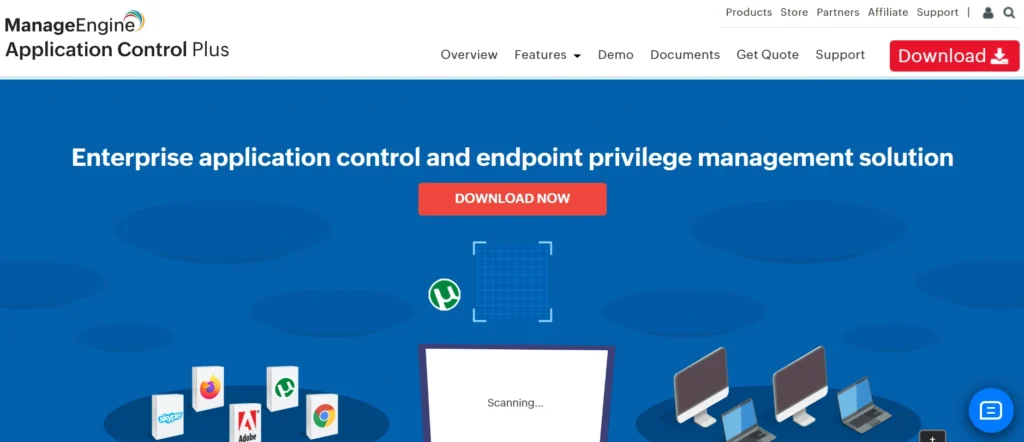
Application Control Plus is an application whitelisting tool and endpoint security product designed by ManageEngine that is deployed to offer application whitelisting and application control, which enables IT administrators to apply a default-deny policy by blocking unprotected applications automatically and only permitting authorized applications to run on Windows and Mac endpoints.
It allows the use of rule based policies to easily build whitelists (e.g., by vendor, file hash, or path, or by digital signature) and has the other controls (e.g., blacklisting and privilege management) to reduce attack surfaces, malware prevention, and simplify patching without impacting productivity.
Key Features:
- Whitelisting of applications with automatic rule-based list building (vendor, product name, file hash, folder path, approved executables, store applications).
- Blocking non-business or malicious executables by application black listing.
- Endpoint privilege control, such as removing administration and just-in-time.
- Granular enforcement, child process control, and a flexibility regulator.
- Real-time alerts, autodiscovery, and custom group policies.
- Training to generate whitelists based on observed behavior.
Pricing:
- Costs a minimum of $995 per year with 50 endpoints (annual subscription with support) or $2,487 perpetual license and $498/year of support (varying by the number of endpoints with custom quotes available), and a 30-day free trial.
Website:https://www.manageengine.com/application-control/
5. Microsoft AppLocker
To enhance the security measure, AppLocker is an inbuilt Windows application whitelisting software that will allow certified applications, scripts, and installers to run in the systems and block all other applications to prevent malware, unwanted software, and other potential vulnerabilities.
It was added as part of Windows 7 Enterprise, and can be found in more expensive variants of Windows 10/11 and Server, and can be built to construct rules on file paths, publishers, hashes, or file attributes, and it can be set to an audit-only mode, to experience auditing before enforcement.
Key Features:
- Group Policy/ Microsoft Intune to centralise the management of policies to be used in enterprise deployment.
- Executable (.exe), Windows Installer (.msi, .msp), script (PowerShell, batch), and packaged application rule types.
- Audit mode to monitor and document the implementation of the app without halting, which assists in optimizing the policies.
- Rules with digital signatures to be used by publishers to ensure easier implementation in case of updating.
- Individual user, group or path exceptions that are event logged to enforce compliance.
Pricing
- AppLocker is a free part of the qualified Windows versions, including Windows 10/11 Enterprise, Education, Pro workstations, and Windows Server, and requires no additional licensing.
Website:https://learn.microsoft.com/en-us/windows/security/application-security/application-control/app-control-for-business/applocker/applocker-overview
6. Windows Defender Application Control (WDAC)
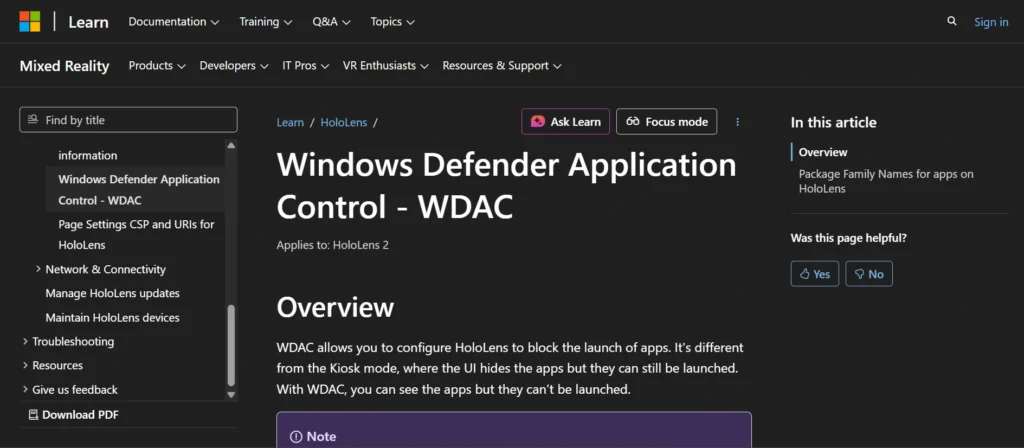
Windows Defender Application Control (WDAC) is a native security service of Windows and an application whitelisting tool where approved applications, drives, and scripts can run only on computers because of configurable policies, based on hashes, paths, certificates, or publisher signatures.
It replaces the use of older tools, like AppLocker, with more secure code integrity enforcement that can be configured using Group Policy, MDM like Intune, or via PowerShell and can be used in conjunction with Microsoft Defender Antivirus to provide a layered defense.
Key Features:
- Policies: Hash-based (file-specific), path-based (directory rules), and certificate-based (signed apps), as well as publisher-based whitelisting, all permit full control.
- Code Integrity Enforcement: enforcing code (logs the violation of a code) or interrupting code (blocks an unauthorized code) code served by user-mode applications, kernel drivers, and scripts.
- Offline: Scanning. To achieve offline scanning that is implemented alongside whitelisting to detect known and unknown threats.
- Deployment: Can be scaled with the help of SCCM / Intune or other enterprise tools, or configured with the help of Policy Analyzer tool or App Control for Business wizard, or manually.
- Smart Apps Control: Policies for consumer devices covered the usage of cloud reputation to automatically permit safe applications and exclude dangerous applications.
Pricing:
- Windows Pro, Pro Education/SE, Enterprise E3/E5, or Education versions are accompanied by App Control entitlements. They are usually included with Microsoft 365 packages such as Business Premium (₹1,830/user/month) or Enterprise E3 (₹4,740/user/month, billed annually).
Website:https://learn.microsoft.com/en-us/windows/security/application-security/application-control/windows-defender-application-control/
7. Faronics Anti-Executable
Anti-Executable refers to an application whitelisting software that enhances better endpoint security by inhibiting unauthorized executables that shields against zero-day attacks, malware mutation, ransomware, and advanced persistent threats that antivirus software could not detect.
It is an application whitelisting tool that runs a very small set of known applications either by hash value, digital signature, or publisher, ensuring that only trusted software is executed. Centralized administration can be performed through a web-based interface or Faronics Core to offer efficient deployment in an enterprise, school, or controlled environment. This active approach reduces the number of IT support tickets, enhances productivity, and complements layered security strategies without disrupting the user workflow.
Key Features:
- On-the-fly protection of sharewares, keyloggers, phishing software, and unknown threats through application whitelisting.
- Blocks executables (.exe, .dll, .com, .scr, .jar, .bat) by hash, signature, or publishers, or folders, USB/CD drive controls.
- Customized control level policy-based user groups, such as Trusted Publisher one- click updates by vendors such as Microsoft.
- Extensive reporting, online tracking of violations, and blocking at the network level, with or without regard to the location of the file.
- Automated configuration, integration with Active Directory, and stealth mode to remain undetected by the end users.
- Ransomware blocking feature and support Windows (XP to 10, 32/64-bit) and Mac OS.
Pricing:
- Pricing is quote-based and dependent on volume; past data show it starts around $40 per client with a discount down to $9.99 per client with a large deployment, or $48 per client in some listings. We have base pricing but no free version.
Website:https://www.faronics.com/products/anti-executable/enterprise
8. PC Matic Whitelist Protection
Whitelist Protection, or SuperShield or Application Whitelisting, is a proactive cybersecurity product available from PC Matic that blocks all unknown or unapproved software on a computer and uses a massive, constantly updated global allowlist of safe software to do so, instead of blacklists, which only block the software also known as the blacklist.
In contrast to blacklist-based antivirus, which allows new files until they are detected as malicious (usually too late), an application whitelisting software checks files based on hash, digital signature, path, or publisher before they are executed, defaulting to blocking malicious files, zero-day threats, fileless malware, exploits, and more. This offers users and IT administrators fine-grained control, with the whitelist automatically updated while allowing custom applications to be easily added.
Key Features:
- Global list of trusted applications, updated in real-time, a decade old, and set to update automatically, so it does not need any management.
- Blocks executables, macros, and scripts whose cryptographic hashes and publisher signatures have been verified.
- Simple Add interface” Add” interface in the PC Matic dashboard can be custom local whitelisting of approved business or personal apps.
- Real-time detection and prevention of polymorphic viruses, APTs, and ransomware without signatures or behavior heuristics.
- Unlimited access to PC Matic full antivirus software, including dark web surveillance and 24/7 customer support.
Pricing:
- Home (1 device): $50 first year, $110 renew (unlimited devices at $110 first year).
- Pro/Business: MSPs/endpoints price on a case-by-case basis; quote on enhanced whitelisting tools.
- It is planned to have a 30-day money-back guarantee; there is usually a discount.
Website:https://www.pcmatic.com
9. Lumension Application Control
Lumension Application Control is an endpoint security product that is used to perform application whitelisting, which blocks systems from running only approved applications, executables, scripts, and files to stop malware, unauthorized modifications, and zero-day threats through a default-deny policy.
Making it a combination of intelligent whitelisting and blacklisting to provide proactive protection, this application whitelisting tool provides extensive coverage of file formats such as binaries, DLLs, scripts, and Java components, and reduces the number of user disruptions through dynamic approval rules and learning modes. It was first created by Lumension Security (since acquired by Ivanti or other cybersecurity collections) and focuses on business efficiency while maintaining compliance and system integrity.
Key Features:
- Wide file coverage, such as executables, scripts, macros, DLLs, ActiveX controls, and Java components.
- Smart whitelisting with automatic approval of trusted publishers such as Microsoft through signatures with minimal human intervention.
- On-the-fly change control and learning to construct whitelists on behavior seen without interrupting productivity.
- In-depth reporting and policy driver of fine-tuned enforcement, time policies and windows integration.
- Real-time approval, block, and endpoint monitoring, centralized control point.
Pricing:
- As Lumension products are often negotiated as enterprise licensing, contact sales will quote, with prior experience of perpetual or subscription-based models around the same price as competitors at the entry level (around $995/per year), starting at mid-sized deployment.
Website:https://www.lumension.com
10. CyberArk Endpoint Privilege Manager
CyberArk Endpoint Privilege Manager (EPM) application whitelisting software is the SaaS based endpoint security software that combines least privilege access by disabling local administrator privileges on endpoints with custom application allowance via whitelisting, blacklisting, greylisting, and restricted access policy.
It eliminates surprising utilization, ransomware, and consequent lateral mobility threats, provides on-demand privilege upgrading to confirmed operations, and provides centralized policy management without disrupting user productivity or IT operations.
Key Features:
- Flexible whitelisting and greylisting by file parameter, e.g., trusted sources like corporate software distribution systems, is no longer limited to hashes, paths, and publishers.
- Grants minimal trust, revokes local administrative privileges, and provides just-in-time elevation of users, applications, scripts, and commands.
- Application control to block unknown/malicious applications, ransomware isolation, and credential theft protection.
- Policy audit trails on compliance, elevation attempt, and SIEM and third-party reputation system integration.
- The deployment is a rapid cloud application where the agent is deployed on every endpoint, and centralised monitoring and management control is provided in a centralised control console.
Pricing:
- It is not publicly traded, and consists of contacting CyberArk sales to have a tailored price quote based on the endpoints, the deployment scale, and features; and is typically subscription-based SaaS per endpoint per year.
Website:https://www.cyberark.com/products/endpoint-privilege-manager/
11. BeyondTrust Endpoint Privilege Management
BeyondTrust Endpoint Privilege Management is a cybersecurity software that focuses on application whitelisting and least privilege enforcement that can be applied to Windows, macOS, Linux, and other endpoints to allow trusted, known-good applications and deny unapproved applications to prevent malware, ransomware, and privilege abusers.
It integrates application control with detailed logging and reporting as an application whitelisting tool, ensuring that productivity is maintained without administrator privileges, supporting zero standing privileges (ZSP) and zero-trust philosophies that rely on policy-based rules and QuickStart templates.
Key Features:
- Causes vetted applications to be promoted to high privileges, without being allocated full administrator privileges.
- Whitelisting and blacklisting of applications to restrict their execution and prevent threats in a granular manner.
- Linux, network, and IoT/OT platform support, Windows, and macOS.
- Full compliance auditing, reporting, and privileged threat analytics (e.g., NIST, PCI).
- Auto-onboarding of assets and quick deployments.
- Integration with other solutions, like ServiceNow, to demand access and central policy control.
Pricing:
- Pricing is not a publicly traded product but quote-based and normally endpoint or user-specific in the event of an enterprise deployment. Inquire with BeyondTrust sales about questions, since it varies by size and functionality.
Website:https://www.beyondtrust.com/products/endpoint-privilege-management
12. Digital Guardian
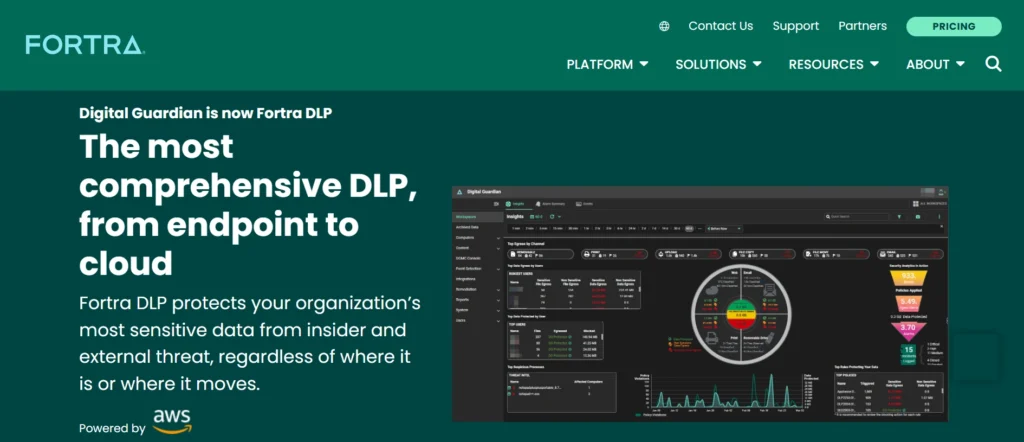
Digital Guardian is a digital guardian tool that belongs to its Data Loss Prevention (DLP) platform, which is used to avoid a variety of malicious software by allowing pre-approved software to be installed and executed on the machine, which will not allow the execution of questionable or malicious software. It is employed by maintaining a whitelist of trusted programs, which is certified by using hashing, digital signatures, file attributes, and process relationships, to block malware, ransomware, and other threats that conventional antivirus programs are unable to detect.
The tool is constructed into the management console of Digital Guardian, which, in its turn, will allow imposing policy-based control over enterprises to ensure compliance and data safety on endpoints, networks, and in the cloud without imposing many disruptive changes to the very business processes.
Key Features:
- Cryptography, hash, and publisher signature-based whitelisting to verify the integrity of applications and avoid masqueraded malware.
- Real-time enabled, local and global whitelists of permitted apps, script and macros.
- Deny execution policies Application control policies that condemn execution outside accepted conditions, e.g., user state or file share.
- Contextual enforcement (i.e., integration with DLP), Whitelisting, including user activity monitoring and incident response.
- Auditing and logging of blocked attempts to trace them, and determining compliance.
Pricing:
- Digital Guardian has price quotes based on deployment (SaaS, on-premises, managed), the number of endpoints, and functions; there are no published tiered plans, and sales contacts should offer custom quotes starting with the enterprise level.
Website:https://digitalguardian.com/
Comparison Table
| Tool Name | Pricing | Free Plan | Best For |
| ThreatLocker | $15-40 per endpoint/year (custom quotes) | No | Enterprises needing granular policies |
| Airlock Digital | $5-12.50 per endpoint/month (subscription) | No | Scalable enterprise deployments |
| VMware Carbon Black App Control | $10-20 per endpoint/year (included in plans) | No | Servers and compliance-heavy environments |
| ManageEngine Application Control Plus | $995/year for 50 endpoints (30-day trial) | 30-day trial | SMBs with Windows/Mac endpoints |
| Microsoft AppLocker | Free (in Windows Enterprise/Pro editions) | Yes (built-in) | Windows environments on a budget |
| Windows Defender Application Control (WDAC) | Included in Windows Pro/Enterprise E3/E5 | Yes (built-in) | Native Windows security layering |
| Faronics Anti-Executable | $10-40 per endpoint (quote-based) | No | Schools and controlled environments |
| PC Matic Whitelist Protection | $50-110/year (home); custom for business | 30-day guarantee | Individuals and small teams |
| Lumension Application Control | Custom enterprise quotes (~$995+/year) | No | Legacy enterprise compliance |
| CyberArk Endpoint Privilege Manager | Custom per endpoint/year (SaaS) | No | Privilege management integration |
| BeyondTrust Endpoint Privilege Management | Custom quote-based | No | Zero-trust multi-OS deployments |
| Digital Guardian | Custom quotes (SaaS/on-prem) | No | DLP-integrated endpoints |
Conclusion
Whitelisting software such as ThreatLocker, Airlock Digital, and ManageEngine Application Control Plus acts as your virtual babysitters, where the trusted software only runs in your computers to block malware, ransomware attacks, and zero-day malware.
These solutions function as an application whitelisting software by reducing attack surfaces through a deny-by-default policy, increasing compliance with standards such as GDPR and PCI-DSS, and making business systems more stable without consuming significant resources. This approach is optimal for businesses, IT practitioners, or individuals frustrated with traditional antivirus solutions. Find an option that suits your size and budget, adopt an easier learning curve to build your whitelist without disruption, and enjoy a safer and more productive online world.
FAQs
Q.1 What is Application Whitelisting?
Application whitelisting Application whitelisting is also a safeguard where only approved apps can execute in a system or a network and any other apps including malware or unauthorized software are blocked. IT admins create whitelists using file attributes such as hash, digital signatures, paths or publisher certificates, real-time checking programs and mitigating attack surfaces.
Q.2 What are its Strengths in the Course of Operations?
Its benefits include the use of resources efficiently by blocking programs which are not allowed to use CPU or bandwidth, security of remote working or kiosk endpoints, and prevention of crashes due to untested software.
Q.3 What are the Best Application Whitelisting Solutions?
Such recommended options proposed by the blog include ThreatLocker (learning mode, granular policies, about 15-40/ endpoint per year), Airlock Digital (about 5- 12.50/ endpoint per month), VMware Carbon Black App Control ( about 10-20/ endpoint per year), ManageEngine Application Control Plus (starting at $995/year 50 endpoints) or free in-built software like Microsoft AppLocker and Windows Defender Application Control(WDAC).
Q.4 What are the Properties of These Tools?
Some of the typical functions encompass deny-by-default policies, learning/audit mode, time-based rule-based, integrations (e.g., SCCM, Intune), real-time blocking of scripts/executables and reporting; e.g. ThreatLocker has a safe test environment and approvals under 60 seconds.
Q.5 How Much do These Tools Cost?
The pricing varies; Microsoft tools are free (in compatible Windows versions), other systems such as PC Matic ($50-110/year home), Faronics Anti-Executable (~$10-40 /endpoint), and custom enterprise quotes of either CyberArk or BeyondTrust.
Q.6 Is Whitelisting Effective with a Modest Business or an Individual?
Indeed, small configuration can be implemented with such tools as ThreatLocker or PC Matic and offers simple management and ransomware protection without a strong IT department as it would be the case with more complex enterprise tools.