

Running a healthcare business is a daunting task with many responsibilities ranging from patient records to appointments, billing to inventory, and so much more. Healthcare management software makes these operations easier, as it consolidates all of them into a single easy-to-use platform. The right tool can save time and reduce errors for the clinic/hospital and help them to concentrate more on the patient, and not on paperwork.
In this blog, we delve into the best healthcare management solutions available in 2026, shedding light on their unique attributes, costs, and suitable applications. For both small practices and multi-specialty hospitals, this guide assists you in deciding on a solution that’s suited to your needs and budget. The advantages of these systems with regard to efficiency, compliance, and the patient experience will also be explored. The aim is to simplify your choice by providing you with some plain and easy information.
What Is Healthcare Management Software?
Healthcare software is an electronic tool that assists any healthcare company, like hospitals, clinics, etc in handling their day-to-day activities in a single place. It can be used to schedule appointments, manage patient records, handle billing, track medicines and supplies, manage lab reports, and coordinate communication between departments.
This software helps healthcare professionals save time, minimize paperwork, and prevent human error by automating repetitive tasks.
Types of Healthcare Management Software
Doctors, hospitals, and clinics find healthcare management tools useful in streamlining their work. It can hold patient records, schedule appointments, process billing, and enable telemedicine.
There are following types of healthcare management software.
- Electronic Health Records (EHR) Software: All patient information is kept in a single digital location in EHR software. It contains details of medical history, prescriptions, allergies, laboratory results, and doctors’ notes. Records are easily accessed and shared by staff securely. This will save paper and minimize errors.
- Practice Management Software (PMS): PMS takes care of patient registration, appointment scheduling, billing, and insurance claims, among other administrative services. It saves small clinics and private practices time and prevents errors. Payments and schedules can be easily tracked by staff. This is an enhancement in patient satisfaction and cash flow.
- The Hospital Management System (HMS) : HMS is a large system that supports an entire hospital. It connects the admin, finance, and clinical functions like admissions, bed allocation, inventory, staff schedule, and billing. It ensures that the entire department is in sync. This will enhance coordination and patient care throughout the hospital.
- Telemedicine/Telehealth Software: Telemedicine/Telehealth Software: It is a program that lets physicians and patients communicate via video call, chat, or telephone using patient communication tools. Suitable for follow-ups, minor illnesses, and remote locations. Also, it can securely share prescriptions and reports. Telehealth is a time- and place-saving solution that increases access to care.
- Medical Billing and Revenue Cycle Management (RCM) Software: Billing/RCM software generates bills, submits insurance claims, and handles payment gateways and denial management. It minimizes billing mistakes and quickens collections. Practices receive quicker claim payouts and fewer claim denials. This is a boost to the financial fitness of clinics and hospitals.
Key Features to Look for in Healthcare Management Software
Healthcare management software facilitates the smooth functioning of Hospitals, Clinics, and Doctors in their daily operations. It securely stores patient information, schedules appointments, deals with billing, and enhances care.
Following Key Features to Look For
- Easy-to-Use Interface: This software should be easy to use and understandable for the staff. A clean design will save time and can minimize errors.
- Electronic Health Records (EHR): It needs to have all of a patient’s information, such as their medical history, doctors’ orders, test results, and allergies, all in one place. This aids health care providers to making choices rapidly.
- Appointment Scheduling: Seek out calendar integration, automated SMS/email reminders, and online booking. This minimizes no-shows and smooths the patient flow.
- Billing and Insurance Management: The system should provide invoice processing, insurance claim management, payment tracking, and a billing solution to ensure compliance with the Goods and Services Tax. This will make payments quicker and reduce billing errors.
- Security and Compliance: Patient information is delicate, and the software needs to be protected and adhere to laws such as the HIPAA or local regulations. Audit trails and role-based access are significant features.
- Reporting and Analytics: Improved software offers reports on patient visits, revenue, inventory, and more metrics. This assists managers in monitoring performance and making planning.
- Integrates with other systems: It should integrate seamlessly with laboratory systems, pharmacy systems, radiology equipment, and accounting software. This prevents double entry and ensures data is up to date and in sync.
Comparison Table for Healthcare Management Software
| Tool Name | Best For | Key Feature | Pricing | HIPAA Compliant |
| Epic | Large hospitals and health systems | Enterprise EHR and patient portal | Custom, enterprise-level pricing | Yes |
| athenaOne | Outpatient and ambulatory practices | AI EHR, billing, and engagement | Custom, collections-based pricing | Yes |
| eClinicalWorks | Mid-sized ambulatory practices | Cloud EHR and integrated billing | From $449/provider/month | Yes |
| Oracle Health | Large healthcare organizations | AI EHR and interoperability | Custom quote-based pricing | Yes |
| NextGen Healthcare | Specialty outpatient practices | Flexible EHR and revenue management | Custom quote-based pricing | Yes |
| Tebra | Independent medical practices | EHR, billing, and patient growth | Custom quote-based pricing | Yes |
| AdvancedMD | Independent practices and billers | AI documentation and claims automation | From $130/provider/month | Yes |
| CareCloud | Large multispecialty practices | AI notes and revenue management | Custom quote-based pricing | Yes |
| DrChrono | Small independent practices | Mobile EHR and telehealth | Quote-based pricing | Yes |
| SimplePractice | Therapists and wellness providers | HIPAA-compliant EHR and telehealth | From $49/month | Yes |
List of Top Healthcare Management Software
1. Epic
- Website: https://www.epic.com
- Best for: Large hospitals, academic medical centers, and integrated health systems that require an enterprise-wide EHR.
Epic’s electronic health record (EHR) system is a top choice among hospitals and health systems around the world. It brings together patient information from inpatient care, outpatient care, specialist care, and billing in a single record.
Epic’s tools include clinical care, scheduling, orders, documentation, revenue cycle, and patient engagement tools, all of which are managed by MyChart. It is designed for large organizations with multiple sites and helps them coordinate care, minimize errors, and ensure compliance with regulations at scale.
Key Features
- A single, universal patient health record.
- Alert to clinical decision support.
- Access to the MyChart Patient Portal.
- Integrated revenue cycle management.
- Specialty-specific workflow modules
- A suite of analytics tools for population health.
Pros
- Highly scalable enterprise platform
- Good communication between systems and the sharing of information.
- See the full list of clinical and billing capabilities.
- Strong patient engagement features.
Cons
- Implementation and licensing is very costly
- A lengthy and complicated deployment process.
- This can be challenging for new users (steep learning curve).
- Overkill for small or independent practices
Pricing
- Community hospitals: $10M–$20M initial;
- Large health systems: $20M–$30M+ initial;
- Ambulatory groups: $500K–$2M initial;
- Per-provider estimates: ~$200–$35,000+ depending on scale and modules
2. athenaOne
- Website: https://www.athenahealth.com/solutions/athenaone
- Best for: Ambulatory practices that wish to have a single platform that is AI native for EHR, billing, and patient engagement.
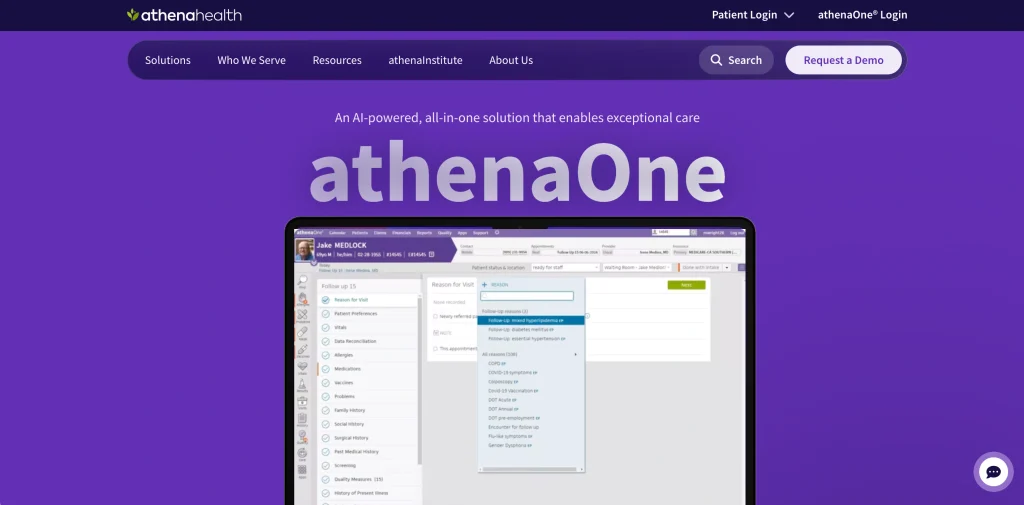
athenaOne is an enterprise-wide healthcare management software solution that integrates electronic health records (EHR), medical billing, practice management, and patient engagement into a single cloud-based system. It leverages AI to reduce paperwork, prevent errors, and enhance collections.
Designed specifically for outpatient and ambulatory care environments, it will allow your team to dedicate more time to patient care and less to administrative tasks. Usually priced as a percentage of collections, which means that costs are matched with practice revenue. The objective is more streamlined processes, fewer denials, and enhanced financial and clinical results.
Key features
- AI-native electronic health records
- Medical billing and RCM integrated.
- Practice management and scheduling
- Communication with patients.
- Real-time insurance eligibility checks
- Customizable reports and dashboards.
Pros
- All-in-one unified platform
- Impressive billing and revenue analysis.
- AI takes the burden of paperwork.
- Collections-based pricing model
Cons
- Steeper learning curve initially
- User-friendliness rated moderate
- With scaling comes cost escalation.
- More advanced options require setting up.
Pricing:
quotes based
3. eClinicalWorks

- Website: https://www.eclinicalworks.com
- Best for: Mid- to large ambulatory practices and clinics that are looking for a cloud-based, all-in-one EHR that includes practice management and revenue cycle solutions.
eClinicalWorks is a comprehensive cloud-based electronic health record (EHR) and practice management solution that is widely adopted in ambulatory practices throughout the U.S. It provides clinics with seamless management of patients’ records, appointment scheduling, e-prescribing, billing, telehealth, and patient engagement from one solution.
It’s renowned for its strong interoperability capabilities, AI-driven features, and RCM-as-a-service options. It’s a lot of features, but it can also be complicated and more costly for small practices.
Key Features
- Cloud-based EHR and PM
- Patient portal and mobile application integration.
- E-prescribing with formulary checking
- Telehealth and remote patient monitoring.
- The revenue cycle management (RCM) services.
- Clinical Documentation Tools Powered by AI.
Pros
- A wide range of interoperability and integration.
- Free clinical templates and meaningful-use dashboards
- The capability to move from current EHR systems for free.
- Secured with robust security measures – HIPAA-compliant
Cons
- No free trial available
- Relatively expensive for small practices
- Airfare for initial training (separate)
- It is complex and has a steep learning curve.
Pricing
- EHR Only: $449/month/provider
- EHR with Practice Management: $599/month/provider
- RCM as a Service: 2.9% of practice collections.
4. Oracle Health
- Website: https://www.oracle.com/health/
- Best for: Large hospitals and health systems that require an enterprise-level, AI-enabled EHR that includes clinical, financial, and operational capabilities.
Oracle Health (formerly known as Cerner) is a cloud-based healthcare management software platform that integrates electronic health records (EHR) with revenue cycle management and enterprise operations.
It leverages built-in AI to minimize paperwork, tailor clinician workflow, and provide departmental real-time insights. It enables value-based care, interoperability, and secure data exchange at scale, all while supporting providers, payers, and public health organizations.
Key Features
- AI-driven clinical documentation assistant.
- Create a single real-time electronic health record.
- A single comprehensive solution for the revenue cycle.
- Implements interoperability (HL7, FHIR) support
- Data analysis and reporting dashboard.
- Protect cloud infrastructure and compliance
Pros
- Robust enterprise-grade security and compliance.
- Detailed analytics and population health capabilities.
- A wide range of interoperability and data sharing.
- Can be scaled for large multiple department systems
Cons
- New users can have a difficult time adjusting to it.
- UI can seem complicated; numerous clicks to undertake tasks
- The needs in terms of configuration and governance are quite comprehensive.
- Not all pricing is publicly available; only custom quotes.
Pricing
Customized pricing
5. NextGen Healthcare

- Website: https://www.nextgen.com
- Best for: Mid-size to large outpatient practices and specialty practices that require a unified EHR, practice management, and revenue cycle solution.
NextGen Healthcare is cloud-based software for outpatient clinics that integrates electronic health records (EHR), practice management, and billing systems. It assists physicians in recording visits, setting appointments, handling insurance claims, and connecting with patients via a portal.
Specialty is highly flexible with a wide range of options, and it also has a lot of options for telehealth, analytics, and interoperability. It’s steep and confusing to learn, though, and not all support reviews have been positive, so it’s only for practices willing to take the plunge for training and implementation.
Key features:
- In the cloud: EHR and practice management.
- Specialty-specific documentation templates
- Integrated revenue cycle and billing software.
- Patient portal to schedule and refill.
- Telehealth and virtual visit support
- Ambient documentation assistant powered by AI.
Pros:
- Very adaptable to medical specialty
- Good data exchange and interoperability
- Integrated analytics and population health tools
- Ranked #1 practice management solution time and time again.
Cons:
- Quote-only model, no public pricing.
- Very steep learning curve and clicky workflows.
- There may be some system lag and bugs reported from time to time.
- The limited post-setup support and slow case resolution are other disadvantages.
Pricing:
- Custom-quoted based
- A free demo is available, but there is no free trial.
6. Teabra
- Website: https://www.tebra.com
- Best for: Independent private healthcare practices looking for an all-in-one patient-growth, billing, and EHR solution.
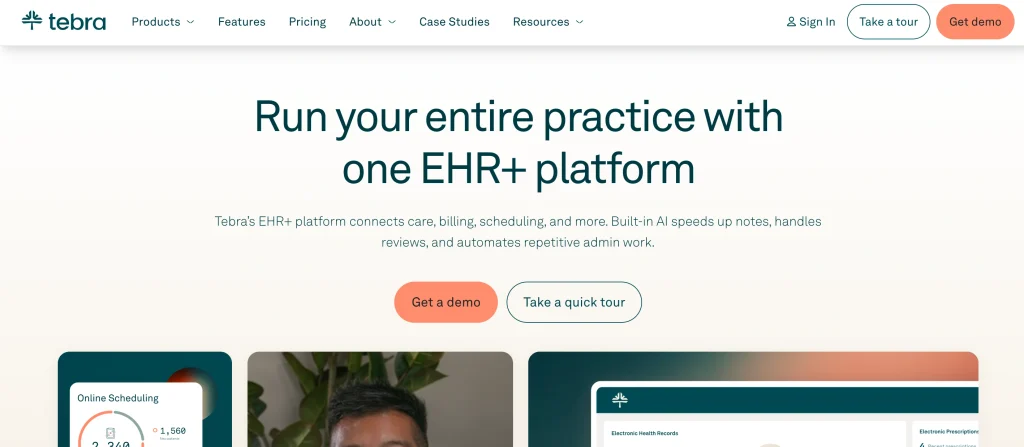
Tebra is a cloud-based healthcare management software solution designed for small and independent medical practices. It integrates electronic health records (EHR), medical billing, scheduling, telehealth, patient engagement, and practice marketing into one platform.
Rather than relying on numerous vendors, practices receive clinical, financial, and growth tools all in one place, plus clear, per-provider pricing. The intention is to cut down on administration, hasten charting and claims, and enhance clinic patient retention and acquisition.
Key features:
- All-in-one EHR and practice management.
- Integrated medical claims and billing.
- Scheduling and reminders are available online and automated.
- The platform is integrated with telehealth.
- The number of patient reviews and/or reputation tools.
- Clinician notes generation using AI.
Pros:
- Unified platform eliminates vendor sprawl.
- Clear, per-provider fees
- Does not require extra charges for unlimited non-clinical staff.
- Good attention to private practice workflows
Cons:
- There are no publicly listed fixed-price plans.
- Initially, quote pricing may seem confusing.
- May be excessive at very small and cash clinics
- Advanced modules may add to the overall cost.
Pricing:
Custom, quote-based pricing
7. AdvancedMD

- Website: https://www.advancedmd.com
- Best for independent practices and billing companies looking for a one-platform solution to support their EHR, practice management, and patient engagement needs.
AdvancedMD is a cloud-based healthcare solution that brings together electronic health records (EHR), practice management and patient engagement solutions for independent healthcare practices. This automates administrative tasks such as charting, eligibility verification and claim scrubbing through AI-powered automation.
It can be customized by specialty, HIPAA-compliant, and run on AWS, supported around the clock. Practices can coordinate their scheduling, billing, telehealth, and patient portals from a single location, with a view to addressing burnout and streamlining revenue cycles.
Key Features
- Clinical documentation assistant using AI.
- Integrated EHR, practice management, and billing systems
- Insurance Eligibility Verification in real-time!
- Automated claim scrubbing and denial management.
- Self-service intake and messaging via patient portal.
- Custom reporting and analytics dashboards.
Pros
- A single platform that eliminates fragmented systems.
- Specialty-specific configurable workflows
- Excellent 24/7 live support and onboarding services.
- Publicly available, specialized pricing models, published on the web
Cons
- Adding the modules together can cost a lot of money.
- An extended 90-day standard onboarding process.
- A steep learning curve for new users is required
- There may be extra charges for AI capabilities and data transfer.
Pricing
- Medical Specialties: $429–$1,070/provider/month
- Mental Health: $130–$399/provider/month
- Physical Medicine: $399/provider/month
- Addiction Medicine: $399/provider/month
- MedSpa: $278/provider/month
- Billing Services: $229–$1,070/provider/month
8. CareCloud
- Website: https://carecloud.com/
- Best for: Large practices and multispecialty practices that are looking for an all-in-one, AI-powered EHR, revenue cycle and practice management system.
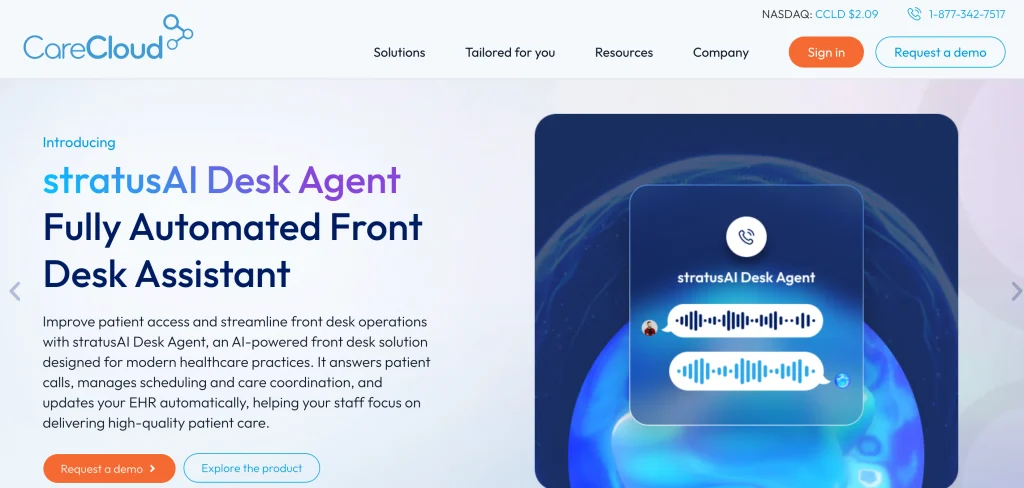
CareCloud is a cloud-based healthcare management software platform that integrates electronic health records (EHR), practice management, billing, and patient engagement functionality into a single system. Its AI-powered tools support clinical notes, front-desk calls, and claims processing to save time and reduce administrative work for busy practices.
Staff will be able to transition seamlessly between scheduling, charting, billing, and follow-up thanks to the software’s focus on the patient visit process. It can accommodate more than 70 specialties and expand for larger medical practices or growing practices.
Key Features
- AI-powered clinical documentation
- Integrated practice management suite
- Revenue cycle management tools
- Patient portal and digital check-in
- Technology assistance for telehealth and e-prescribing.
- Set up your own dashboards and reports.
Pros
- Intuitive, workflow-centered interface
- The AI and automation features are good.
- Scales for large, multispecialty groups
- In-depth patient engagement solutions
Cons
- The price is not open to the general public.
- Strong support for hours weekday-only:
- May be complicated for extremely small practices
- These contracts are often made for the long term.
Pricing
Quotes based
9. DrChrono

- Website: https://www.drchrono.com/
- Best for: Mobile friendly, billing capabilities, all-in-one solution, great for smaller and mid-sized independent medical practices.Cons: Lacks flexibility to be used in larger practices; is limited in scope.
DrChrono is an independent clinic-specific, cloud-based electronic health record (EHR) and practice management solution. It offers medical billing, patient engagement, clinical documentation, and scheduling in a single system. The software features easy-to-use, iPad-compatible user interface, inbuilt telehealth, and revenue-cycle solutions to minimize claim denials.
Practices can automate reminders, check insurance eligibility, and handle claims without any switching of apps. It is ideal for solo providers and small groups who want to have an easy-to-learn, mobile-first solution.
Key features:
- All-in-one EHR platform
- Incorporating scheduling and reminders into the system.
- Built-in telehealth visits
- Claims and billing processes.
- Patients’ portal and e-forms
- Mobile apps for iOS
Pros:
- Easy to learn and use
- Effective integrated billing features.
- It’s a good option for small independent practices.
- Includes implementation and training.
Cons:
- Support for customers may be delayed.
- Advanced features requires higher levels
- No native Android mobile app
- No transparent pricing, they need to get a quote;
Pricing:
quote-based pricing
10. SimplePractice

- Website: https://www.simplepractice.com
- Best for: Solo therapists or small wellness practices requiring a single platform for EHR and practice management that is HIPAA compliant.
SimplePractice is an online healthcare management software platform designed for therapists, counselors, and wellness professionals. It helps schedule appointments, securely manage client notes, conduct telehealth sessions, and handle billing—all in one place.
It saves on administration services with a client portal, automatic reminders and insurance claim assistance, allowing you to focus on care. With its user-friendly interface, robust security measures, and mobile compatibility, over 250,000 providers make use of it.
Key features:
- HIPAA-compliant secure EHR
- Create an online booking and scheduling system.
- Inbuilt Telehealth video sessions.
- Client portal and e-forms.
- Insurance billing and claims
- Automated appointment reminders
Pros:
- Easy to learn and use
- Excellent security and compliance
- All-in-one practice tools
- Top-notch mobile and tablet apps.
Cons:
- Prices for solos may be steep.
- Any claims on insurance will add to your costs
- Add-ons add to the monthly bill
- Groups can only be customized to a degree.
Pricing:
- SimplePractice offers three main monthly plans (billed monthly after a 30-day free trial):
- Starter: $24.50/month for 3 months,then $49 billed monthly
- Essential: $$39.50/month for 3 months, then $79 billed monthly
- Plus: $$49.50/month for 3 months,then $99 billed monthly
How to Choose the Right Healthcare Management Software
Selecting the best healthcare management software means that you are finding a tool that you can use throughout your clinic or hospital’s routine operations, which is secure, and which will grow with you. Here are following points to consider in making your choice:
Following points should be consider to choose healthcare management software
- Pick a feature that matches your requirements: Outline the top pain points (billing errors, missed appointments, messy records) and choose software that addresses them (scheduling, billing and EMR all in one place, for example).
- Ensure compliance and security: Make sure that the software complies with local health-data rules (such as HIPAA/ABDM in India), has role-based access, audit logs and backup/disaster-recovery capabilities.
- Ensure that the design is user-friendly.It should be learnt by doctors and staff as quickly as possible. Seek a simple interface, few clicks for everyday functions, and training/onboarding by the vendor.
- This should be integrated with the existing tools.It should be integrated with your lab system, pharmacy, accounting software, insurance/TPA portals, insurance/TPA portals and devices (scanners, printers, etc.) to prevent double entry.
- Scalability and flexibility: Select a system that can accommodate additional beds, branches, users, and new services without having to migrate the entire system; flexible plans (monthly/annual) help you grow.
- The necessary support and uptime. Look at vendor reputation, response time, availability of local support, uptime SLA, and implementation assistance and periodic updates offered.
- The cost of owning a product or service over its entire life cycle.Factor in any setup, training and customisation, integrations, maintenance, and any hidden fees; have a small pilot project to go all-in and get the feel of the system;
Common Mistakes When Implementing Healthcare Management Software
Though using healthcare management software (HMS) can significantly enhance hospital efficiency and care for patients, many projects end up failing because of unfixable mistakes. Here are the following mistakes and easy tips to prevent them.
- Unclear goals and poor planning.: A lot of hospitals are unprepared to begin without a definite plan or clear goals, which results in confusion and delays. Having a detailed roadmap that includes milestones, roles, and timelines can help keep the project on track.
- Inadequate Staff Training: Without proper training, mistakes are made, and doctors, nurses, and admin personnel do not adopt procedures. Hands-on sessions and continual assistance guarantee that everyone is using the system properly.
- Forcing a workflow to fit a user’s needs: If it is not the same software that is used in real hospital settings, then employees might not be willing to use it. Include clinicians from the beginning to tailor screens and processes to the daily life of the clinician.
- Dirty or Incomplete Data Migration: Without cleaning old patient records, they will move and cause duplications and errors. Before uploading to the new system, always validate and de-duplicate data.
- Poor security and compliance controls.Patient privacy is important, and no security checks should be ignored, or fines risked to patient privacy. Start off with software compliant from the beginning with HIPAA (or local data-protection requirements).
- Failure to provide support and monitoring from vendors.: If you don’t have a support plan you might not get problems solved for a long time. Seek a vendor who provides after launch support and establishes performance reviews regularly.
- Scope Creep & Rushed Go-Live: Too many custom features added in the middle of the project or too early to launch can lead to failure. Build with core modules, test extensively, and add when it’s stable.
Conclusion
The right healthcare management software can help make everyday tasks faster, easier and more organized. The optimal approach should suit your practice, budget, staff, and plans, no matter if you own a small clinic, practise on your own or are part of a large hospital. Pay attention to key functionality like EHR, scheduling, billing, security, reporting and integration.
You should take the time to compare the pricing, get a demo of the software, see customer support, and get your employees involved in testing the software before you make the final purchase. A good platform can minimize paperwork, lessen the odds of errors, enhance patient care, and enable healthcare workers to concentrate more on quality care.
FAQs
Q.1 What is Healthcare Management Software?
It’s an electronic system that handles patient documentation, appointment scheduling, billing, clinical procedures, and administration.
Q.2 What Features Should Healthcare Software Include?
The core components include electronic health records (EHR) management, appointment scheduling, billing, reporting, telemedicine and employee management.
Q3. Is Healthcare Management Software Secure?
Yes, a dependable software should have encryption, secure logins, backups and adherence to the applicable healthcare regulations.
Q4.How Much Does Healthcare Management Software Cost?
The pricing depends on features, users, size of healthcare facilities and subscriptions or quotes.
Q.5 How to Select the Best Healthcare Management Software?
Look at software capabilities, integrations, scalability, security, customer support, user-friendliness, and practice size.