
ChatGPT can help with writing, research and everyday tasks, but it may not always be the best fit for every job. You might need answers backed by reliable sources for a blog, help understanding a large document, coding suggestions inside your editor or AI features that work with the apps you already use. In these situations, switching to a tool built around your specific needs can save time and make your workflow more practical.
Before paying for an AI subscription, it is worth comparing what other tools offer. Some focus on web research and citations, others support long-form writing or software development, while some connect directly with productivity and coding platforms. Their free access, usage limits and subscription prices also vary.
This guide compares 10 ChatGPT alternatives in 2026, including Claude, Google Gemini, Perplexity AI, Microsoft Copilot, DeepSeek and other options. You will find each tool’s website, best use cases, key features, pros, cons and pricing to help you choose one that fits your work rather than paying for features you may not need.
Why Look for ChatGPT Alternatives?
ChatGPT is a versatile AI assistant, but it may not be the most convenient choice for every task. Some platforms focus on finding information online, others support coding directly inside an editor, and some work closely with productivity applications. Comparing these options helps you choose a tool based on what you actually need.
- Different Features for Different Tasks: A content writer may need help refining a long article without losing its original meaning, while a developer may want suggestions directly inside a code editor. Someone working with spreadsheets or presentations may benefit more from an AI assistant connected to those applications. Choosing a tool around your main task can make everyday work more practical.
- Access to Web-Based Information: When preparing an article or report, finding information is only part of the job. You also need sources that support the claims you plan to use. Research-focused AI tools can help locate relevant webpages and summarise information, but their answers and citations still need to be checked against the original sources.
- Specialised Coding and Research Support: Developers and researchers often need features beyond ordinary question-and-answer conversations. AI Coding tools can work with project files and suggest changes within a development environment, while research platforms help users explore information from multiple websites. These specialised workflows can be useful when the same type of task comes up regularly.
- Pricing and Usage Limits: A free plan may be enough for occasional questions, basic writing or simple research. More demanding work may require higher usage limits or access to additional features through a paid subscription. Comparing the regular price, billing terms and plan restrictions helps you decide whether upgrading offers enough value for your work.
- Integration With Everyday Applications: Switching between an AI chatbot, a document editor and other work applications can interrupt your workflow. Tools that integrate with supported services may let you draft content, analyse information or complete tasks without moving between as many platforms. Before choosing one, check whether the integrations you need are available with your account and plan.
List of 10 Best ChatGPT Alternatives
1. Claude

- Website: https://claude.ai
- Best For: Long-form writing, document analysis and complex reasoning
Claude is an AI assistant from Anthropic that can help organise complex information, refine drafts, analyse documents and work through coding problems. Its extended thinking capabilities can be useful for tasks that require more careful reasoning.
Writers, researchers and professionals may find it particularly helpful when handling substantial amounts of text or following detailed instructions.
Key Features
- Natural-language writing and editing
- Document and file analysis
- Extended thinking for complex tasks
- Web search and data visualisation
Pros
- Produces clear, structured writing
- Helps analyse lengthy documents
- Supports coding and data-related tasks
- Connects with supported workplace applications
Cons
- Free usage has limits
- Advanced features require paid access
- Responses may contain factual errors
- Usage limits can interrupt lengthy tasks
Pricing
- Free plan available
- Monthly: ₹2,399/month (Pro)
- Max: Starting at ₹11,999/month
2. Google Gemini
- Website: https://gemini.google.com
- Best For: Productivity, research and creative work
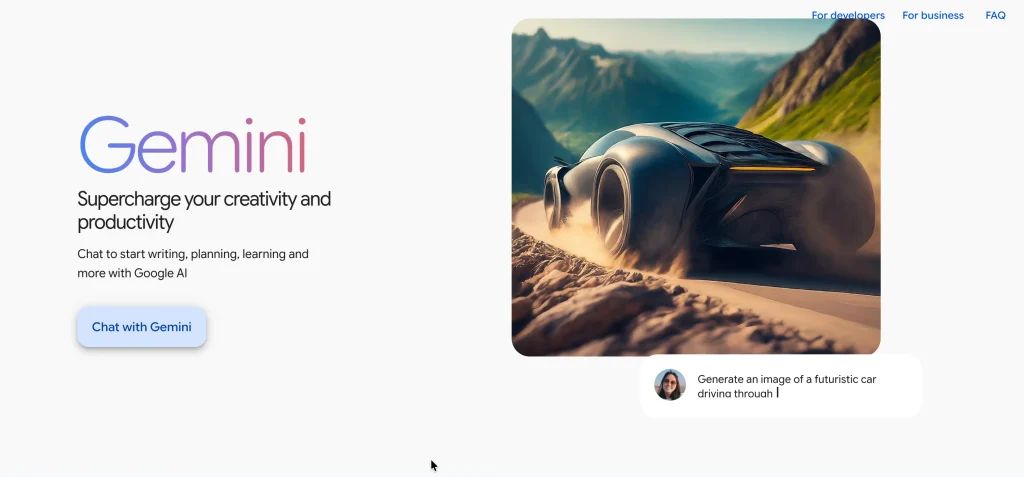
Google Gemini offers AI assistance for research, writing, brainstorming and creative projects, making it one of the useful chatgpt alternatives for various tasks. It also provides integrations across supported Google applications. Depending on the plan, users may access image, video and other media generation features.
Its connection with Google’s ecosystem makes it worth considering for students, professionals and creators who want AI assistance alongside their existing workflow.
Key Features
- Integration with supported Google applications
- Web-assisted research
- Image and media generation
- File analysis and complex question answering
Pros
- Fits into the Google ecosystem
- Supports everyday productivity tasks
- Useful for creative projects
- Free access is available
Cons
- Advanced features depend on the plan
- Usage limits vary by subscription
- Some features may not be available in every region
- Generated information requires verification
Pricing
- Free plan available
- Monthly: ₹399/month (Google AI Plus)
- Google AI Pro: ₹489/month for 3 months, then ₹1,950/month
- Google AI Ultra: Starting at ₹6,500
3. Perplexity AI
- Website: https://www.perplexity.ai
- Best For: Online research and source-backed answers
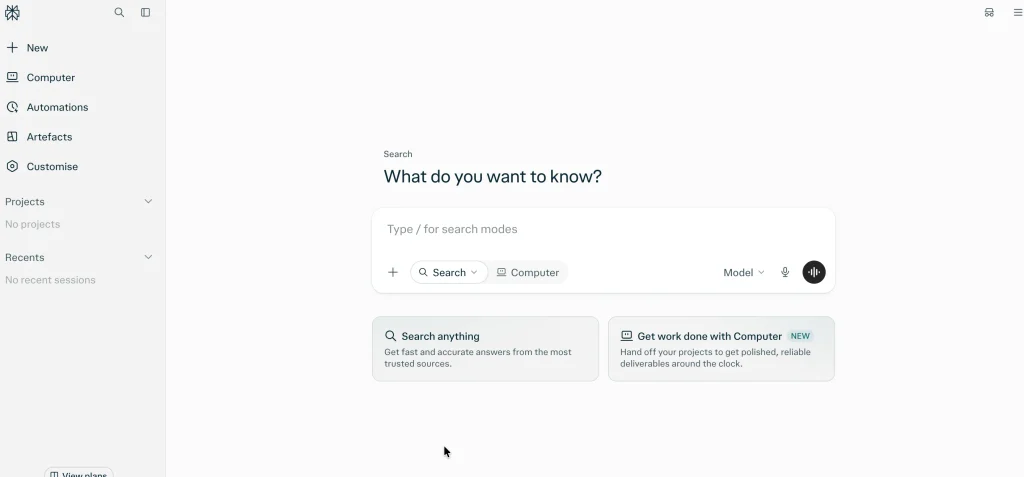
Perplexity AI focuses on answering questions through web search and presenting information with source citations that users can open and examine. It can gather findings from multiple websites and help organise them for articles, reports or presentations.
This makes it useful for bloggers, students and professionals who need a starting point for research, although every important claim should still be checked against the original source.
Key Features
- Web search with inline citations
- Summaries from multiple online sources
- Research-focused search capabilities
- Advanced models and research features on eligible plans
Pros
- Makes source checking easier
- Helps organise online research
- Useful for comparing information
- Free plan available for basic searches
Cons
- Citations do not guarantee accuracy
- Source quality can vary
- Advanced features have usage limits
- Detailed research may require a paid plan
Pricing
- Free plan available
- Monthly: $17/month (annual billing equivalent)
- Higher-tier plan: $167/month (annual billing equivalent)
4. Microsoft Copilot
- Website: https://copilot.microsoft.com
- Best For: Workplace productivity and Microsoft 365 users
Microsoft Copilot is one of the popular chatgpt alternatives, offering AI assistance for writing, research and productivity, with additional capabilities in supported Microsoft 365 applications depending on the subscription.
It can help users draft content, organise information and develop presentations while working within familiar tools. Office users and business professionals may find it particularly relevant when their daily tasks already depend on Microsoft’s productivity ecosystem.
Key Features
- AI assistance in supported Microsoft 365 apps
- Document drafting and editing
- Spreadsheet and presentation assistance
- Integration with selected Microsoft services
Pros
- Works with familiar productivity applications
- Helps reduce repetitive writing tasks
- Useful for documents and presentations
- A free standalone experience is available
Cons
- Advanced features require eligible subscriptions
- Capabilities differ across applications
- AI-generated content needs review
- Some features have usage limits
Pricing
- Free plan available
- Monthly: ₹689/month (Microsoft 365 Personal)
- Family: ₹819/month
5. DeepSeek

- Website: https://www.deepseek.com
- Best For: Technical questions, reasoning and developers
DeepSeek offers AI models that can help with technical questions, mathematics, programming and complex problem-solving. Developers can also access its models through an API to build AI-powered applications.
Unlike a conventional fixed-price software subscription, API costs depend on usage, making it important to understand token-based billing before integrating the service into a project.
Key Features
- Reasoning support for complex questions
- Code generation and technical assistance
- API access for application development
- Different models for different workloads
Pros
- Useful for technical problem-solving
- Supports programming tasks
- API costs are based on usage
- Offers model options for developers
Cons
- API usage costs require monitoring
- Technical answers can contain errors
- API integration requires development knowledge
- Model features and pricing may change
Pricing
- Free plan available
- API pricing: Based on token usage
Suggested Read :
6. Meta AI
- Website: https://www.meta.ai
- Best For: Everyday questions, brainstorming and supported Meta platforms
Meta AI is one of the accessible chatgpt alternatives, bringing conversational assistance into supported Meta platforms, where users can ask questions, brainstorm ideas and explore creative prompts. Depending on regional availability, it can also help generate images and develop content ideas.
Its convenience makes it suitable for casual users who want quick assistance within familiar applications, although it is less focused on specialised workflows such as advanced software development.
Key Features
- Conversational question answering
- Writing and brainstorming assistance
- AI image generation where available
- Access through supported Meta platforms
Pros
- Convenient for everyday questions
- Fits into supported social and messaging workflows
- Helps generate ideas and short content
- Free access is available
Cons
- Availability varies by region
- Some features may be restricted
- Responses can contain inaccuracies
- Not designed primarily for advanced coding tasks
Pricing
- Free plan available
- Monthly: ₹449/month (Core)
- Premium: ₹1,599/month
7. Mistral Le Chat
- Website: https://chat.mistral.ai
- Best For: Multilingual assistance, research and everyday work
Mistral Le Chat is a conversational AI assistant that can help with writing, research, multilingual tasks and general problem-solving. Depending on the available plan, users may also access web search, file-related tools and other capabilities.
It is worth exploring if you want one assistant for several types of work, rather than a platform dedicated exclusively to coding or online research.
Key Features
- Multilingual conversational assistance
- Web search and research support
- File and document-related tasks
- Coding and connected-tool capabilities on supported plans
Pros
- Supports work across multiple languages
- Useful for writing and research
- Free plan available
- Offers additional capabilities on paid plans
Cons
- Free usage is limited
- Advanced capabilities may require payment
- Features can vary by plan
- Responses still require verification
Pricing
- Free plan available
- Monthly: $14.99/month (Education plan)
- Team: $24.99/user/month
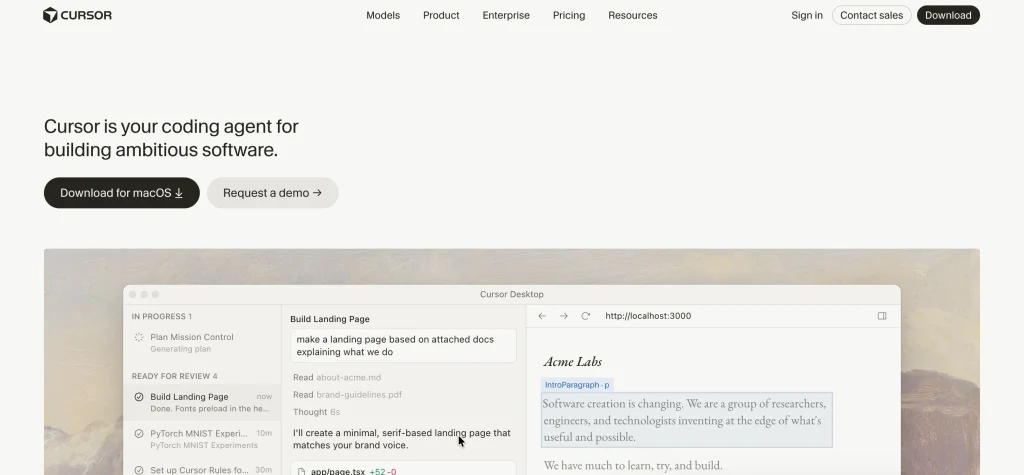
8. Cursor AI
- Website: https://cursor.com
- Best For: Developers working with AI inside a code editor
Cursor AI is one of the developer-focused chatgpt alternatives, offering an AI-powered code editor designed to help developers understand project files, generate code and modify existing implementations within their development environment. Its codebase-aware assistance can reduce the need to repeatedly copy code into a separate chatbot.
It is particularly useful for developers building applications or maintaining existing projects, but suggested changes should always be reviewed and tested before deployment.
Key Features
- AI-assisted code generation and editing
- Agent-based coding tasks
- Codebase-aware assistance
- Access to multiple AI models
Pros
- Keeps coding assistance inside the editor
- Helps navigate and modify project files
- Can speed up repetitive programming tasks
- Free plan available for getting started
Cons
- Advanced usage requires a paid plan
- Generated code needs testing
- Usage limits may affect intensive work
- Beginners still need programming fundamentals
Pricing
- Free plan available
- Monthly: $20/month (Pro)
- Teams: $40/user/month
9. GitHub Copilot

- Website: https://github.com/features/copilot
- Best For: Code completion, debugging and software development
GitHub Copilot provides AI-powered code suggestions and coding assistance within supported development environments. It can help explain existing code, suggest completions and support debugging-related tasks without requiring every question to be entered into a separate chatbot.
Independent developers and software teams may find it useful during everyday development, although all suggestions should be checked for correctness, security and compatibility.
Key Features
- In-editor code completion
- AI-assisted coding and debugging
- Copilot Chat in supported environments
- Additional development features on eligible plans
Pros
- Integrates with supported development environments
- Helps reduce repetitive coding work
- Supports multiple programming languages
- Free plan available
Cons
- Suggestions can introduce bugs
- Advanced features may require payment
- Usage allowances vary by plan
- Developers remain responsible for code quality and security
Pricing
- Free plan available
- Team: $4/user/month
- Enterprise: Starting at $21/user/month
10. Pi by Inflection AI
- Website: https://pi.ai
- Best For: Conversational support and reflective discussions
Pi is one of the conversational chatgpt alternatives, designed around natural, supportive interactions that help users explore everyday questions, discuss ideas and think through different perspectives. Its conversational style distinguishes it from tools built primarily for coding or workplace productivity.
However, it is not intended as a specialised research platform, and its current availability and features should be checked before choosing it for regular use.
Key Features
- Conversational question answering
- Natural-language discussions
- Assistance with exploring ideas
- Supportive conversational style
Pros
- Focuses on natural conversation
- Helps users explore ideas in plain language
- Has a distinct approach from coding-focused tools
- Simple conversational format
Cons
- Not designed primarily for coding workflows
- Less suited to source-heavy research
- Answers need independent verification
- Current availability and features require confirmation
Pricing
- Completely free
ChatGPT vs Other AI Tools: Key Differences
| AI Tool | Best For | Standout Feature | Starting Paid Price |
| Claude | Writing and document analysis | Extended thinking and detailed writing | ₹2,399/month (Pro) |
| Google Gemini | Productivity and creative work | Google ecosystem integration | ₹399/month (Google AI Plus) |
| Perplexity AI | Online research | Answers with source citations | $17/month (annual billing equivalent) |
| Microsoft Copilot | Workplace productivity | Microsoft 365 integration | ₹689/month (Microsoft 365 Personal) |
| DeepSeek | Technical tasks and developers | Reasoning and API access | API pricing based on token usage |
| Meta AI | Everyday conversations | Supported Meta platform integration | ₹449/month (Core) |
| Mistral Le Chat | Multilingual assistance | Research and connected workflows | $14.99/month (Education plan) |
| Cursor AI | AI-assisted coding | Codebase-aware editing | $20/month (Pro) |
| GitHub Copilot | Software development | In-editor code suggestions | $4/user/month (Team) |
| Pi by Inflection AI | Conversational support | Natural, supportive conversations | Completely Free |
| ChatGPT | General-purpose assistance | Writing, brainstorming and everyday tasks | ₹ 399/month (Go Plan) |
How to Choose the Right AI Tool?
The right AI tool should fit the work you already do, rather than simply offer the largest number of features. Consider your main tasks, how often you will use the platform and whether its free or paid version meets your needs.
- Identify Your Main Requirement: Start with the task that takes up most of your time. Claude may suit detailed writing, Perplexity can help with source-based research, and Cursor or GitHub Copilot may fit software development. Choosing around your primary requirement makes it easier to compare tools meaningfully.
- Compare Free and Paid Plans: Try the free version first, where available, to understand its limits. Compare access to models, usage allowances and paid features before upgrading. A subscription is worth considering when the additional capabilities provide clear value for your regular work.
- Check Accuracy and Reliability: Even a well-written AI response can contain incorrect or incomplete information. Verify important claims against reliable sources, and test generated code before using it in a real project. For professional work, treat AI output as a starting point that needs appropriate review.
- Review Privacy and Integrations: Before uploading documents or connecting accounts, review how the platform handles your information. Check whether it supports the applications you already use and whether the required integrations are included in your plan. A suitable tool should fit your workflow without introducing unnecessary complications.
Conclusion
There is no single chatgpt alternatives that is best for everyone. Your choice depends on the work you need to do, the features you use and your budget. Perplexity AI may suit research that requires source citations, Claude can help with detailed writing, and Cursor or GitHub Copilot may be more relevant for coding.
Before choosing a tool, compare its features and limitations with your actual requirements. Try the free version where available and review the paid plan carefully before subscribing. This way, you can choose an AI assistant based on its usefulness for your work rather than its popularity alone.
Frequently Asked Questions
1. What Is the Best Alternative to ChatGPT in 2026?
The best option depends on your requirements. Claude is useful for writing, Perplexity for research, Gemini for productivity and Cursor for AI-assisted coding. Compare their capabilities against the tasks you perform most often.
2. Which ChatGPT Alternative Is Free to Use?
Several tools offer free plans, including Claude, Gemini, Perplexity, Microsoft Copilot, DeepSeek, Cursor and GitHub Copilot. Available features and usage limits differ, so check the terms of each platform before relying on its free access.
3. Which AI Tool Is Best for Writing?
Claude is worth trying for long-form writing, editing and document analysis. Gemini and ChatGPT can also help draft and revise content. The best choice depends on the writing style, level of detail and editing support you need.
4. Which ChatGPT Alternative Is Best for Research?
Perplexity AI is designed for web research and provides source citations with its answers. It can help you locate relevant information, but you should open the original sources to confirm important claims before using them in an article or report.
5. Which AI Tools Are Best for Coding?
Cursor and GitHub Copilot provide coding assistance within development workflows, while DeepSeek can help with programming questions and technical problem-solving. Review and test generated code before using it in a project.