

Whether you want to access geo-restricted content, browse securely on public Wi-Fi, or simply keep your online activity private, VPN Chrome extensions have become one of the easiest solutions available today. Instead of installing heavy desktop software, these lightweight browser extensions let you connect to secure servers in just one click directly from your Chrome browser.
With so many VPN extensions available, choosing the right one can be confusing. Some focus on speed, others on privacy, while a few offer free access with limited features. The real challenge is finding a VPN extension that is secure, reliable, fast, and actually worth using. In this blog, we’ll explore the best Chrome extensions for VPN, their features, pros, pricing, and which one fits your browsing needs the best.
What Is A Chrome Extensions For VPN?
A VPN Chrome extension is a small browser tool that helps protect your online activity while using Google Chrome, offering stronger privacy features than basic proxy servers. It changes your virtual location and hides your IP address, making browsing more private and secure. People commonly use VPN extensions to access blocked websites, improve privacy, and browse safely on public Wi-Fi networks, especially users searching for reliable VPN in india solutions.
Unlike regular internet connections a VPN Chrome extension routes browser traffic through secure servers operated by the VPN provider When you open websites in Chrome the extension encrypts data and masks your location However it usually protects only browser activity not other apps or device-wide internet connections.
The biggest difference between a VPN Chrome extension and a full VPN app is coverage A full VPN app protects all internet traffic on your device including games streaming apps and downloads In comparison a Chrome extension mainly secures browsing within Chrome making it lighter faster and easier for users
Are Chrome Extensions For VPN Safe To Use?
Chrome VPN extensions can be safe, but not all providers are trustworthy. Some free or fake VPN extensions collect browsing data, inject ads, or sell user information to third parties, which is why many users also rely on antivirus software for extra protection. Weak encryption and poor security practices may also cause data leaks, exposing browsing activity instead of protecting it from hackers, trackers, or unsafe public Wi Fi networks.
To identify a safe VPN extension, choose well known providers with strong privacy policies, transparent ownership, and independent security audits. Read user reviews carefully and check whether the provider clearly states it follows a strict no logs policy. Trusted VPN companies usually offer reliable encryption, regular updates, and customer support for better online privacy protection.
Users should also pay attention to Chrome permissions warnings before installing any VPN extension or password managers. Some extensions request unnecessary access to browsing history, website data, downloads, or clipboard activity. If permissions seem excessive or unrelated to VPN functionality, avoid installing the extension immediately for safety.
Quick Comparison Table Of Top Chrome Extensions For VPN
| Extension Name | Free/Paid | Speed | Security Level | Best For |
| Mullvad VPN | Paid | Fast | Very High | Maximum privacy and anonymity |
| ExpressVPN | Paid | Very Fast | High | Streaming and remote work |
| Surfshark | Free + Paid | Fast | High | Budget users and families |
| CyberGhost VPN | Free + Paid | Medium-Fast | High | Beginners and streaming |
| Proton VPN | Free + Paid | Medium | Very High | Privacy-focused browsing |
| Windscribe | Free + Paid | Medium | High | Free secure browsing |
| TunnelBear | Free + Paid | Medium | High | Casual and beginner users |
| Private Internet Access | Paid | Fast | High | Advanced customization |
| PrivadoVPN | Free + Paid | Medium-Fast | High | Affordable streaming access |
| VeePN | Free + Paid | Fast | High | Everyday secure browsing |
| Hotspot Shield | Free + Paid | Very Fast | Medium-High | High-speed browsing and streaming |
| Hide.me | Free + Paid | Medium | High | Secure public Wi-Fi use |
| NordVPN | Paid | Very Fast | Very High | Business security and streaming |
| Browsec VPN | Free + Paid | Medium | Medium | Temporary browsing privacy |
| ZenMate VPN | Free + Paid | Medium-Fast | High | Beginners and geo-unblocking |
List Of 15 Best Chrome Extensions For VPN
1. Mullvad Browser VPN Support
Website: https://mullvad.net/en
Mullvad is widely respected for privacy focused browsing and anonymous VPN services. Although it does not provide a traditional Chrome extension, many users combine Mullvad VPN with secure Chromium based browsing for advanced privacy protection.
The service avoids collecting personal details during registration and supports strong encryption standards with independently audited infrastructure. Mullvad is popular among journalists, researchers, and privacy conscious professionals who prioritize anonymity over entertainment features.
It provides fast connections, transparent policies, and strong leak protection for secure online activities. The flat pricing model also makes budgeting predictable for long term users and businesses requiring reliable secure internet access.
Key Features:
- Anonymous account setup
- Flat monthly pricing
- Strong encryption
- Audited infrastructure
- Leak protection
- Privacy-first approach
Pros:
- Excellent privacy
- Transparent policies
- No personal data needed
- Stable speed
- Trusted reputation
Cons:
- No dedicated Chrome extension
- Limited streaming focus
- Fewer beginner tools
2. ExpressVPN Chrome Extension
Website: https://www.expressvpn.com/
ExpressVPN Chrome extension is a premium browser privacy tool designed for fast and secure internet access. It acts as a remote control for the full VPN app, ensuring all device traffic is protected when enabled.
Known for its speed and stability, it helps users bypass geo-restrictions and maintain strong online anonymity. The extension includes encryption-based security, WebRTC leak protection, and automatic location masking.
It is widely trusted by professionals and travelers who need consistent performance, easy setup, and strong privacy while browsing or streaming content securely.
Key Features:
- High-speed servers
- AES-256 encryption
- WebRTC protection
- Global server network
- Auto-connect feature
- Device-wide protection via app
Pros:
- Excellent speed
- Very reliable
- Strong privacy policy
- Easy interface
- Works globally
Cons:
- Expensive
- Requires app for full use
- No free plan
3. Surfshark Chrome Extension
Website: https://surfshark.com/
Surfshark Chrome extension is a budget-friendly VPN solution offering strong privacy and unlimited device connections. It blocks ads, trackers, and malware while masking IP addresses for secure browsing.
The extension is lightweight and easy to use, making it suitable for beginners. Surfshark also allows access to global streaming platforms with stable speeds.
It includes CleanWeb technology for safe browsing and ensures user data protection with a strict no-logs policy. It is ideal for families, students, and users looking for affordable yet powerful browser security and privacy features.
Key Features:
- CleanWeb ad blocker
- AES-256 encryption
- Unlimited devices
- Kill switch support
- No-logs policy
- Global servers
Pros:
- Very affordable
- Unlimited devices
- Good streaming support
- Easy setup
- Strong privacy
Cons:
- Slight speed variation
- Advanced features need app
- Smaller network than top rivals
4. CyberGhost VPN Extension
Website: https://www.cyberghostvpn.com/
CyberGhost Chrome extension provides simple and beginner-friendly VPN protection. It focuses on easy setup, fast browsing, and basic privacy protection directly inside the Chrome browser.
The extension helps users unblock websites, secure public Wi-Fi, and hide IP addresses without complex configuration. It is widely used for streaming and casual browsing due to its intuitive interface.
CyberGhost also offers strong encryption and no-logs privacy. It is best suited for users who want a straightforward VPN solution without advanced technical settings or device-wide configuration complexity.
Key Features:
- One-click connect
- AES-256 encryption
- IP masking
- No-logs policy
- Streaming access support
- Easy interface
Pros:
- Very easy to use
- Beginner friendly
- Good for streaming
- Free option available
- Simple setup
Cons:
- Limited advanced controls
- Slower than premium VPNs
- Browser-only protection
5. Proton VPN Chrome Extension
Website: https://protonvpn.com/
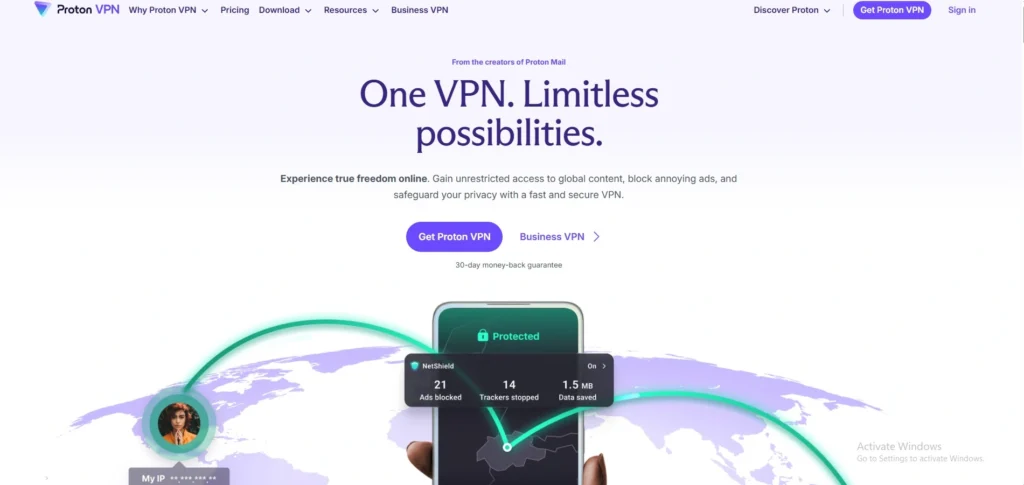
Proton VPN Chrome extension is a privacy-focused cybersecurity tool built for secure and anonymous browsing. Based in Switzerland, it offers strong legal privacy protection and a strict no-logs policy.
The extension ensures encrypted browsing, IP masking, and protection against online tracking. It is especially popular among users who prioritize data security over speed.
Proton VPN also provides a free plan with limited server access, making it accessible for basic users. It is ideal for journalists, students, and privacy-conscious users seeking transparent and secure browsing tools.
Key Features:
- Swiss privacy laws
- AES-256 encryption
- No-logs policy
- Free plan available
- Secure Core servers
- Tracker blocking
Pros:
- Very strong privacy
- Free version available
- Transparent company
- Secure browsing
- Reliable encryption
Cons:
- Slower free servers
- Limited streaming support
- Premium features costly
6. Windscribe VPN Extension

Website: https://windscribe.com/
Windscribe Chrome extension is a flexible VPN tool offering both free and paid plans. It provides ad blocking, tracker protection, and IP masking for secure browsing.
The extension is known for its generous free data allowance and strong customization options. Users can choose server locations and activate firewall-style protection for safer internet use.
Windscribe is popular among students and casual users who want privacy without paying. It balances usability, performance, and security, making it a strong choice for everyday browsing and light streaming activities.
Key Features:
- Ad and tracker blocking
- AES-256 encryption
- Free 10GB/month plan
- Firewall protection
- Server selection
- No-logs policy
Pros:
- Good free plan
- Strong customization
- Easy to use
- Privacy-focused
- Lightweight extension
Cons:
- Limited free data
- Average speed
- Fewer server locations
7. TunnelBear VPN Extension

Website: https://www.tunnelbear.com/
TunnelBear Chrome extension is a simple and user-friendly VPN designed for beginners. It offers secure browsing with IP masking and strong encryption while maintaining a playful and easy interface.
Users can quickly connect to global servers with one click, making it ideal for casual privacy needs. TunnelBear is well known for transparency and regular security audits.
Although it has a limited free data plan, it is useful for light browsing, public Wi-Fi protection, and basic geo-unblocking tasks without technical complexity or setup difficulty.
Key Features:
- AES-256 encryption
- One-click connection
- Global server access
- No-logs policy
- Security audits
- Easy interface
Pros:
- Very simple UI
- Beginner friendly
- Trusted brand
- Secure encryption
- Fast setup
Cons:
- Limited free data
- Not ideal for streaming
- Fewer advanced features
8. Private Internet Access (PIA) Extension)
Website: https://www.privateinternetaccess.com/
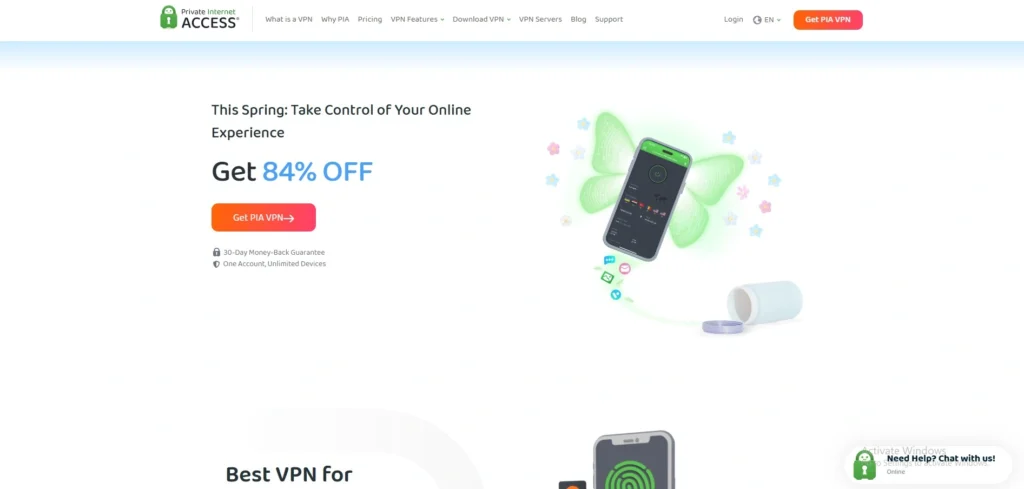
Private Internet Access Chrome extension is a powerful privacy tool offering customizable security settings. It allows users to control encryption levels, block trackers, and hide IP addresses while browsing.
Known for its strict no-logs policy, it is trusted by privacy enthusiasts worldwide. The extension is lightweight but effective, offering strong protection against online tracking and data exposure.
It also supports fast browsing and stable connections for everyday use. PIA is ideal for users who want more control over their VPN settings and privacy configuration options.
Key Features:
- Custom encryption settings
- No-logs policy
- IP masking
- Tracker blocking
- Fast servers
- Open-source tools
Pros:
- Highly customizable
- Strong privacy focus
- Affordable pricing
- Good speed
- Trusted reputation
Cons:
- Complex for beginners
- Interface less modern
- No free unlimited plan
9. PrivadoVPN Chrome Extension

Website: https://privadovpn.com/
PrivadoVPN Chrome extension is becoming a strong alternative for users seeking affordable privacy and streaming access. It offers encrypted browser protection, IP masking, and reliable performance for daily browsing activities.
The extension is especially popular for its free plan, which includes decent speed and access to multiple server locations. Users can unblock websites, secure public Wi Fi sessions, and reduce tracking risks while browsing.
PrivadoVPN follows a no logs approach and focuses on simple usability, making it suitable for beginners and remote professionals wanting lightweight browser based protection without complicated setup or expensive subscriptions for long term regular secure browsing.
Key Features:
- AES-256 encryption
- Free plan available
- No-logs policy
- Streaming support
- Multiple server locations
- One-click connection
Pros:
- Beginner friendly
- Affordable pricing
- Good free version
- Reliable browsing speed
- Easy installation
Cons:
- Smaller server network
- Limited advanced tools
- Free plan restrictions
10. VeePN Chrome Extension
Website: https://veepn.com/
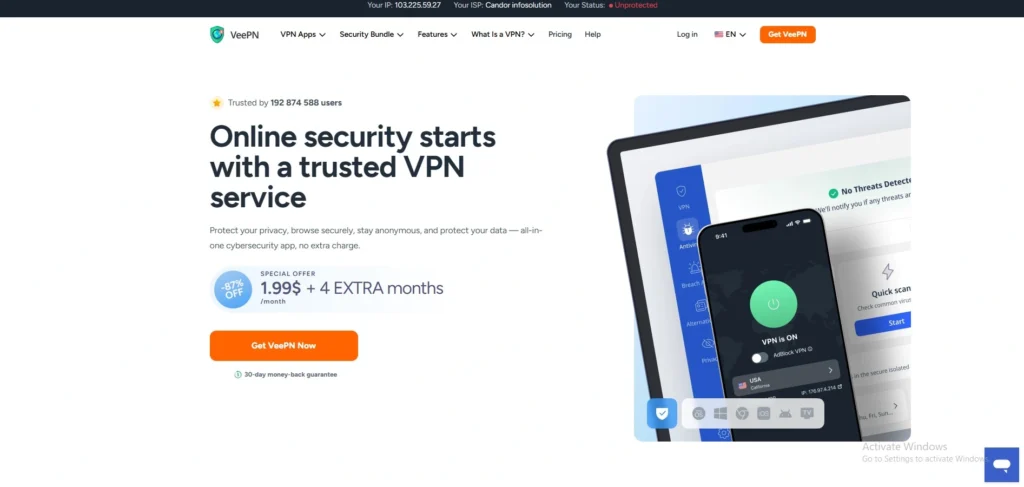
VeePN Chrome extension offers secure browsing with encryption, IP masking, and anti-tracking tools. It provides fast access to global websites and helps users bypass geo-restrictions easily.
The extension is designed for simplicity, making it suitable for beginners who want quick protection without complex settings. VeePN also supports multiple devices and offers both free and premium versions. It is commonly used for streaming, browsing, and public Wi-Fi safety.
With strong encryption and no-logs policy, it provides reliable browser-level privacy protection for everyday internet use.
Key Features:
- AES-256 encryption
- IP masking
- No-logs policy
- Global servers
- Anti-tracking tools
- Multi-device support
Pros:
- Easy to use
- Good speed
- Works for streaming
- Affordable plans
- Simple setup
Cons:
- Limited advanced features
- Browser-only protection
- Some servers slow
11. Hotspot Shield Extension
Website: https://www.hotspotshield.com/
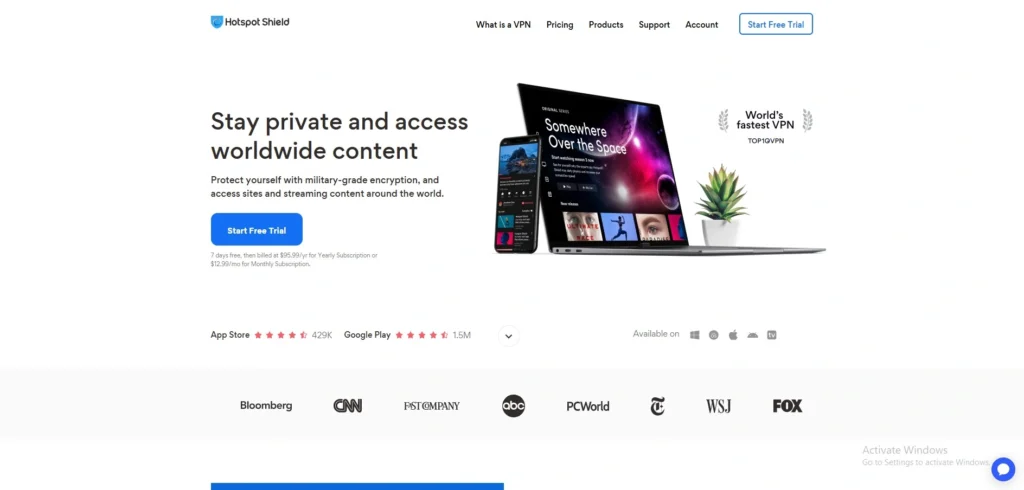
Hotspot Shield Chrome extension provides fast and secure browsing using its proprietary Hydra protocol. It helps users hide IP addresses, access restricted content, and protect data on public Wi-Fi networks.
The extension is known for high-speed performance, making it suitable for streaming and browsing. It offers both free and premium plans, though the free version includes ads.
Hotspot Shield is popular for its simplicity and speed-focused design. It is ideal for users who want quick access to websites without complicated setup or configuration steps.
Key Features:
- Hydra VPN protocol
- IP masking
- Fast connection speed
- AES-256 encryption
- Free plan available
- One-click connect
Pros:
- Very fast
- Simple interface
- Good for streaming
- Easy setup
- Reliable performance
Cons:
- Ads in free version
- Privacy concerns in past
- Limited advanced controls
12. Hide.me VPN Extension
Website: https://hide.me/en/
Hide.me Chrome extension offers secure and private browsing with strong encryption and a strict no-logs policy. It allows users to hide their IP address and access blocked websites safely.
The extension is easy to use and provides both free and paid plans. It is widely trusted for privacy protection and works well on public Wi-Fi networks.
Hide.me focuses on transparency and security, making it suitable for users who want reliable protection without compromising speed or usability in everyday browsing activities and streaming.
Key Features:
- AES-256 encryption
- No-logs policy
- IP masking
- Free plan
- Server switching
- Leak protection
Pros:
- Strong privacy focus
- Free version available
- Easy interface
- Good security
- Reliable service
Cons:
- Limited free servers
- Average speed
- Fewer features than top VPNs
13. NordVPN Chrome Extension
Website: https://nordvpn.com/
NordVPN Chrome extension is one of the most secure and fastest VPN tools for browser protection. It hides your IP address, blocks trackers, and protects against WebRTC leaks while maintaining high-speed browsing.
The extension can also act as a remote control for the full VPN app, giving wider system protection. It is widely trusted for streaming, privacy, and secure public Wi-Fi usage.
With strong encryption and audited no-logs policy, it is suitable for both beginners and advanced users who want reliable online anonymity and performance.
Key Features:
- AES-256 encryption
- Threat protection
- WebRTC leak blocking
- Fast NordLynx protocol
- Strict no-logs policy
- Server switching control
Pros:
- Very fast speeds
- Strong privacy protection
- Easy to use
- Works with streaming sites
- Reliable global servers
Cons:
- Paid only
- Needs full app for full protection
- Slightly premium pricing
14. Browsec VPN Extension
Website: https://browsec.com/en/
Browsec VPN Chrome extension is a simple and free VPN tool designed for basic browsing privacy. It helps users hide their IP address and access restricted websites with minimal setup.
The extension is lightweight and works directly inside Chrome, making it convenient for quick use. Browsec is commonly used for bypassing geo-blocks and securing public Wi-Fi connections.
While it is easy to use, it lacks advanced security features found in premium VPNs. It is best suited for casual browsing and temporary privacy needs.
Key Features:
- IP masking
- Free plan available
- One-click connect
- Basic encryption
- Server selection
- Browser-only protection
Pros:
- Very simple
- Free usage
- Fast setup
- Lightweight
- Good for beginners
Cons:
- Weak advanced security
- Limited features
- Not for sensitive data
15. ZenMate VPN Extension

Website: https://zenmate.com/
ZenMate Chrome extension provides secure and easy-to-use VPN protection for browsing. It allows users to hide their IP address, unblock websites, and encrypt traffic directly in the browser.
ZenMate is designed for simplicity, making it suitable for beginners and casual users. It offers both free and premium versions, with the paid plan providing better speed and server access.
The extension is widely used for streaming, browsing, and public Wi-Fi protection. It focuses on ease of use rather than advanced customization or technical controls.
Key Features:
- AES-256 encryption
- IP masking
- One-click connection
- Free and paid plans
- Global servers
- Browser protection
Pros:
- Easy setup
- Good for beginners
- Works for streaming
- Simple interface
- Affordable plans
Cons:
- Limited free features
- Average speed
- Less advanced control
How to Choose The Best VPN Chrome Extension
Choosing the best VPN Chrome extension depends on balancing privacy, speed, and usability. Not all extensions offer the same level of protection, so evaluating key features helps avoid risks and ensures safe browsing.
- Security (Encryption & No-Log Policy): Strong security is the most important factor when selecting a VPN extension. Look for AES-256 encryption and a strict no-log policy to ensure your browsing data is not stored or shared with third parties.
- Speed Performance: Speed affects streaming, browsing, and downloads directly inside Chrome. Choose a VPN that maintains stable connection speed without heavy lag or frequent disconnects, especially if you use video platforms or online work tools regularly.
- Server Locations: More server locations provide better access to global content and reduced congestion. A good VPN extension should offer multiple countries so you can bypass geo-restrictions and enjoy faster connections by selecting nearby servers.
- Free vs Paid Plans: Free VPNs are useful for basic use but often come with limits like data caps or ads. Paid versions offer better speed, stronger security, and wider server access, making them more reliable for long-term use.
- Chrome Web Store Ratings: User ratings help identify trustworthy and stable VPN extensions. High ratings with positive reviews indicate better performance, fewer bugs, and stronger privacy practices compared to poorly rated or newly launched extensions.
- Ease of Use & Features: A good VPN extension should be simple to install and operate with one-click connection. Extra features like ad blocking, tracker protection, and auto-connect improve convenience and enhance overall browsing security experience.
Free vs Paid VPN Chrome Extensions
| Feature | Free VPN Chrome Extensions | Paid VPN Chrome Extensions |
| Cost | Free to use, no subscription required | Monthly or yearly subscription required |
| Security (Encryption & Logs) | Basic encryption, some may log data or show ads | Strong AES-256 encryption, strict no-log policy |
| Speed | Slower due to limited servers and congestion | High-speed, stable connections |
| Server Locations | Limited countries and servers | Wide global server network |
| Privacy Risk | Higher risk (some extensions track or sell data) | Low risk, audited privacy policies |
| Features | Basic IP masking, limited tools | Kill switch, ad-blocking, streaming support |
| Reliability | Can be unstable or disconnected | Consistent and reliable performance |
| Best Use | Casual browsing, temporary access | Streaming, work, long-term secure use |
How To Install And Use A VPN Chrome Extension
Installing and using a VPN Chrome extension is simple and requires only a few clicks. It helps secure browsing, unlock websites, and improve privacy directly inside the Chrome browser.
- Open Chrome Web Store: Go to the Chrome Web Store in your browser. Search for a trusted VPN extension using its official name to avoid fake or unsafe versions.
- Search for VPN Extension: Type the VPN name in the search bar.
- Choose a well-rated and verified extension with positive reviews and a trusted developer profile.
- Check Details and Ratings: Open the extension page and review features, ratings, and user feedback. Ensure it supports encryption, privacy protection, and has strong overall performance.
- Click “Add to Chrome”: Press the Add to Chrome button to begin installation. Confirm any permission pop-ups required for the extension to function properly.
- Confirm Installation: Allow Chrome to install the extension automatically. Once added, the VPN icon will appear in the browser toolbar.
- Sign In or Register: Open the extension and log in using your account. Some VPNs may require creating a new account or starting a free trial.
- Choose Server Location: Select a country or server from the list provided. This helps change your virtual location and access restricted content.
- Turn On VPN Protection: Click the connect button to activate the VPN. Your browsing is now encrypted and your IP address is hidden.
Common Issues With Chrome Extensions For VPN (Fixes)
VPN Chrome extensions are useful but often come with technical issues that affect performance. Most problems are common and can be fixed easily with simple settings, updates, or switching servers for better stability.
- Slow Speed: Slow speed usually happens due to overloaded servers or long-distance connections. Switch to a nearby server or choose a premium VPN with optimized high-speed networks for better performance.
- Not Working on Netflix: Some VPNs fail to unblock Netflix due to platform restrictions. Use streaming-optimized VPN servers or upgrade to a VPN that regularly updates IP addresses for bypassing geo-blocks.
- Connection Drops: Frequent disconnections occur due to unstable servers or weak internet. Enable auto-reconnect or switch to a more stable VPN provider with stronger server infrastructure.
- Blocked Websites: Certain websites detect and block VPN traffic automatically. Try changing server locations or clearing browser cache to regain access securely.
- Login Issues: Sometimes users cannot log in due to expired sessions or app errors. Reinstall the extension or reset your account credentials to fix authentication problems quickly.
- IP Leak Problems: IP leaks reduce privacy and expose real location information. Enable WebRTC protection and choose VPNs with built-in leak prevention features for safer browsing.
Best Chrome Extensions For VPN For Specific Use Cases
Below is a structured guide of Best VPN Chrome Extensions for Specific Use Cases (2026). Each VPN is grouped by purpose and explained.
Best for Streaming
- ExpressVPN: ExpressVPN is the top choice for streaming due to its ultra-fast servers and ability to unblock Netflix, Disney+, and Prime Video. It offers stable HD/4K playback and strong encryption, making it ideal for uninterrupted global entertainment access.
- NordVPN: NordVPN delivers excellent streaming performance with high-speed servers and SmartPlay technology. It easily bypasses geo-restrictions and supports platforms like Hulu and BBC iPlayer while maintaining strong privacy protection and minimal buffering during playback.
- Surfshark: Surfshark is a budget-friendly streaming VPN with unlimited device support. It works well with major platforms and offers CleanWeb ad-blocking, ensuring smoother streaming experiences with fewer interruptions and faster page loading times.
Best for Privacy
- Proton VPN: Proton VPN is highly trusted for privacy with Swiss-based laws and a strict no-logs policy. It provides strong encryption and secure core servers, making it ideal for users who prioritize anonymity and data protection online.
- Mullvad VPN: Mullvad focuses heavily on anonymity by not requiring personal information for signup. It supports strong encryption and independent audits, making it one of the most privacy-focused VPN extensions available for secure browsing.
- IVPN: IVPN offers advanced privacy features like multi-hop connections and anti-tracking protection. It is designed for users who want maximum anonymity with transparent policies and minimal data collection across browsing activities.
Best Free Option
- Proton VPN Free: Proton VPN Free is one of the safest free VPNs with unlimited data and strong encryption. It is ideal for basic browsing and privacy protection without ads or data selling risks, though server choice is limited.
- Windscribe Free: Windscribe offers 10GB monthly data with ad-blocking and multiple server locations. It balances speed and security well, making it suitable for casual browsing, streaming light content, and secure public Wi-Fi usage.
- TunnelBear Free: TunnelBear provides an easy-to-use VPN with strong encryption and beginner-friendly design. It offers limited free data but is great for quick secure browsing and occasional access to restricted websites.
Best for Work / Remote Users
- NordVPN: NordVPN is excellent for remote workers who rely on remote access software due to strong security, fast servers, and reliable connections. It ensures safe access to work tools, protects sensitive data on public Wi-Fi, and supports stable global connectivity.
- ExpressVPN: ExpressVPN offers consistent speed and strong encryption, making it ideal for remote professionals. It ensures secure access to business platforms and maintains stable performance for video meetings and cloud-based work tools.
- Perimeter 81: Perimeter 81 is designed for business users with centralized security control and team management features. It provides secure access to company networks and protects remote employees with enterprise-level encryption and monitoring tools.
Final Verdict
In 2026, Chrome Extensions For VPN have become essential tools for secure, fast, and flexible browsing, especially for business-minded users who rely on online platforms daily. Choosing the right extension depends on your priorities—privacy, speed, streaming, or remote work security. Premium options like NordVPN and ExpressVPN offer enterprise-level protection and performance, while Surfshark balances affordability with strong features.
Free options such as Proton VPN are useful for basic tasks but limited for business use. For professionals, investing in a paid VPN ensures data protection, safe transactions, and uninterrupted global access. Ultimately, the best VPN Chrome extension is one that aligns with your workflow, security needs, and long-term digital growth strategy, ensuring productivity without compromising online safety or performance.