
Network monitoring tools are very important part of modern business operations. When a business loses connection to the internet or its internal systems go down, it loses a lot of money and the trust of its customers. According to a widely cited industry report, the average cost of information technology downtime is 5,600 dollars per minute. This means even a small pause in service can ruin a budget. Furthermore, downtime now costs Global 2000 companies about 600 billion dollars every single year.
This massive financial loss shows why companies must keep a very close eye on their digital networks. They need software that can watch the systems all day and all night. By catching small problems before they become big disasters, companies can save a lot of money and keep their users happy.
What Is Network Monitoring?
Network monitoring is the process of continuously tracking and analyzing a network’s performance, availability, and overall health. It helps IT teams monitor devices, servers, routers, switches, and network traffic to identify potential issues before they affect users.
Network monitoring tools collect real-time data, detect unusual activity, and send alerts when problems occur. This allows businesses to reduce downtime, maintain stable connections, improve security, and ensure smooth network operations.
Comparison of Best Network Monitoring Tools
| Tool Name | Best Feature | Target Audience | Deployment |
| SolarWinds Network Performance Monitor | Clear visual mapping | Large businesses | On premise |
| PRTG Network Monitor | All inclusive package | Small to medium businesses | On premise |
| Datadog | Advanced cloud tracking | Software developers | Cloud based |
| ManageEngine OpManager | Physical hardware checks | Budget conscious teams | On premise |
| Zabbix | Free open source power | Technical experts | Both |
| Nagios XI | Custom community plugins | IT professionals | On premise |
| Atera | Help desk combination | IT support companies | Cloud based |
| Site24x7 | Real user simulation | Online retail websites | Cloud based |
| LogicMonitor | Automatic device discovery | Fast growing enterprises | Cloud based |
| Dynatrace | Artificial intelligence root cause | Massive global corporations | Cloud based |
List of 10 Best Network Monitoring Tools in 2026
1. SolarWinds Network Performance Monitor
- Website: https://www.solarwinds.com/
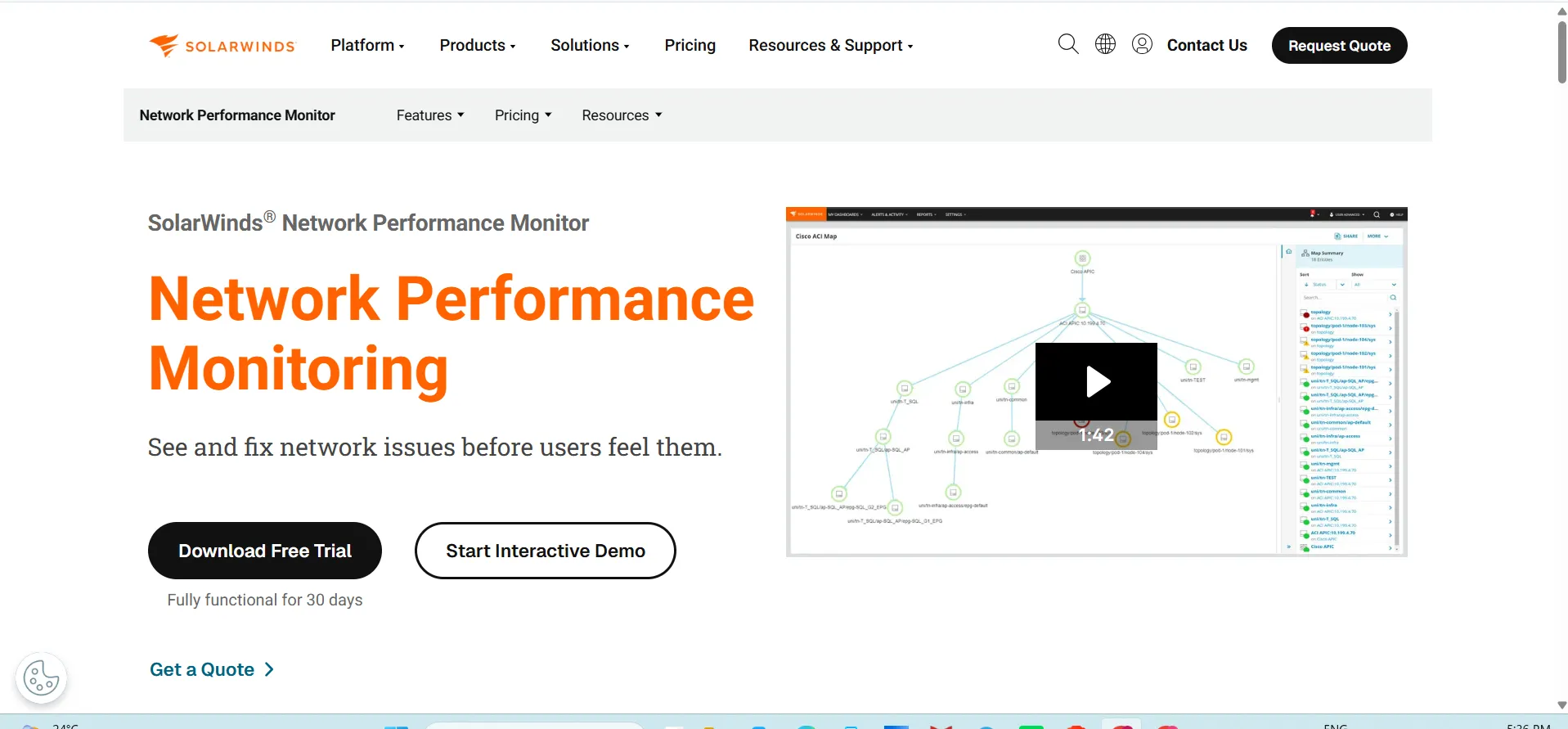
SolarWinds Network Performance Monitor is one of the popular network monitoring tools used by large businesses worldwide. It provides clear visual maps of your entire system to help you see exactly how data moves.
The software is very easy to use and helps you find the exact reason why a connection is slow. It can watch many different types of equipment from various hardware makers. This makes it a great choice for companies with complex computer setups.
Key Features:
- Automatically finds devices connected to your system.
- Creates visual maps to show how devices connect.
- Sends instant alerts when a device stops working.
- Checks the health of wireless connections and routers.
Pros:
- The visual maps are very easy to understand.
- It works well with many different equipment brands.
- The alert system helps fix problems very fast.
Cons:
- It requires a lot of computer memory to run.
- The initial setup process takes a long time.
- Small businesses might find it too complex.
Pricing:
| Plan Name | Monthly Price |
| Monitoring & Observability | $8 / node |
| Database | $142 / database |
| IT Service Management | $39 / technician |
| Incident Response | $15 / user |
2. PRTG Network Monitor

- Website: https://www.paessler.com/prtg
PRTG Network Monitor by Paessler is a highly flexible tool that checks all the systems, devices, and traffic in your business setup. It comes with everything you need built right into the main package. You do not need to download extra plugins to make it work.
The tool has a very clean dashboard that shows you the health of your digital connections instantly. It is very famous for being easy to start and easy to maintain daily.
Key Features:
- Uses sensors to measure different parts of the system.
- Sends alerts directly to your mobile phone.
- Provides custom reports about system performance.
- Supports multiple languages for global teams.
Pros:
- The setup process is incredibly fast and simple.
- The mobile application is very helpful for remote work.
- You can change the dashboard to show what you want.
Cons:
- Adding many sensors can become very expensive quickly.
- The web interface can feel a bit slow sometimes.
- Customer support takes time to reply on weekends.
Pricing:
| Plan Name | Monthly Price |
| PRTG 500 | $200 (per month paid annually) |
| PRTG 1000 | $358 (per month paid annually) |
| PRTG 2500 | $742 (per month paid annually) |
| PRTG 5000 | $1,300 (per month paid annually) |
| PRTG 10000 | $1,642 (per month paid annually) |
3. Datadog
- Website: https://www.datadoghq.com/
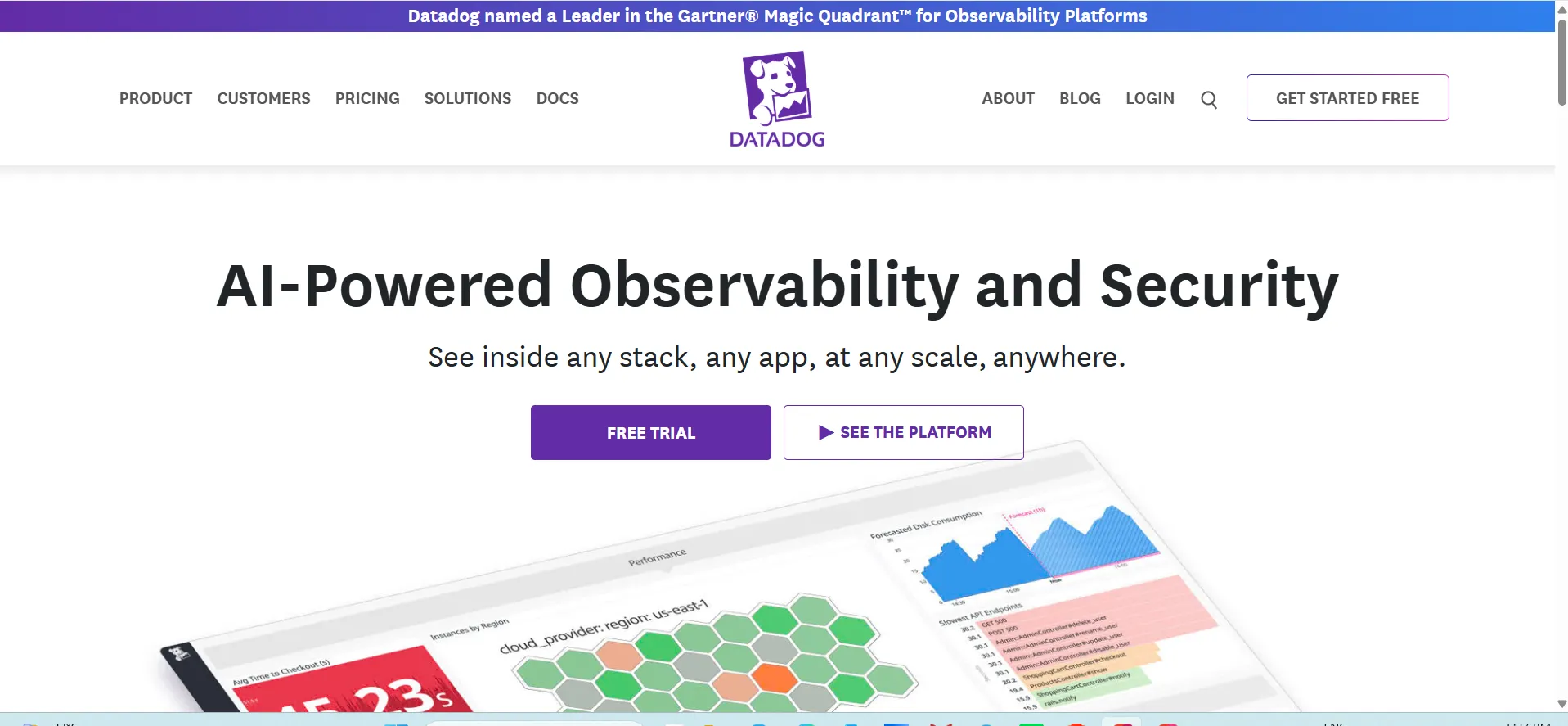
Datadog is a modern monitoring software that lives in the cloud. It is designed for businesses that use a mix of local servers and online cloud services. Datadog provides very deep insights into how your applications and digital systems talk to each other.
It uses smart technology to find unusual patterns in your data traffic. It is widely loved by software developers because it combines security checking with performance tracking in one very neat visual package.
Key Features:
- Tracks data movement across cloud servers instantly.
- Predicts future problems using smart data analysis.
- Combines error logs and system health in one view.
- Connects easily with many other software applications.
Pros:
- Excellent for modern cloud based companies.
- The artificial intelligence features are very accurate.
- The visual graphs look very beautiful and clear.
Cons:
- The price increases very fast as you add more things.
- Beginners might find all the features confusing at first.
- You need a fast internet connection to use it well.
Pricing:
| Plan Name | Monthly Price |
| Free | $0 |
| Pro | $15 per host, per month (billed annually or $18 on-demand) |
| Enterprise | $23 per host, per month (billed annually or $27 on-demand) |
| DevSecOps Pro | $22 per host, per month |
| DevSecOps Enterprise | $34 per host, per month |
4. ManageEngine OpManager

- Website: https://www.manageengine.com/
ManageEngine OpManager is a very complete tool designed to watch your routers, switches, firewalls, and servers. It is a great option for businesses that want a strong network monitoring tools solution without spending a huge amount of money.
The software gives you real time updates about the health of your physical equipment. It also comes with many ready to use report templates. IT administrators really appreciate how simple it is to add new devices and start checking them immediately.
Key Features:
- Checks the temperature and power of physical hardware.
- Monitors both local networks and wide area connections.
- Provides a drag and drop system for making dashboards.
- Sends warnings through email and text messages.
Pros:
- The price is very fair for the features you get.
- It does not need a very powerful computer to run.
- The report building tool is very simple to use.
Cons:
- The design of the screens looks a little old.
- Updating the software to new versions can be difficult.
- Some advanced settings are hard to find in the menu.
Pricing:
| Edition | Starting Price (Annual Billing) |
| Free Edition | $0 (Up to 3 devices) |
| Standard Edition | $95 – $245 / year |
| Professional Edition | $145 – $345 / year |
| Enterprise Edition | $4,595 / year (starts at 250 devices) |
5. Zabbix

- Website: https://www.zabbix.com/
Zabbix is a completely free and open source tool that can monitor massive enterprise systems. Because it is free, many companies use it to save money while still getting top quality features.
It is incredibly powerful and can handle millions of data checks every single minute. You can configure it to watch almost any digital device in the world. However, you need to know how to write code to get the best results from it.
Key Features:
- Watches servers, clouds, and applications for free.
- Collects massive amounts of data without slowing down.
- Protects user information with strong security features.
- Allows users to build their own custom checking rules.
Pros:
- The software is entirely free to download and use.
- It scales up easily for very large global companies.
- The user community is very helpful for solving problems.
Cons:
- It is very difficult for beginners to learn and install.
- You must pay for official professional support services.
- Creating good looking visual graphs takes a lot of time.
Pricing:
| Plan Name | Monthly Price |
| Silver | $325 / month billed annually |
| Gold | From $825 / month billed annually |
| Platinum | Custom |
| Enterprise | Custom |
| Global | Custom |
Suggested Read:
6. Nagios XI
- Website: https://www.nagios.com/
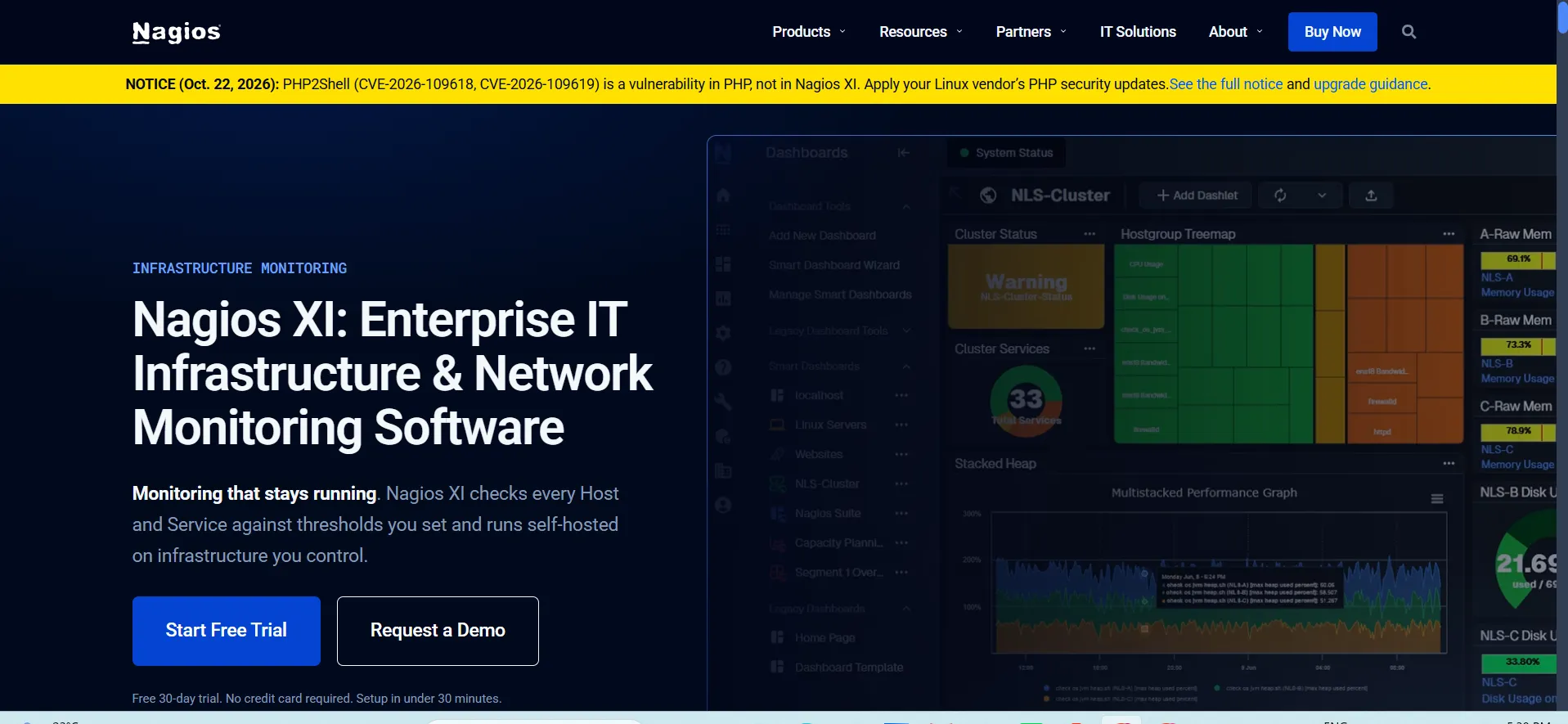
Nagios XI is a very famous tool that has been used by professionals for many years. It is built on a solid foundation and is known for being extremely reliable. The software focuses strongly on watching core server operations and system services. These capabilities make it a trusted choice among network monitoring tools.
It offers thousands of free additions created by other users to expand what the tool can do. This means if you need to check a rare piece of equipment, Nagios probably has a solution.
Key Features:
- Provides a central view of all system operations.
- Uses a strong planning tool to predict future needs.
- Includes advanced charts for analyzing past performance.
- Allows different users to have different access levels.
Pros:
- It is extremely stable and rarely crashes.
- The community plugins let you monitor almost anything.
- It provides very deep technical details for experts.
Cons:
- The user screens are very difficult to navigate.
- Initial configuration requires reading a lot of manuals.
- Fixing errors can take a long time for new users.
Pricing:
| Plan Name | Monthly Price |
| Free (7 Node | 100 Service) | Free |
| Standard (100-Node) | $2,595 |
| Enterprise (100-Node) | $4,690 |
| Sitewide (Multiple Unlimited Nodes) | Contact Sales / Custom |
7. Atera

- Website: https://www.atera.com/
Atera is an all in one software built specifically for companies that provide tech support to other businesses. It combines network monitoring with customer help desk features.
The best thing about Atera is that you pay a single fixed price for each technician, no matter how many devices you check. This makes it a fantastic choice for growing companies. It lives entirely in the cloud, so you do not need to install central servers in your office.
Key Features:
- Tracks system health and manages customer support tickets.
- Allows technicians to control computers from far away.
- Automatically applies important security updates to machines.
- Generates detailed billing reports for support services.
Pros:
- The pay per technician model saves a lot of money.
- Having monitoring and support together saves a lot of time.
- The cloud platform is very fast and easy to start using.
Cons:
- The monitoring features are less deep than pure monitoring tools.
- The reporting tools lack some advanced customization options.
- Customer support is mainly done through email only.
Pricing:
| Plan Name | Monthly Price |
| Professional | $149 / mo per technician (billed annually) or $169 / mo billed monthly |
| Expert | $189 / mo per technician (billed annually) or $229 / mo billed monthly |
| Master | $219 / mo per technician (billed annually) or $269 / mo billed monthly |
| Enterprise | Let’s talk (Custom) |
8. Site24x7

- Website: https://www.site24x7.com/
Site24x7 is a powerful online tool that checks the health of your digital resources from the perspective of an actual user. It is very good at making sure your public websites and applications load quickly for customers around the world. This user-focused approach makes Site24x7 a useful option among network monitoring tools.
It tests your systems from dozens of different global locations constantly. If a customer in another country experiences a slow connection, Site24x7 will tell you immediately. It also watches the internal hardware that runs your operations.
Key Features:
- Tests website speed from many different global locations.
- Watches the performance of Windows and Linux servers.
- Checks internet routers to find traffic jams instantly.
- Simulates user clicks to test if websites work properly.
Pros:
- Excellent for companies that rely on internet sales.
- The setup process is completely online and very quick.
- It provides very clear alerts to your mobile phone.
Cons:
- The user screens can feel crowded with too much text.
- Viewing historical data past a certain date costs extra.
- Understanding the billing structure can be a bit confusing.
Pricing:
| Plan Name | Monthly Price |
| Lite | $9 / month (paid annually; originally $10/month) |
| Professional | $42 / month (paid annually; originally $49/month) |
| Enterprise | Starts at $625 / month (paid annually) |
9. LogicMonitor

- Website: https://www.logicmonitor.com/
LogicMonitor is a fully automated cloud based platform designed for very busy enterprise teams. It takes away the hard work of setting up network checks manually. As soon as you connect it, the software automatically finds your equipment and applies the correct rules.
It is designed to scale up endlessly without requiring you to buy more physical servers. The tool is perfect for companies that are growing fast and adding new digital devices every single day.
Key Features:
- Automatically discovers new devices without any human help.
- Keeps all data in a highly secure online cloud space.
- Uses artificial intelligence to stop false alarm messages.
- Provides beautiful dashboards for company management teams.
Pros:
- The automatic setup saves many hours of hard work.
- It covers both on premise servers and online clouds.
- The support team is very knowledgeable and replies fast.
Cons:
- The cost is very high compared to other standard tools.
- Small businesses will not need most of its features.
- Learning to write custom checking scripts is very hard.
Pricing:
| Plan Name | Monthly Price |
| Essentials | $16 per hybrid unit |
| Advanced | $27 per hybrid unit |
| Signature + Edwin AI | $53 per hybrid unit |
10. Dynatrace

- Website: https://www.dynatrace.com/
Dynatrace is a premium software and one of the advanced network monitoring tools that uses very advanced artificial intelligence to watch your whole digital environment. It does not just tell you that a problem exists; it tells you exactly what caused the problem and how to fix it.
This tool maps out every single connection between your software and your hardware. It is built for massive global organizations that cannot afford even one minute of downtime. It is incredibly powerful but requires a large budget.
Key Features:
- Uses smart automation to map the whole digital system.
- Finds the exact root cause of any sudden failure instantly.
- Monitors how real people interact with your software application.
- Connects smoothly with modern cloud services and local hardware.
Pros:
- The artificial intelligence engine is the best in the market.
- It provides exact answers instead of just showing raw data.
- The visual maps are extremely detailed and very accurate.
Cons:
- The price point is too expensive for most small businesses.
- The sheer amount of data can overwhelm a new user completely.
- Customizing the software requires highly trained professionals.
Pricing:
| Plan Name | Monthly Price |
| Foundation & Discovery | $7 / mo per host |
| Infrastructure Monitoring | $29 / mo per host |
| Full-Stack Monitoring | $58 / mo per 8 GiB host |
Types of Network Monitoring Tools
There are many different types of tools you can use to watch your systems. Each type is built for a specific purpose. Some companies use only one type, while larger companies use a combination of several types to get a complete view. It is very important to understand these different types before you spend your company money. Using the wrong tool will not solve your technology problems.
- Performance Monitoring Tools: These tools focus heavily on speed. They check how fast data moves from one computer to another computer. If the speed drops suddenly, they send an alert.
- Fault Monitoring Tools: These tools look directly for broken things. If a server completely loses power or an internet cable is cut, these tools tell you instantly so you can replace the parts.
- Security Monitoring Tools: These tools watch constantly for bad behavior. They look carefully for hackers trying to break into your system or viruses trying to steal your private data.
- Cloud Monitoring Tools: These are special tools that check the health of remote servers owned by large companies like Amazon or Google. They make sure your online files are always accessible.
- Hardware Monitoring Tools: These tools measure physical things in the real world. They can check if a computer processor is becoming too hot or if a storage hard drive is completely full.
Key Features to Look for in the Network Monitoring Tools
When you want to buy a new software to watch your digital systems, you must look for certain special features. Not all tools are exactly the same. Some tools are very basic, and some tools are very advanced. You want to make sure you get the best value for your budget. Here are the most important features you must demand from your new monitoring software.
- Real Time Alerts: The software absolutely must tell you about a problem the exact second it happens. It should send you a text message, an email, or a notification right to your mobile phone.
- Automatic Discovery: You should not have to type in the name of every single computer in your entire office. The tool should scan your digital space and find all the connected equipment automatically.
- Visual Dashboards: Reading long lists of numbers is very boring and hard to understand. The best tools give you beautiful visual graphs, pie charts, and maps that show system health very clearly.
- Customization: Every single business is different. You must be able to change the rules of the software to fit your specific daily needs and your unique office schedule.
- Scalability: Your business will grow bigger in the future. The software must be able to grow with you. It should be able to watch ten computers today and ten thousand computers tomorrow without breaking.
- Historical Reporting: It is deeply important to look at past data to see changing patterns. The tool should save old data securely so you can compare how your system worked last month versus this month.
Benefits of Using Network Monitoring Tools
Using these software tools provides massive advantages for any modern company. In today’s digital world, running a business without monitoring is like driving a car with your eyes closed. The benefits are very clear and affect the whole company in a positive way. Companies that invest in monitoring always save money in the long run.
- Saves Money: By stopping system failures before they actually happen, you do not lose customer sales and you do not have to pay for expensive emergency technical repairs.
- Increases Productivity: When the office internet is fast and computers work perfectly, your employees can do their daily jobs much faster and without any feeling of frustration.
- Improves Security: These tools help you instantly spot unusual data movement, which is very often the very first sign of a digital attack or a harmful virus infection.
- Provides Better Customer Service: If your public websites are always online and loading fast, your customers will completely trust your brand more and keep returning to buy your products.
- Helps with Future Planning: By looking closely at the historical data reports, you can see if you need to buy a new server next year or if your current equipment is still good enough.
- Reduces IT Team Stress: Your technology workers will not have to guess what is wrong. The software tells them exactly where the specific problem is, making their jobs much easier and more enjoyable.
Free vs. Paid Network Monitoring Tools
Many small companies ask if they really need to pay money for these software tools. There are very good free options available, but they have some strict limits. Paid options cost money but save a lot of time. Here is a simple look at the major differences between the two choices.
| Feature | Free Tools | Paid Tools |
| Cost | Zero dollars completely | Monthly or yearly subscription fees |
| Support | Community internet forums only | Professional phone and direct email support |
| Setup Difficulty | Usually very hard to install | Usually very easy and fully guided |
| Features | Basic features, requires custom code | All advanced features included immediately |
| Best For | Students and very small budget companies | Growing businesses and large global enterprises |
Free tools are amazing if you have a lot of free time and know exactly how to write computer code. However, if you want a tool that works perfectly right out of the box with strong customer support, a paid tool is always the much better choice. Paid tools give you peace of mind that experts are ready to help you if something goes wrong.
How to Choose the Right Network Monitoring Tools for Your Business
There are a lot of tools to choose from, and it’s difficult to pick the right one. Don’t rush and invest wisely to save resources and maintain morale among your staff.
The first step is that you need to look at your budget and determine how much you have to spend each month. Secondly, consider the capabilities of your tech team. If they are novices then choose a tool that is very easy to install and use.
- Count Your Devices: Know exactly how many computers, mobile phones, and servers you need to watch before you ask a company for a price quote.
- Identify Your Biggest Problem: Are you trying to fix slow internet speeds, or are you trying to stop security threats? Pick a tool that perfectly solves your main problem first.
- Use Free Trials: Almost every single software company offers a fourteen day free trial period. You must test the software in your real office network before you sign any contract.
- Check for Integrations: Make sure the new software can smoothly talk to the other digital programs your company already uses every single day.
- Read Real Reviews: Do not just blindly trust the official marketing website. Go to independent review websites and see what other real world users say about the customer support team.
Conclusion
In conclusion, network monitoring tools are absolutely essential for any business that relies on computers and the internet to make money. The massive financial cost of an unexpected system failure is simply too high for any owner to ignore. By carefully choosing one of the ten excellent tools listed in this article, you can properly protect your digital assets, keep your office employees working efficiently, and ensure your loyal customers always have a great digital experience.
Always remember to use the free software trials and deliberately pick the software that perfectly matches your financial budget and your team technical skill level. A strong monitoring system is the best security insurance policy for your growing digital business.
Frequently Asked Questions
Q1: What Is The Main Purpose Of Network Monitoring?
The main purpose is to watch your computer systems constantly to make sure everything is working fast and correctly. It helps you quickly find and fix small technical problems before they cause your entire digital business to completely stop working.
Q2: Can A Small Business Benefit From Network Monitoring Tools?
Yes, absolutely. Even small businesses can lose a lot of money if their internet abruptly stops working. Many software companies offer cheaper, simpler versions of their advanced tools specifically designed to help small businesses protect their daily operations.
Q3: Is Network Monitoring The Same Thing As Cyber Security?
No, they are different but highly related. Monitoring focuses mainly on speed and performance to ensure systems are running smoothly. Security focuses on stopping hackers and viruses. However, a good monitoring tool can strongly help you spot a security problem early.
Q4: Do I Need A Special Computer To Run These Network Monitoring Tools?
It entirely depends on the specific tool you choose. Some older tools require you to buy a very powerful, expensive server for your office. However, many modern tools live in the cloud and only require a basic web browser.
Q5: How Much Does The Good Network Monitoring Tools Cost?
Prices vary widely across the market. You can find completely free open source tools if you have advanced technical skills. Paid professional tools can start around ten dollars a month and easily go up to thousands of dollars.
Q6: What Is A Network Device?
A network device is literally any piece of physical hardware that connects directly to your digital system. This widely includes office computers, mobile phones, internet routers, data switches, firewalls, and large data servers located in your main building.
Q7: Will Monitoring Slow Down My Internet Connection?
A well designed monitoring tool uses a very tiny amount of data to check your systems. It should never slow down your regular daily business activities. If the tool noticeably slows your internet, it is configured incorrectly.
Q8: What Happens When The Software Finds A Problem?
When the software detects a sudden issue, it immediately creates a clear warning alert. It will flash a bright red light on the main screen and swiftly send an email or a text message to the person in charge.
Q9: Can These Tools Watch Remote Employees Working From Home?
Yes, many modern tools have special features to closely watch connections outside the main office building. They can easily check if a remote worker has a safe, stable, and fast connection to the central company servers.
Q10: How Often Should I Check The Monitoring Dashboard?
You should carefully configure the software to send you automatic text alerts for major emergencies. However, it is a very good business habit to look at the visual dashboard once every morning to verify overall system health.